Fake Instagram login pages: How phishing hijacks your account

February 24, 2026
Instagram phishing via fake login pages steals passwords and 2FA codes, leading to account takeovers and identity abuse.
Key Takeaways
- Fake Instagram login pages are designed to steal credentials instantly. These phishing sites mimic the real login interface to capture usernames, passwords, and even 2FA codes.
- Scammers rely on urgency-driven messages to lure victims. Common tactics include fake copyright violations, suspicious login alerts, or account suspension warnings.
- One click can lead to full account takeover. Once credentials are entered, attackers quickly change login details and lock users out of their accounts.
- Phishing links are typically delivered via DMs, emails, or SMS. Attackers impersonate Instagram, brands, or trusted contacts to increase credibility.
How Instagram phishing pages lead to account takeovers
Instagram scams are a full ecosystem, but fake login pages deserve their own spotlight because they’re a single-click disaster that could lead to account takeovers. These malicious web pages and forms are designed to steal more than just your password – they also aim to steal your multi-factor authentication (MFA) code, which can leave you stranded and unable to recover your account.
In this guide, we’ll explain what Instagram phishing pages are, how to spot lookalike Instagram or Meta Support login pages, why they’re so effective and how you can steer clear of them.
What is a fake Instagram login page?
A fake login page, as its name suggests, is a malicious site that mimics its legitimate counterpart (in this case, Instagram) to deceive you into handing out your credentials. The attacker’s goal is straightforward:
- Lure you with a link (usually via DM, email, SMS or a fake support message)
- Trick you into typing your username and password into a convincing clone
- (Optionally) Prompt for an MFA code (SMS or authenticator) to bypass your second layer of protection
- Log in immediately and lock you out by changing your email, password and recovery options
This flow is far from hypothetical, as Instagram support-themed phishing has been well documented. In these scenarios, threat actors explicitly ask victims for both credentials and MFA codes, then rapidly change account details to seize control.
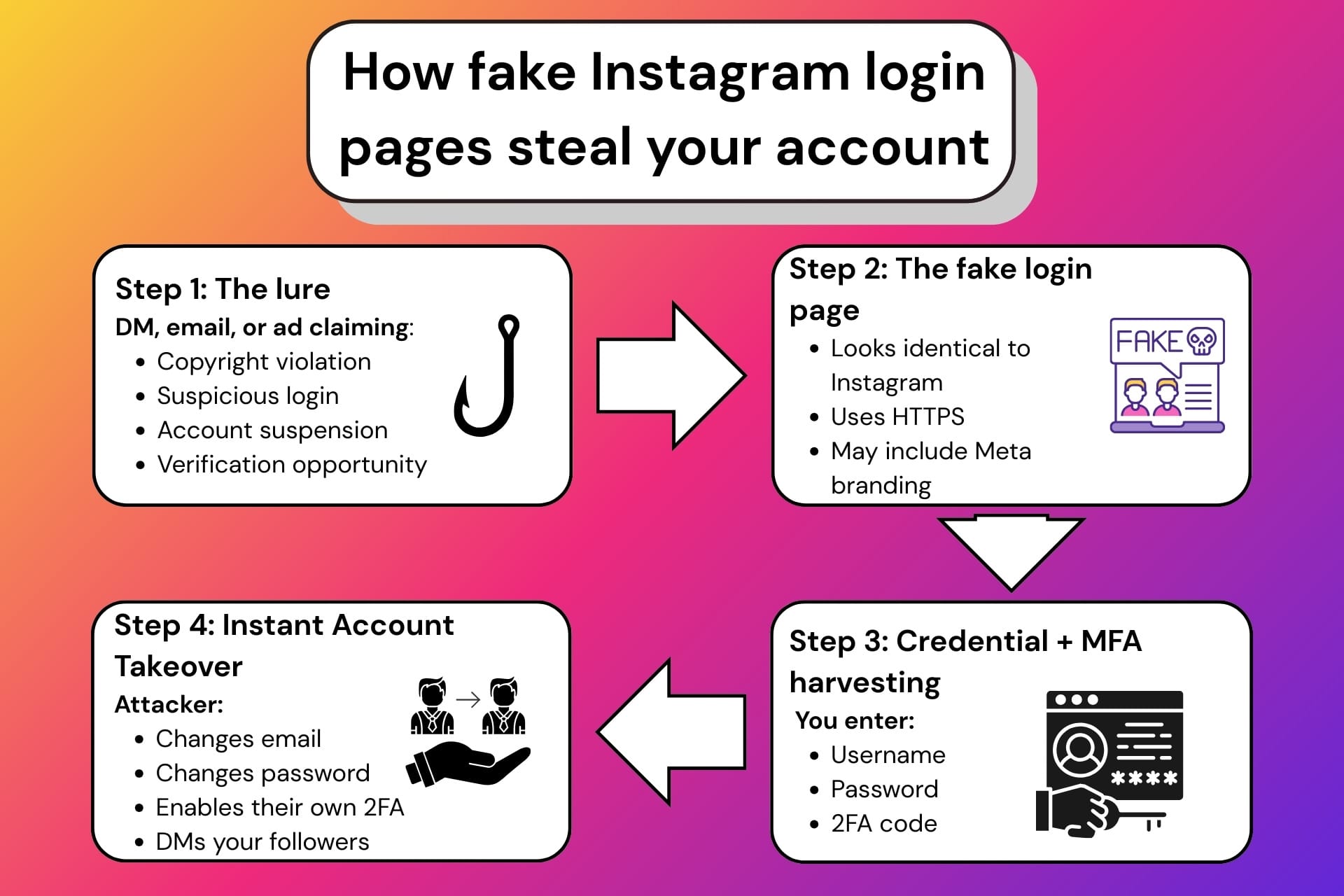
Common lures for fake Instagram login pages
To avoid suspicion, attackers rarely say “please log in here.” Experienced con artists simulate urgency, fear or opportunity, making you believe it’s best if you log into said pages without explicitly asking you to.
Here are the most effective lures they may use to deceive you:
1) ‘Copyright infringement’ or ‘policy violation’ notices
This is among the most common forms of the fake login page scam: you’re told that your content violated copyright or other policies and that, unless you take certain actions, such as appealing the decision or confirming your details, your account will be restricted or closed.
Those actions, of course, include logging in to your account. However, the link goes to a fake login page that harvests credentials.
2) ‘Your account will be disabled’ or ‘suspicious login attempt’
In this scenario, you get an email or message claiming someone logged into your account from a strange location, and you must secure your account. Some waves of legitimate-looking password reset emails have also caused confusion. Attackers thrive in the panic and confusion these emails create because they condition people to click quickly and take action.
3) Fake ‘Meta’ or ‘Instagram support’ outreach
These lures come through DMs or emails, and you can even stumble upon them in apparently harmless ads. They often pose as ‘Advertising Support Center’ or ‘Security Team’ accounts. After convincing you, they send you to fake Meta-branded pages that ask for your credentials.
It goes without saying that if you log into these fabricated websites, no matter how professional-looking they appear, you will lose access to your account.
4) ‘Blue badge’ and verification scams
Meta’s blue badge has long been deemed a symbol of trust. In other words, accounts that brandish the famous blue badge immediately appear more trustworthy. While genuine businesses acquire their blue badges as a means to demonstrate their legitimacy, threat actors may also do so to obscure their malicious intentions.
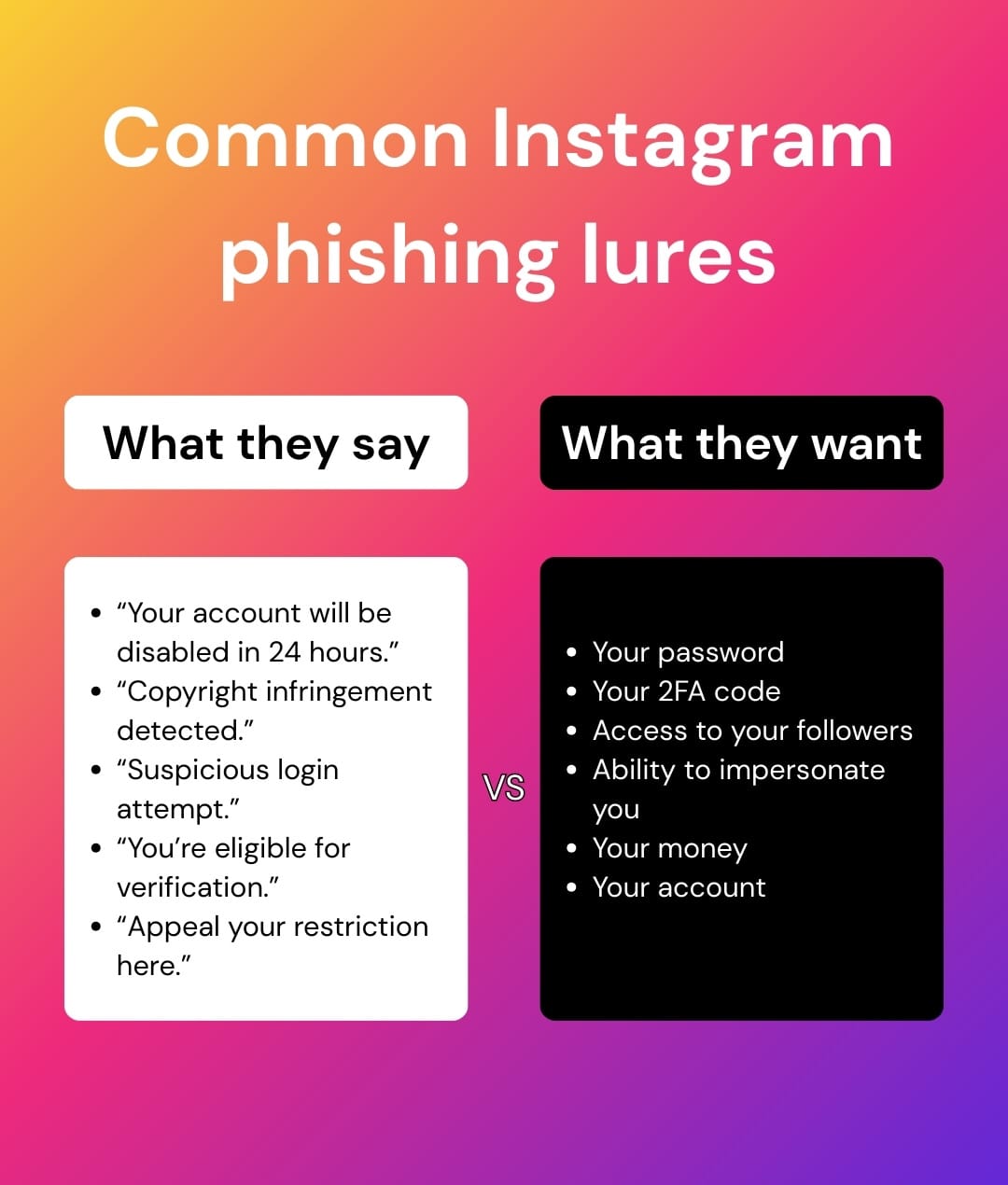
Promises of verification, brand deals, creator program enrollment or priority support often route victims to a login clone. Older campaigns and ongoing scam variants use the same core trick: “log in to confirm your eligibility.”
Why fake Instagram login pages are dangerous
The dangers of fake Instagram login pages extend beyond losing your account to threat actors. A compromised Instagram account is a treasure trove to attackers because it comes with built-in trust and reach. Aged Instagram accounts are even more valuable, as they are generally perceived as trustworthy.
- Instant impersonation: Attackers DM your contacts, friends, followers or relatives from your real account with payment requests, fake giveaways or phony assistance requests (e.g., “I’m locked out,” “vote for me”)
- Credential reuse fallout: If you reused your Instagram account password anywhere else, the blast radius expands – an attacker who knows your Instagram password can try it for your other accounts. If you recycled your password, it may lead to several account compromises.
- MFA bypass attempts: Many phishing flows now ask for your MFA code right after your password, specifically to defeat the protection you thought you had. It’s also highly effective, especially if you already configured MFA, because it sticks to the script. An apparently successful login that doesn’t trigger your MFA could raise suspicion.
- Recovery lockout: Once threat actors change your email/phone and enable their own MFA, you’re fighting an uphill battle. Recovering your account from this position would have you jump through hoops and the result is not always in your favor.
How to spot fake login Instagram pages
Although treating every request as suspicious is among the best ways to prevent fake Instagram login pages, it doesn’t always work. AI has given attackers a significant hand, helping them create nearly identical clones of legitimate login pages with perfect grammar and very few subtle giveaways.
However, some red flags still stick out. Learning to spot them could save you from an unpleasant situation.
URL and domain tells
- The domain is not an Instagram/Meta domain
- Slight misspellings, extra words or odd subdomains (typo-squatting)
- Shortened links that hide the destination
Page behavior tells
- The page loads but feels strange: missing links, broken footers, weird language, low-quality design, misaligned elements
- The page immediately demands a login to “appeal,” “verify” or “prevent suspension”
- It asks for an MFA code in a way that feels like customer support, not a normal login process you initiated
Social engineering tells
- Strong sense of urgency, threats or panic triggers such as giving you a short timeframe to act (e.g., “within 24 hours”)
- “Support” agents asking you to send codes or screenshots from your device
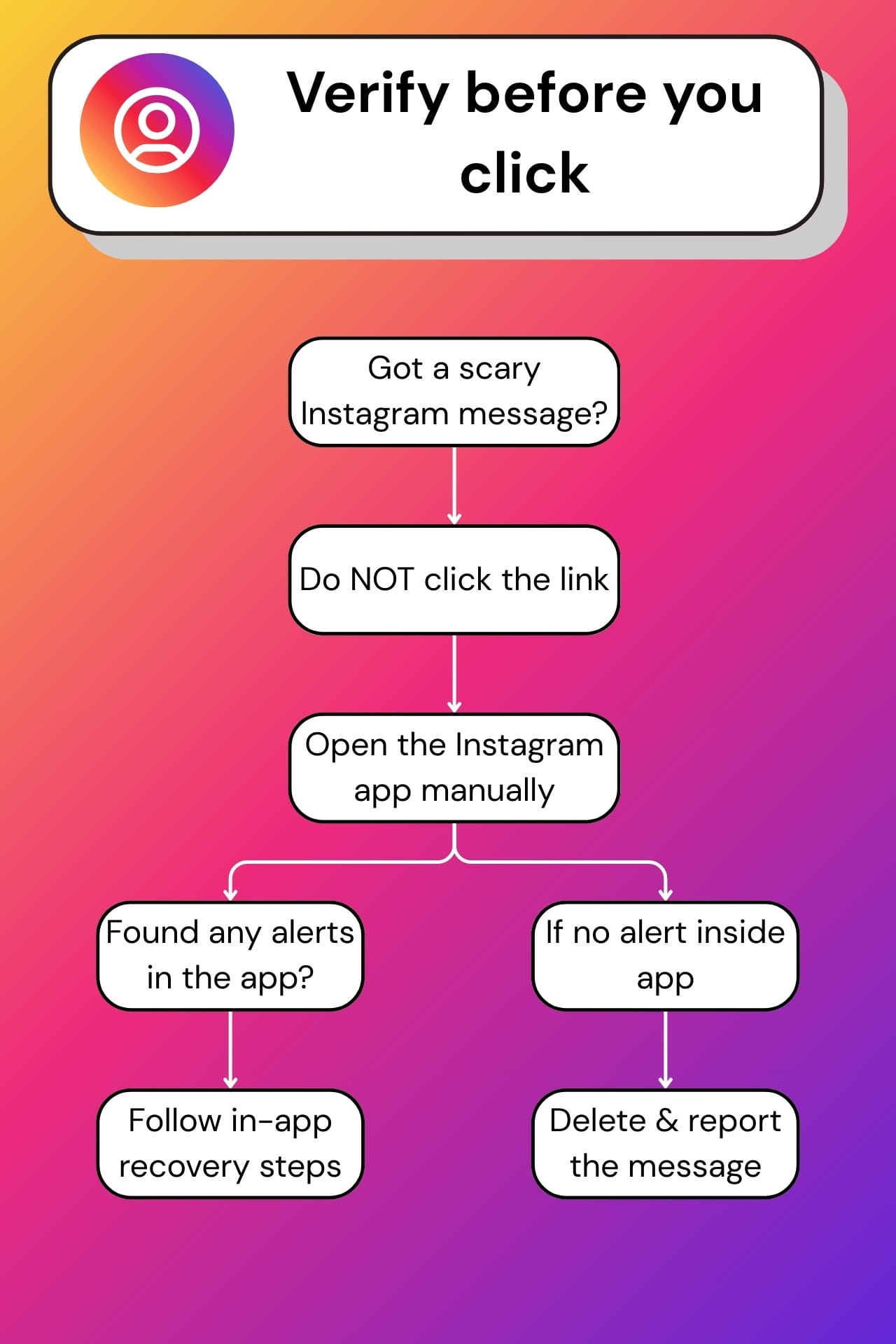
Use Instagram’s built-in verification tools
Although attackers often send phishing emails and DMs claiming your account is at risk, verification should never be conducted through the link they provide. If you ever receive a security warning, even if it does look like it’s from Instagram, take the following steps:
- Open the Instagram app manually, not using provided links
- Open the app’s settings (
Settings and activitymenu) - Go to the
Accounts Centersection - Tap the
Password and securitybutton - Check the
Where you’re logged insection for any suspicious logins - Check the
Recent emailsto see if Instagram really sent you any message - Tap the
Security Checkupbutton to review your info and add extra protection
If there’s nothing suspicious inside the app, the message you received is almost certainly a phishing attempt.
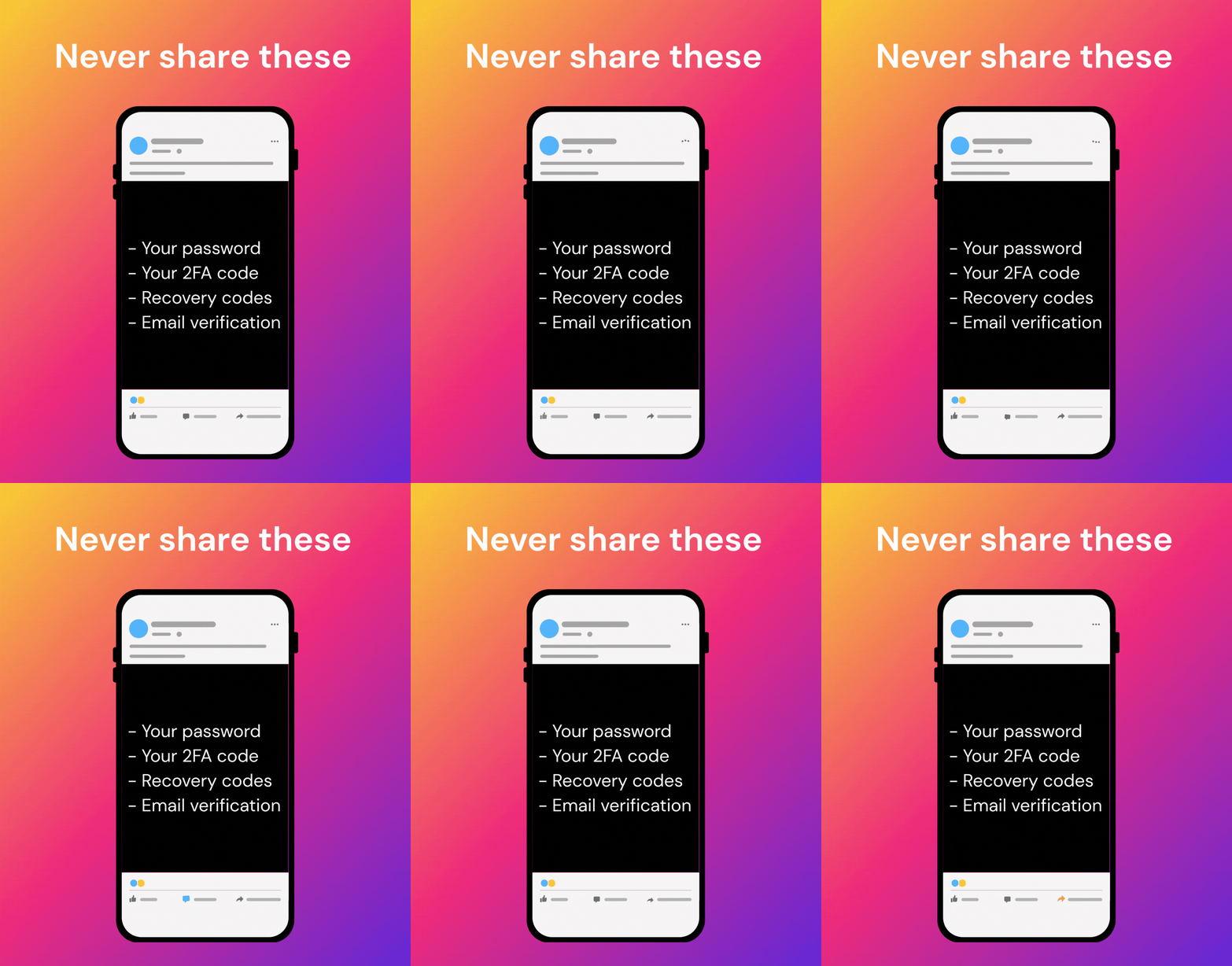
Critical reminder: Instagram will never ask you for your password or MFA code through email, DM or “support” chat. If someone requests a code, assume that they’re attempting a real-time account takeover.
Protecting your Instagram account against fake login pages
You can’t control what lands in your inbox, but you can reduce the impact of a scam by following these steps:
- Use unique passwords: Avoid recycling passwords for multiple accounts, as doing so exposes you to credential stuffing attacks. Use a password manager like Bitdefender SecurePass to avoid password fatigue and generate strong, unique passwords
- Turn on MFA: Multi-factor authentication adds an extra layer of defense to your account. Prioritize using app-based authentication instead of SMS, as SMS codes are easier to intercept or socially engineer
- Be cautious with “support” outreach: Real platforms don’t need your password or MFA code to verify you, so avoid handing them out
- Avoid logging in from links: Always open the app, navigate to the section of interest and perform actions manually, as links can be poisoned
- Consider passkeys when available: Passkeys are designed to be resistant to phishing because they’re bound to the legitimate domain in your browser/device flow. Meta has been rolling out passkey support on Facebook, positioning it as an anti-phishing improvement
- Use dedicated scam detection tools: Bitdefender's Scamio can help you detect phishing attempts before they do harm. Send any suspicious text, email, social media link, SMS, QR code, image, or even describe a situation and Scamio will provide you with an analysis of its perceived legitimacy
What to do if you entered your password in a fake Instagram login page
In this situation speed matters most. If you've already entered your credentials, or, in the worst case, handed out your MFA code, assume the attacker is attempting to log in to your account right now. Take the following steps as fast as you can:
- Change your Instagram password immediately (from the app, not from the link you probably clicked earlier)
- Change the password of your email account, especially if it’s tied to Instagram recovery, more so if it uses the same password
- Check the “Where you’re logged in” section in the Instagram app and log out of unfamiliar sessions
- Enable or reconfigure MFA (always prefer authenticator apps)
- Check your account details (email and phone). If they were changed, follow the in-app recovery prompts and any reversal links from legitimate security emails
- Warn close contacts if you suspect the account is being used to message others
Conclusion
Fake Instagram login pages work because they exploit reflexes. Fear of losing your account, excitement over the prospect of becoming “verified” and trust in familiar branding are frequently weaponized in these malicious schemes.
Treat logins as a high-risk surface, verify messages inside the app, turn to Instagram’s built-in email verification tool and boost your account’s defenses to prevent a single mistake from becoming a full account takeover.
Frequently asked questions (FAQ)
How do I know a fake page on Instagram?
Check for impersonation signs: newly created accounts, low-quality or stolen photos, inconsistent usernames, unusual follower-to-engagement ratios and urgent DMs pushing links or asking for codes are always to be treated as red flags.
Can you trace a fake IG account?
No, regular users cannot trace fake Instagram accounts. Only Instagram/Meta and law enforcement can access IP logs and backend data to trace accounts. However, you can still report it and document evidence.
What is a ghost page on Instagram?
A ghost page typically refers to an inactive or fake account with little to no original content, often created for impersonation, stalking, bot activity or scam distribution.
tags
Author

Vlad's love for technology and writing created rich soil for his interest in cybersecurity to sprout into a full-on passion. Before becoming a Security Analyst, he covered tech and security topics.
View all postsYou might also like
Bookmarks
