Scam Protection is a feature included in the paid version of Bitdefender Mobile Security for iOS. It automatically detects phishing and scam attempts by filtering messages, scanning calendar events, and alerting you to emerging scam campaigns. It runs in the background and requires minimal interaction once enabled.
Scam Protection features for iOS
Scam Protection for iOS uses 3 complementary layers to help you avoid scam links before you engage with them.
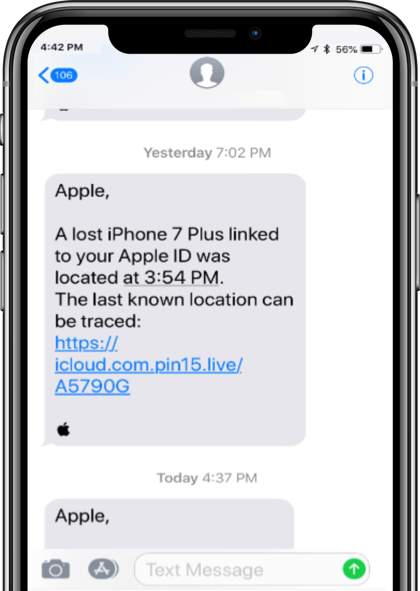
Text Message Filter
Calendar Invite Link Scanner
 . This leads to constant, misleading alerts about hacks, malware, or prizes, all meant to trick you into clicking malicious links and exposing your data.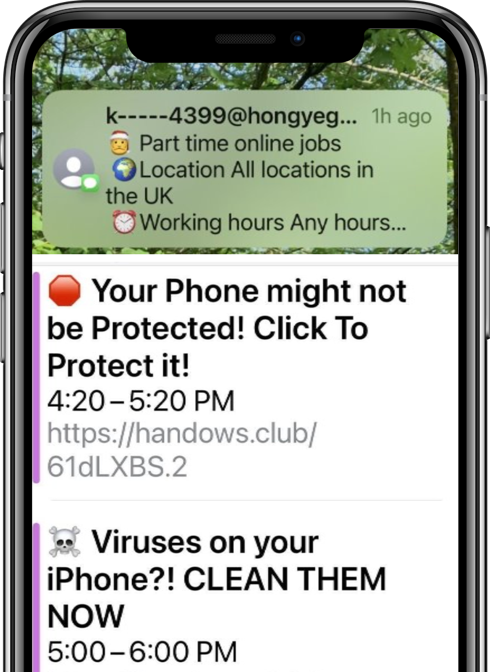
Scam Radar
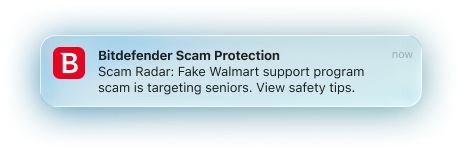 Early warnings about high-risk scam campaigns
Set up Scam Protection in Bitdefender Mobile Security for iOS
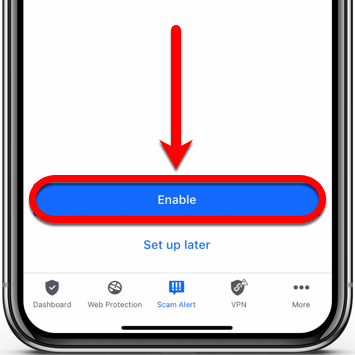
To set up Scam Protection on iOS, you need to grant the Bitdefender Mobile Security app access to calendar notifications and SMS messages and turn on Scam Radar. Follow the steps below to enable each feature:
Calendar scan

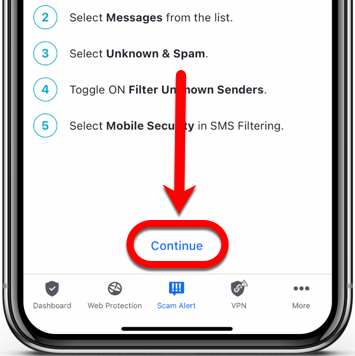
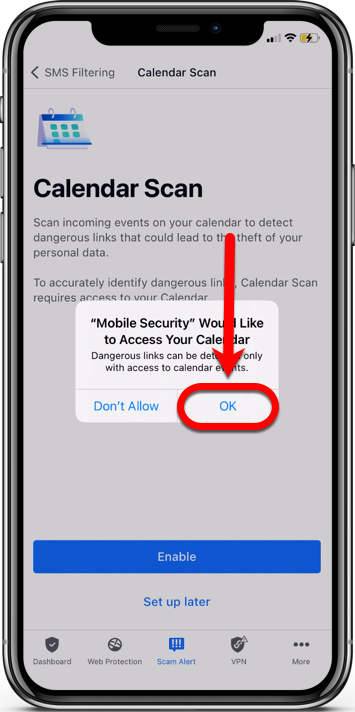
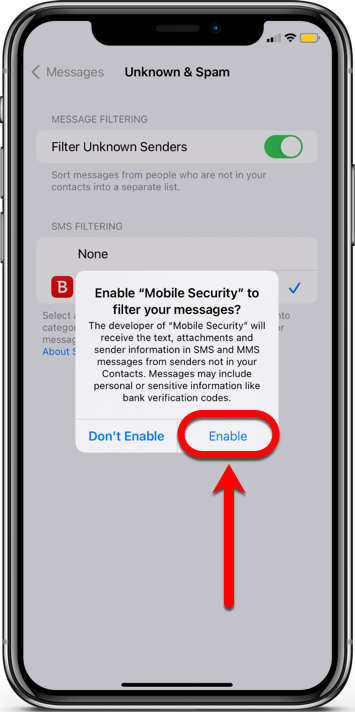
SMS filtering
 Settings app on your iPhone.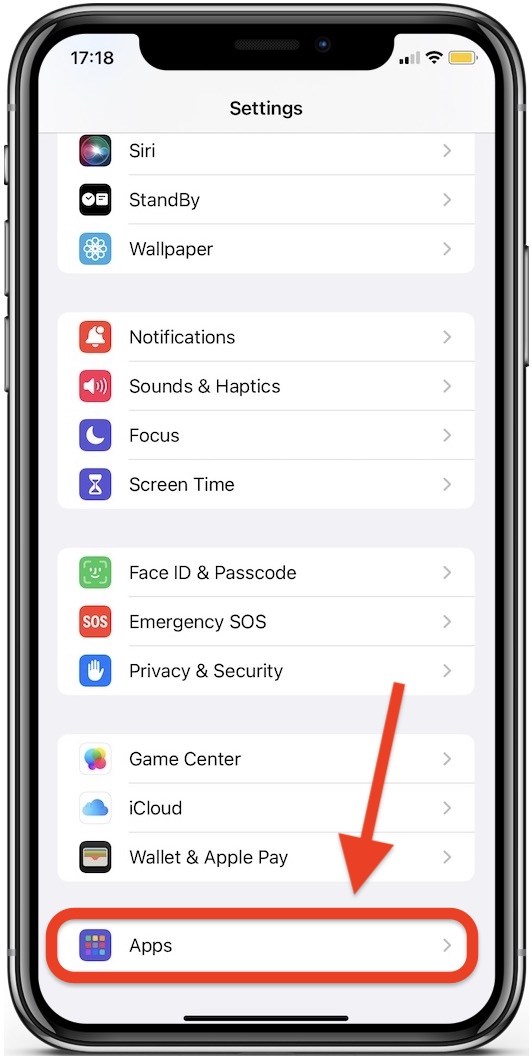
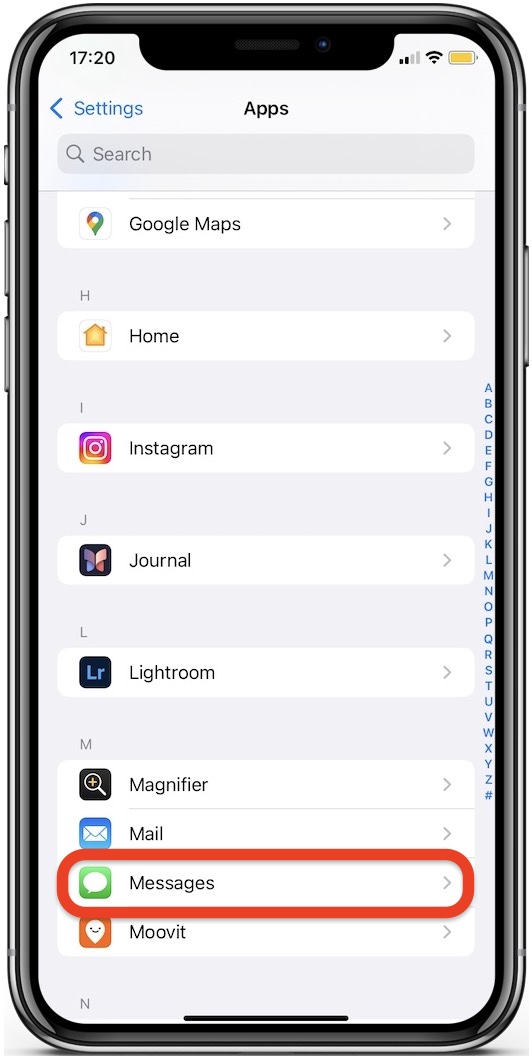
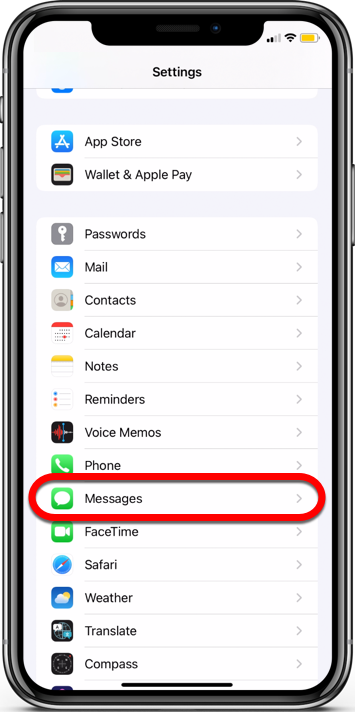
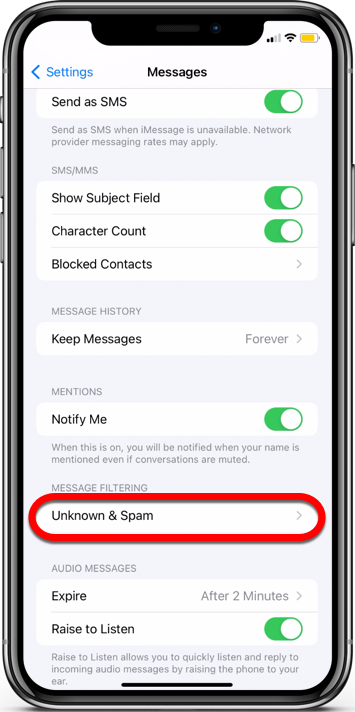
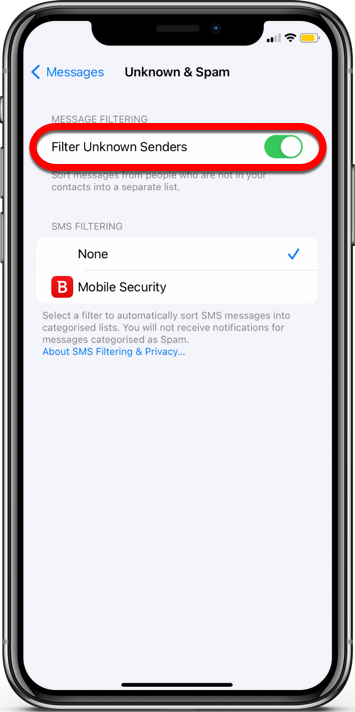
 Mobile Security in the SMS Filtering section > choose Enable.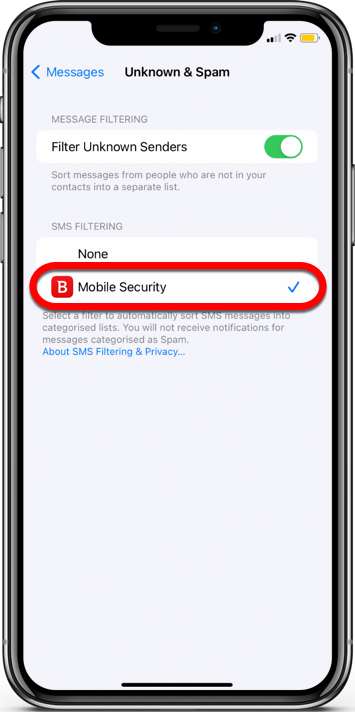
Scam Radar


Find junk messages on your iPhone
To find the junk messages filtered by Scam Protection on your iPhone, follow these steps:
1. Open the  Messages app, usually found on your home screen.
2. In the Messages app, tap the Filters option in the top left corner.
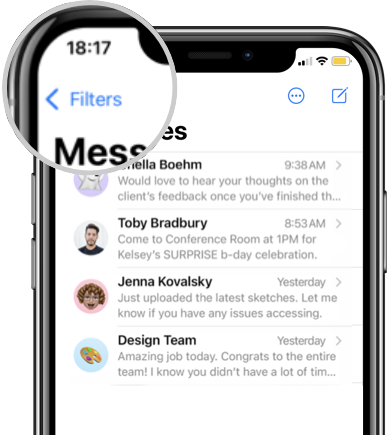
3. You will find all the messages from unknown or suspicious senders that Bitdefender Mobile Security has filtered for you into dedicated folders:
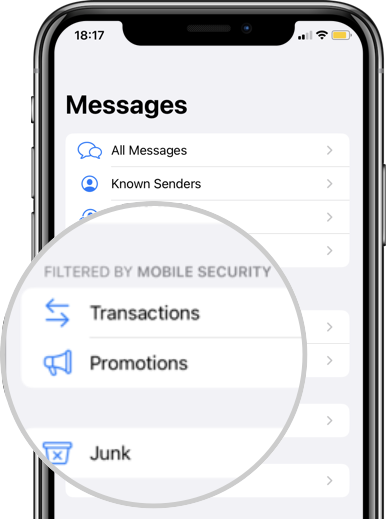
- Transactions
- Promotions
- Junk
Inside the Junk folder, you’ll find messages that have been identified as potentially spam or phishing. Take a look through these messages to ensure you’re not missing any important content. Depending on your preference, you can delete these messages or move them back to your main inbox if you find any legitimate content that was mistakenly marked as junk.