Rescue Environment is a Bitdefender security feature designed to detect and remove persistent malware that cannot be cleaned while Windows is running. Some advanced threats can hide among legitimate system processes, making them extremely difficult to detect and remove during normal operation. Rootkits, for example, are specifically designed to load before Windows starts and conceal their presence. To eliminate these threats effectively, the system must be scanned before the operating system loads – this is where Rescue Environment comes in.
ⓘ Bitdefender Rescue Environment is available only on Windows 10 and later.
How to Enter Rescue Environment
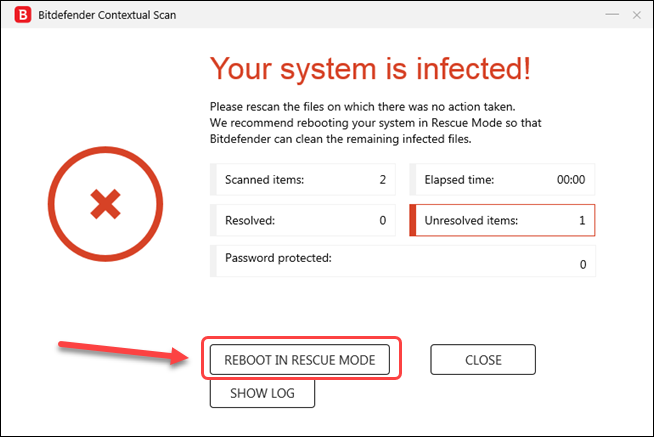
Restart in Rescue Environment when Bitdefender detects a threat
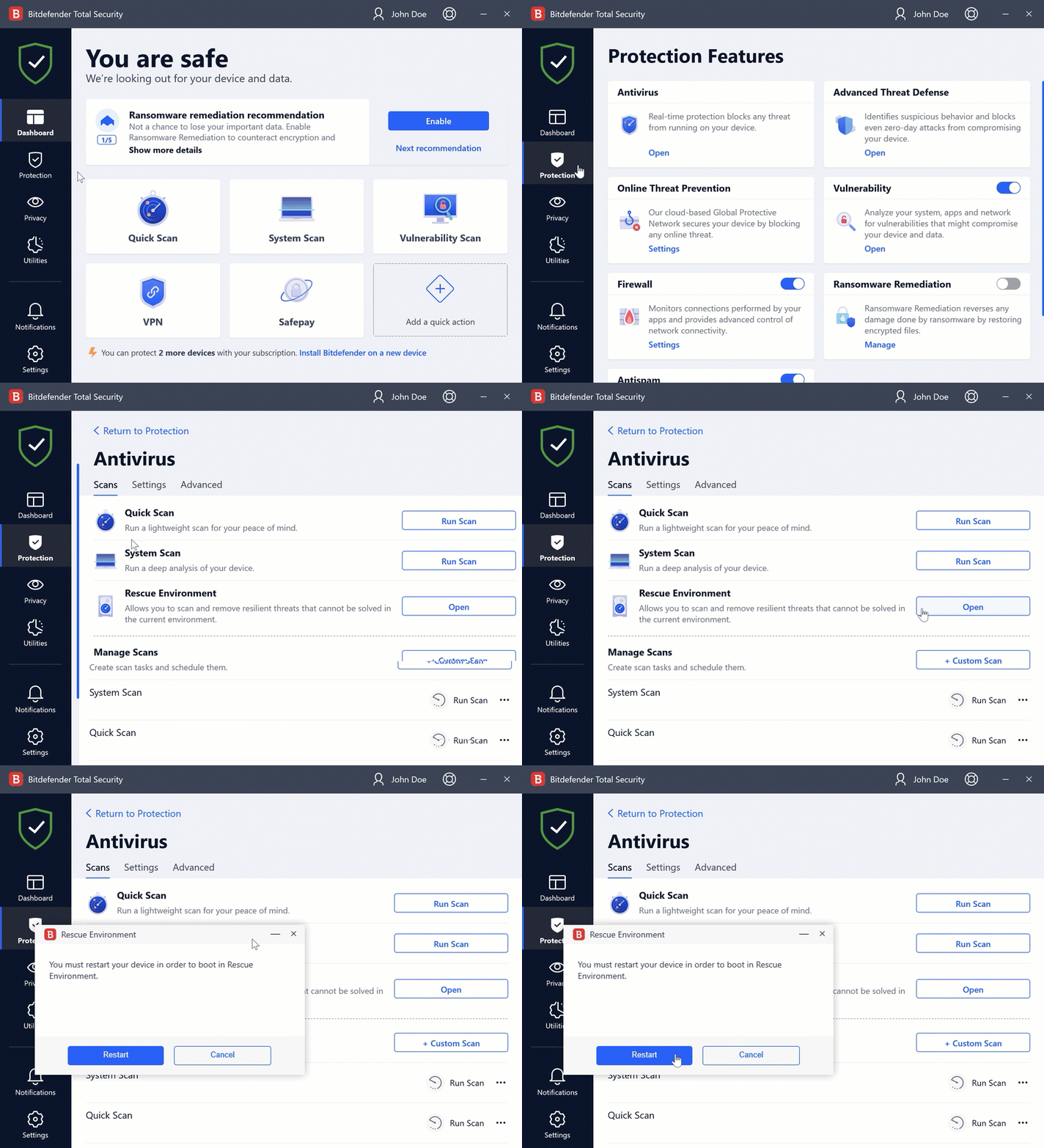
Open Rescue Environment from Bitdefender settings
How to Exit Rescue Environment
There are two simple ways to exit Bitdefender Rescue Environment and return to Windows:
After the Rescue Environment scan completes

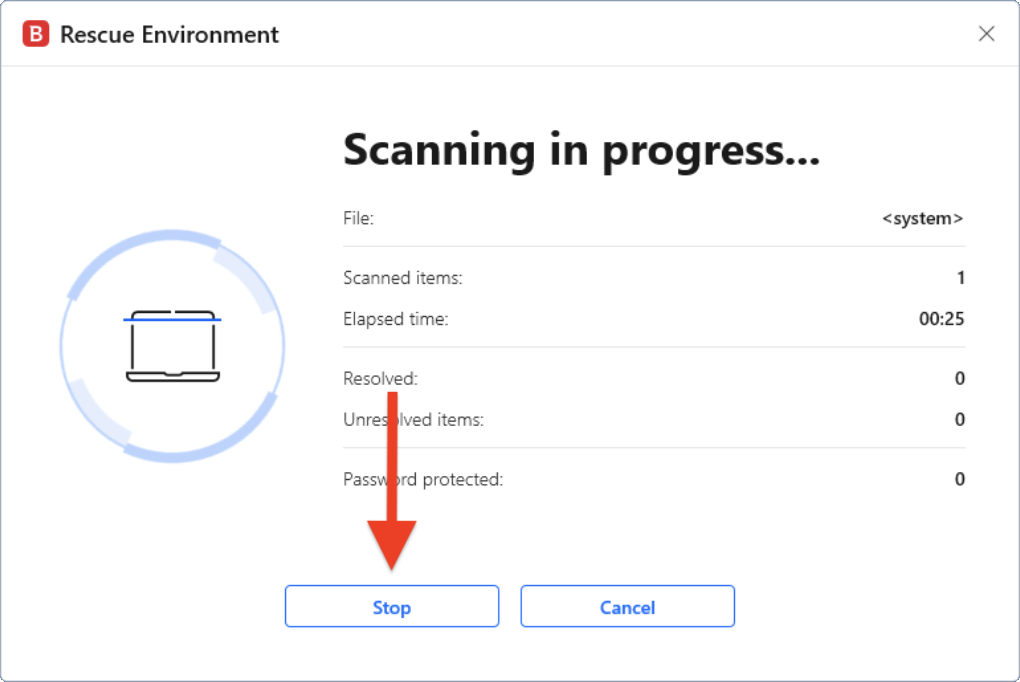
Stop the Rescue Environment scan
Using Bitdefender Rescue Environment helps safely remove resilient and hard-to-detect Windows malware, restoring your system’s security.