The ‘I Accidentally Reported You’ Discord Scam: What You Need to Know

February 27, 2026
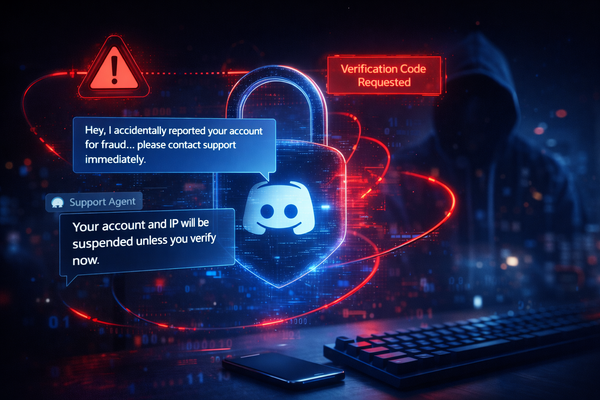
Scammers are targeting Discord users by manufacturing and exploiting the fear of losing their accounts. While it might seem like an unlikely scenario that wouldn’t work, the fact that this scam has stood the test of time suggests that enough people are falling victim.
Key takeaways
- The “I accidentally reported you” message is a widespread Discord scam.
- The objective is account takeover, not dispute resolution.
- Attackers impersonate Discord support to extract verification codes.
- Discord does not handle reports through private messages.
- Never share login codes or change account details at someone else’s request.
If someone messages you on Discord saying they accidentally reported your account, either for fraud, illegal purchases or some other reason, you are being targeted by a Discord scam, likely designed to trigger account takeover.
Criminals use this fake story to create panic about account suspension or IP bans, and trick victims into sharing verification codes.
What is the ‘I accidentally reported you’ Discord scam
The “I accidentally reported you” Discord scam is categorized as a social engineering attack. Someone in your list of friends will falsely claim that they reported your account for fraud. Depending on the complexity of the attack, the fraudster may direct you to contact a fake support representative to prevent you from losing access.
This Discord scam exploits existing trust and implies a sense of urgency. Since most people will likely never interact with Discord support, they won’t even know how to have that discussion.
As you can imagine, Discord never requires users to report through direct messages, and no moderation action involves contacting users through random accounts.
The ultimate goal of the scam is account takeover. Once attackers gain control, they can lock you out, impersonate you, and even use your profile to target additional victims. If they contact people in your friend list, it’s much easier to trick them when the conversation begins from a place of trust.
Also, there’s a subset of Discord users that criminals specifically target: content creators. This is one of the main reasons why Bitdefender created a special security solution just for them.
How the scam works, step by step
This Discord scam usually follows a consistent pattern of manipulation.
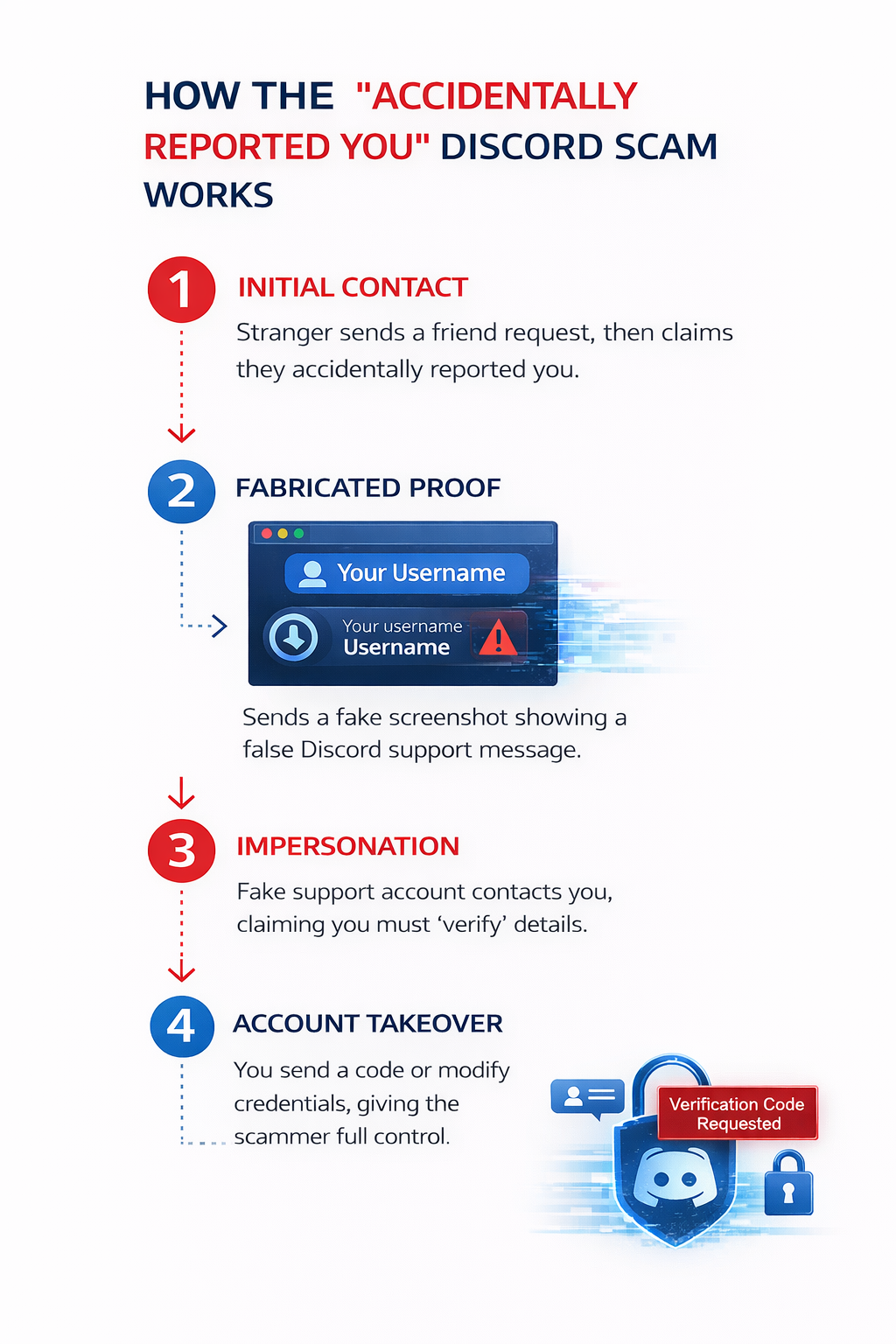
Initially, someone you don’t actually know, often from a shared server, sends you a friend request and starts a casual conversation. In some cases, it can take months before they try to scam you, and even then, after numerous discussions.
Suddenly, one day, they say they accidentally reported you and claim that Discord has warned you, and that your account and IP address will be banned. Keep in mind that this message may differ, but the underlying idea remains the same. They need to make you panic so that you’re not overly suspicious of what’s to come.
They might even provide fabricated evidence that’s usually a fake screenshot of a support email. They then redirect you to a supposed Discord support account, and that fake support profile contacts you and introduces “verification” steps.
This is where the actual account takeover begins. The impersonator requests a verification code sent to your email or instructs you to modify your account details, sometimes under the guise of verifying your identity.
If you comply, they reset your password and simply take control. The compromise is only possible because the victim authorizes it. The attack is complete.
Who is behind this Discord scam?
This Discord scam, like many others, typically originates from organized scam networks and opportunistic cybercriminals who specialize in account takeover operations. In fact, it would be foolish to believe that random people with nothing better to do are the actual attackers.
Many attackers operate within fraudster communities, such as forums and the dark web, where they share scripts, fake screenshots and impersonation tactics. These kits allow even inexperienced scammers to launch effective Discord scam campaigns on their own.
Some of the more advanced kits, which can also include phishing websites, can be bought as ready-made products on the dark net.
Some threat actors monetize stolen accounts by reselling them. Others use them as infrastructure to distribute further scams, cryptocurrency fraud, phishing links, or malware.
The scam is powerful because it is simple. The criminals behind it don’t need advanced malware, coding skills or system exploits. They rely completely on psychological tricks to take over accounts on a large scale.
What scammers want from you
The primary objective of this Discord scam is account takeover. If the attack was successful and they control your account, they can:
- Change credentials and permanently lock you out
- Impersonate you to scam your friends
- Access saved payment information
- Abuse subscriptions or Nitro features
- Sell your account if it has a certain age, rare usernames or server ownership
- In some variations, attackers demand payment to “remove” the fabricated fraud report, turning the Discord scam into direct financial extortion.
- If the user has a server or is a content creator, the criminals will sometimes resort directly to blackmail
How to know the message is fake
Understanding how Discord handles moderation exposes this Discord scam immediately. In fact, they do have their own warning on their website if the user is curious enough to learn about the company policy.
Discord Staff will never contact users directly through the Discord app for support-related matters. If someone requests personal information, asks for payment, or urges you to change your login credentials, please do not comply and avoid further interaction.
- Discord doesn’t ask the reported users to contact staff via private messages
- Discord employees don’t use random usernames to resolve supposed issues
- No legitimate support process asks you to share verification codes
- IP bans do not depend on user-to-user mediation
If you ever have any doubts about a message you receive, you can contact Discord directly from the app or from the website.
As a rule of thumb, this applies to any kind of online message: if it combines urgency, authority, and account verification requests, it’s highly likely that you’re being targeted.
What to do if you receive this message
If you encounter this Discord scam, end the interaction immediately, block the sender, and report the account to Discord.
If your account isn’t already secure, enable two-factor authentication with an authenticator app and choose a unique password.
On the other hand, if you already shared a verification code, you should change your Discord password, warn your contacts about suspicious messages, and take the other steps described above.
FAQ
- Is the “I accidentally reported you” message a real Discord warning?
No. It is a Discord scam designed to initiate account takeover.
- What is the main goal of this Discord scam?
The primary goal is account takeover, often followed by financial abuse or the distribution of further scams.
- Can sharing a verification code really cause account takeover?
Yes. Verification codes allow attackers to reset credentials and seize control of your account.
- Why does this Discord scam spread so quickly?
Attackers use compromised accounts to target trusted contacts, creating exponential growth within Discord communities.
- What should I do if I’ve already given them a verification code?
Immediately change your login credentials if you still have access, warn your friends and report accounts involved in the scam.
tags
Author

Silviu is a seasoned writer who followed the technology world for almost two decades, covering topics ranging from software to hardware and everything in between.
View all postsYou might also like
Bookmarks
