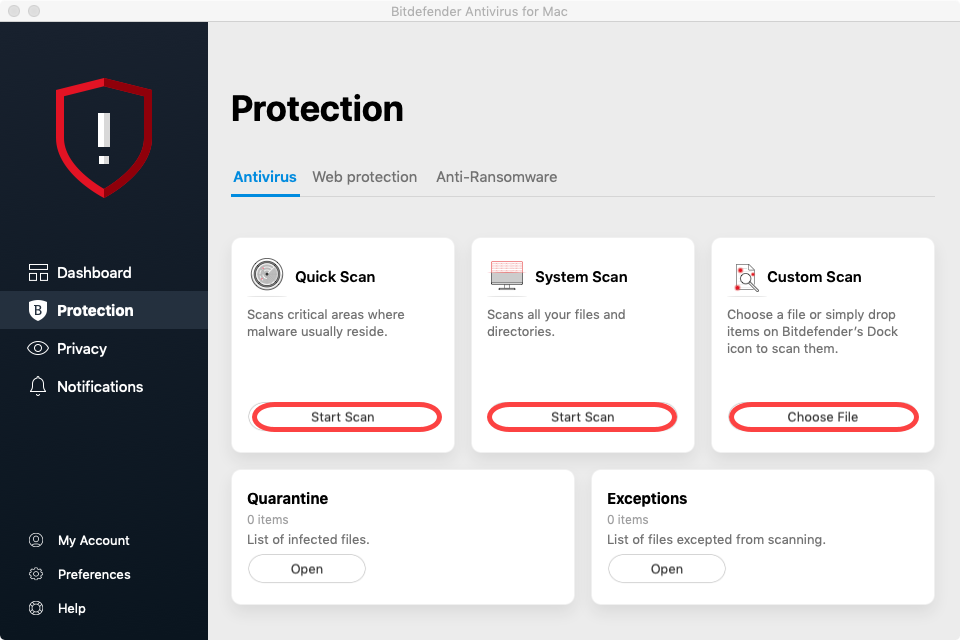
You can scan your Mac or specific files anytime you want. A quick way to scan a file, a folder, or a volume is to drag & drop it over the Bitdefender Antivirus for Mac window or Dock icon. The scan wizard will appear and guide you through the scanning process.
You can also start a scan as follows:
1. Open Bitdefender Antivirus for Mac.
2. Click on Protection.
3. In the Antivirus tab, click one of the 3 scan buttons to start the desired scan.
- Quick Scan – checks for malware in the most vulnerable locations on your system (for example, the folders that contain the documents, downloads, mail downloads, and temporary files of each user).
- System Scan – performs a comprehensive check for malware of the entire system. All connected mounts will be scanned too. Depending on the size of your hard disk, scanning the entire system may take a while (up to an hour or even more). For improved performance, it is recommended not to run this task while performing other resource-intensive tasks (such as video editing).
- Custom Scan – helps you check specific files, folders, or volumes for malware.