In some cases, the mouse and keyboard may not work while Bitdefender runs in Rescue Environment, which removes advanced malware before Windows starts. This issue is most noticeable when Bitdefender prompts you to enter a password to scan a password-protected file. At that point, the mouse cursor may disappear and neither the mouse nor the keyboard responds. Switching to different wired or wireless peripherals does not resolve the problem. This behavior has been observed with both USB and wireless mouse/keyboard.
Why Mouse/Keyboard Don’t Work in Rescue Environment
On Windows 10 and Windows 11, Bitdefender launches Rescue Environment using Windows Recovery Environment (Windows RE). Windows RE is a built-in recovery platform that runs outside the main Windows installation and provides tools for troubleshooting, system recovery, and diagnostics. Older versions of Windows RE do not include USB 3.0 drivers. If your computer’s motherboard only has USB 3.0 ports, the mouse and keyboard may fail to initialize when Bitdefender runs in Rescue Environment, resulting in no input functionality.
How to restore mouse and keyboard functionality
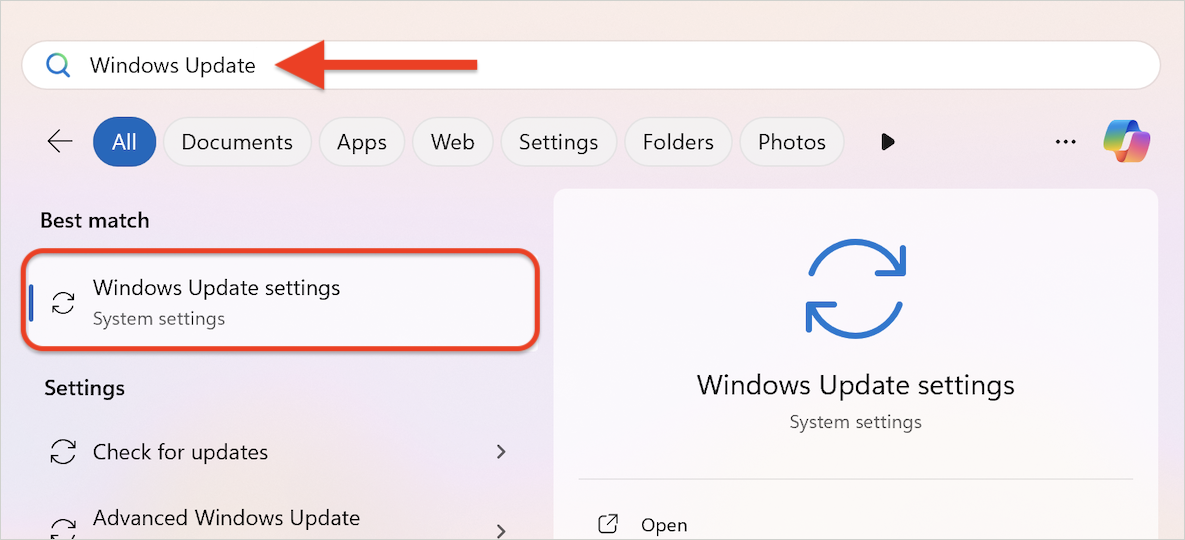
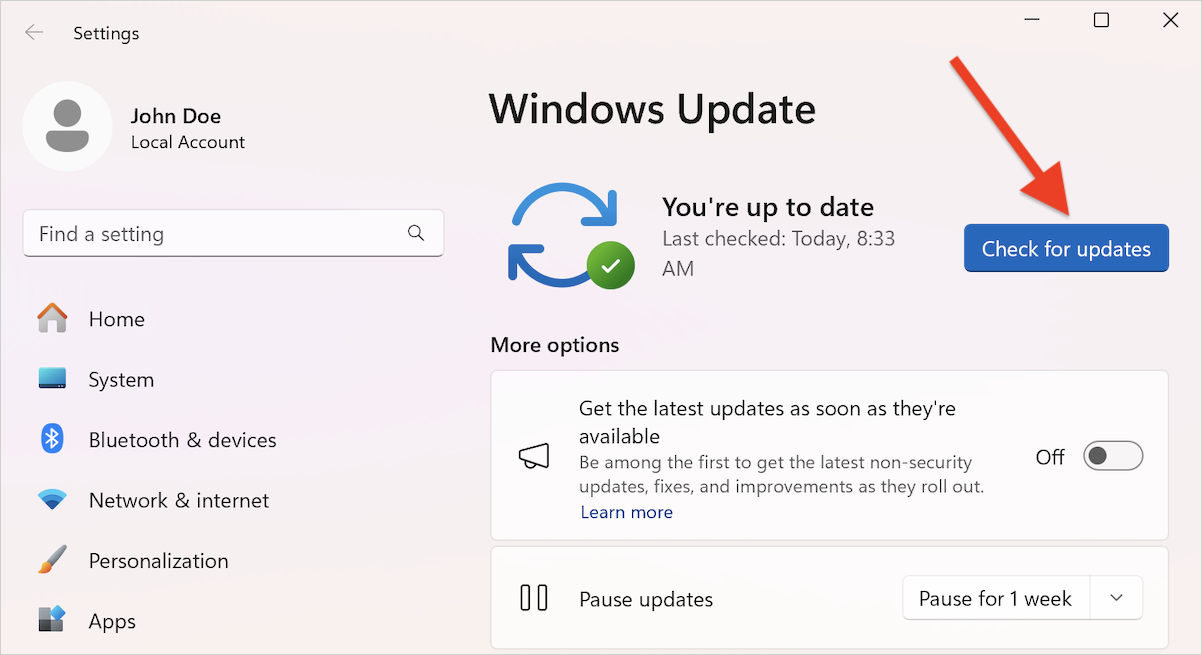
Solution 1: Update Windows and system firmware
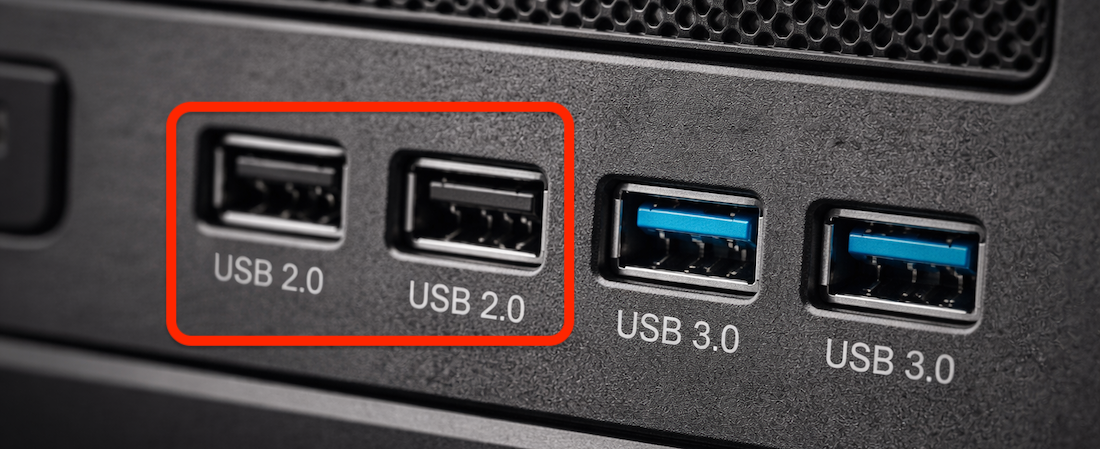
Solution 2: Use USB 2.0 ports or adjust BIOS/UEFI settings
After applying one or both solutions above, restart the PC and launch Bitdefender Rescue Environment again. Mouse and keyboard input should now work as expected.