Bitdefender RealCheck
Spot deepfakes before they trick you.
Today's AI-generated videos look real to the human eye.
Bitdefender RealCheck catches what you can't.
| 7-day free trial · Available on iOS and Android · Cancel anytime |
The new threat landscape
Today's deepfakes don't look fake
The visual clues that once exposed deepfakes are disappearing. Today's AI-generated videos are more convincing, easier to create, and designed to earn your trust.
Here's what's actually changed.
The obvious clues are gone
Extra fingers, distorted faces, and unnatural movements once gave deepfakes away. Today's AI models produce videos that look remarkably authentic at first glance.
Familiar faces make them believable
Deepfakes rarely use strangers. They imitate people you already know or trust - family members, public figures, colleagues, and brands - making them far more convincing.
Anyone can create one
Free apps, a few seconds of source footage, no skill required. The cost of generating a convincing fake has collapsed to near zero, and the volume reflects that.
Reaction happens before doubt
Deepfakes are designed to trigger emotion and urgency. By the time doubt sets in, you may have already clicked, shared, or responded.
How it works
How Bitdefender RealCheck helps you spot manipulated videos
Backed by 20+ years of cybersecurity expertise, Bitdefender RealCheck runs deep multi-signal analysis on the audio and visuals — all behind a one-tap experience.
Analyze any video in seconds.
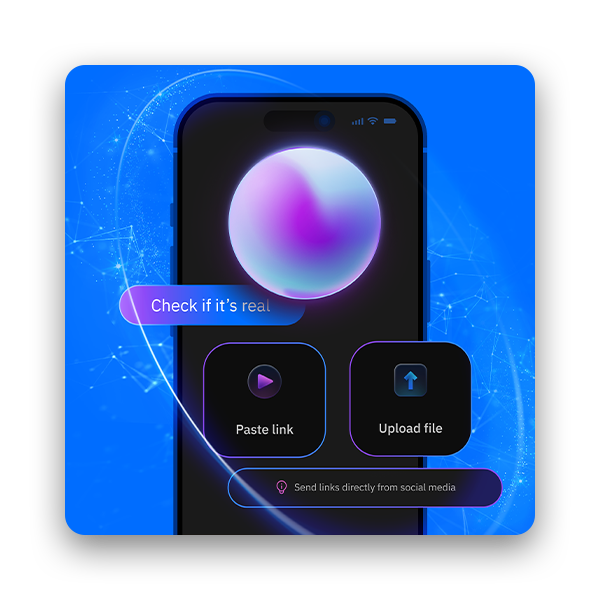
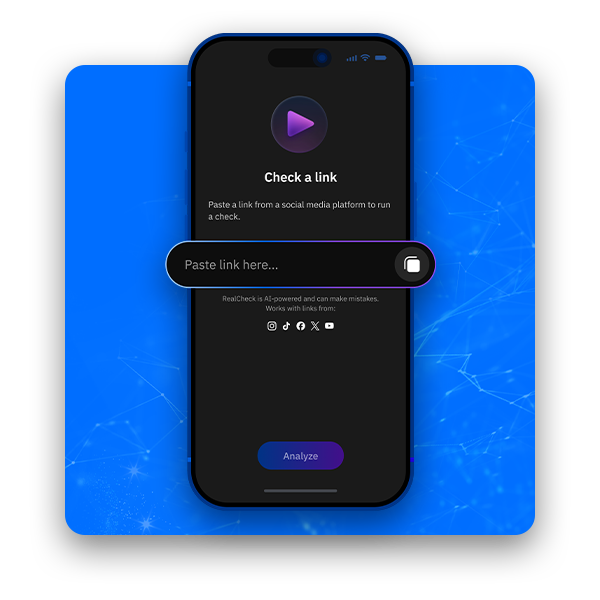
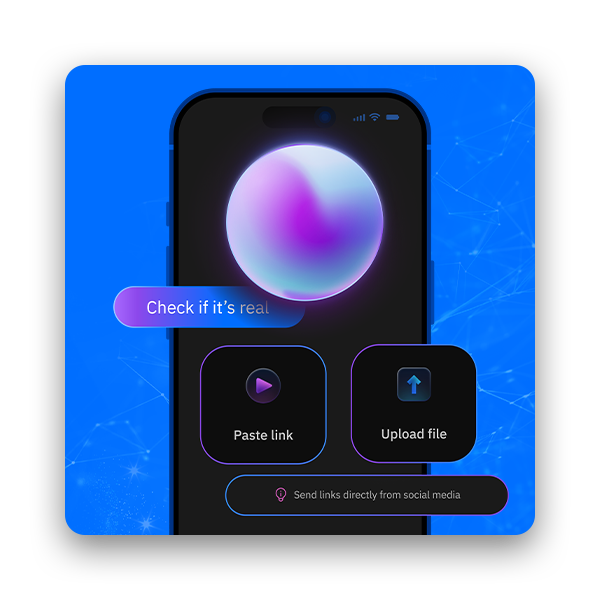
Simply paste a public link from TikTok, YouTube, Instagram, Facebook, or X - or upload a video from your device. RealCheck analyzes it in seconds and delivers an easy-to-understand report with the insights you need.
See what others miss.
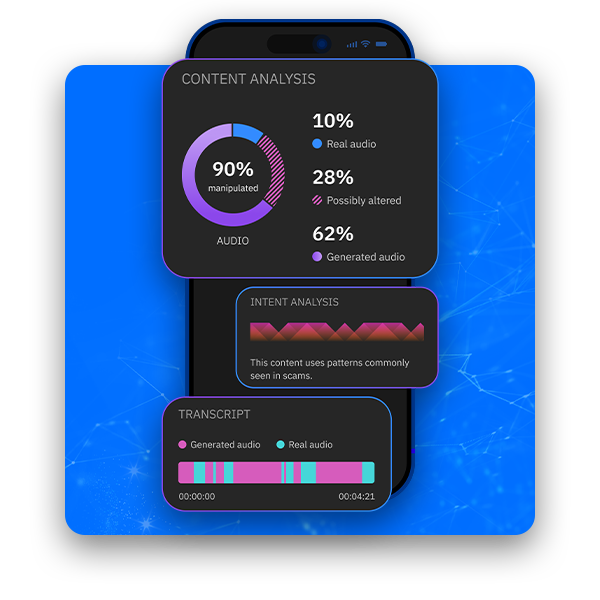
Beyond a yes/no verdict, Bitdefender RealCheck breaks the analysis into manipulation percentage, deception intent, and transcript-level indicators — so you see exactly what's off, not just that something is.
Check before you trust.
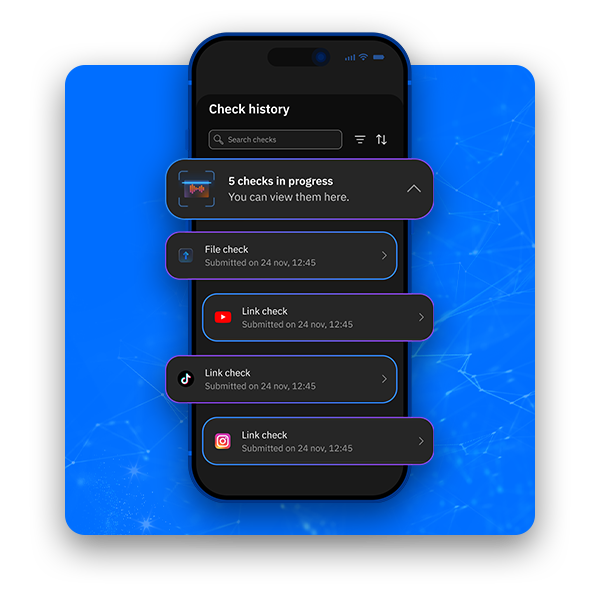
Every analysis is saved to your history, so you can revisit reports, share them with friends and family, or compare patterns across multiple videos.
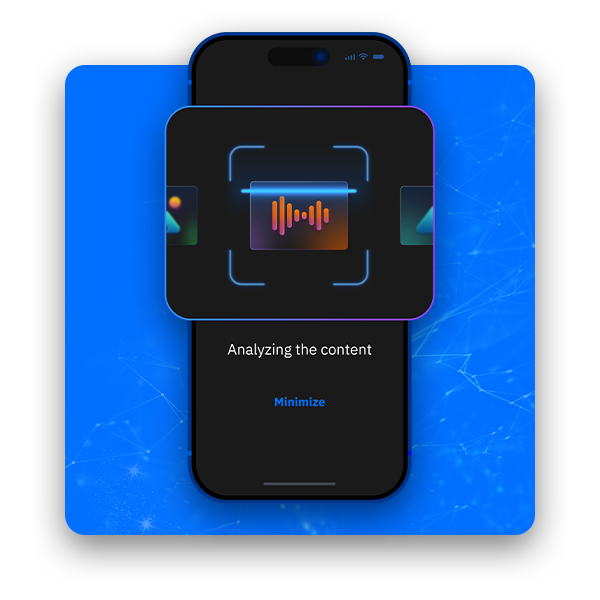
Advanced detection, made simple.
Backed by 20+ years of cybersecurity expertise, Bitdefender RealCheck runs deep multi-signal analysis on the audio and visuals — all behind a one-tap experience.
How much it costs
Choose your Bitdefender RealCheck plan
Both plans include every Bitdefender RealCheck feature. Choose the one that matches how often you verify videos—and try it free for 7 days.
BITDEFENDER REALCHECK
200
video checks per month
BITDEFENDER REALCHECK
600
video checks per month
Bitdefender Realcheck
Monthly
{realcheck_price}/month
Billed monthly
7 day free trial. Plus applicable sales tax. Automatically renews monthly unless cancelled. See Terms of Use.
Monthly
{realcheck_price}/month
Billed monthly
Plus applicable sales tax. Automatically renews monthly unless cancelled. See Terms of Use.
What you get
Everything included with Bitdefender RealCheck
Nine powerful capabilities working together to help you see through manipulation.
AI Video Analysis
Your AI deepfake detector. Paste a public link or upload a video. Bitdefender RealCheck analyzes content for AI-generated elements and manipulation signals — and gives you a detailed report.
Deception Pattern Assessment
Beyond detection — context. Looks for indicators commonly seen in scams, disinformation, and impersonation campaigns — so you know whether a video is harmless or designed to trick you.
Multi-Platform Coverage
Works where you watch. Drop a public link from TikTok, YouTube, Instagram, Facebook, or X — Bitdefender RealCheck handles them all. No browser extension, no setup hoops.
Transcript-Level Analysis
Reads between the words. Bitdefender RealCheck analyzes the spoken transcript of a video — surfacing claims, scripted patterns, and language commonly used in manipulation campaigns.
Public Figure Identification
Spot the impersonation. Bitdefender RealCheck flags well-known people appearing in a video and helps you assess whether the appearance is authentic, doctored, or fully synthetic.
Local Video Upload
Private by design. Don't have a public link? Upload a local file straight from your phone. Analysis runs securely, with privacy at the core.
Audio Manipulation Detection
Hear what's real, what's not. Bitdefender RealCheck inspects the audio track separately from the visuals, distinguishing real audio from AI-generated speech across the timeline.
Shareable Reports
Don't just see it — share it. Every analysis becomes a clean, shareable report you can send to friends, family, or coworkers before they fall for a deepfake.
Trending Content Alerts
Be the first, not the last. When manipulated content starts spreading, Bitdefender RealCheck marks it as trending — so you're not the last to know about a viral deepfake.
What are the read flags
Watch out for these deepfake signs
These signals can hint that a video has been manipulated. Some are subtle, some have already become invisible to the human eye — that's exactly where Bitdefender RealCheck steps in.
Off lip-sync
Mouth movements don't quite match the audio. Even a fraction of a second of mismatch is a tell, but the latest AI is closing that gap fast.
Frozen or flat expression
The face barely shifts with emotion, blinks feel mechanical, and the micro-expressions you'd expect during real speech are missing.
Glitchy edges
Hair, glasses, jewelry, or ears look fuzzy, warped, or oddly blended into the skin — especially where the face moves against the background.
Inconsistent lighting
Shadows on the face don't match the lighting in the room, or the skin tone shifts under angles that should look identical.
Robotic voice cadence
The speech is too even. No natural pauses, no breathing, no filler words — just smooth output that real humans rarely produce.
Too-good-to-be-true claims
A celebrity endorsing crypto, a "family member" in urgent trouble, a politician saying something out of character — context matters as much as pixels.
Why it matters
One deepfake can have real consequences
A fake investment opportunity. A voice that sounds like a loved one. A public figure promoting something they never endorsed. Today's AI-generated content is designed to earn your trust before you question it.
Bitdefender RealCheck helps you analyze a video before you trust it, share it, or act on it - so a single deepfake doesn't cost you your money, your reputation, or your peace of mind.
Setup
Get started in three taps
No technical setup. No browser extensions. Download the app, paste a link or upload a video, and get your verdict in seconds.
Download the app
Get Bitdefender RealCheck from the App Store or Google Play.
Paste a link or upload a video
Drop in a public link from TikTok, YouTube, Instagram, Facebook, or X — or upload a local file from your device.
Read the verdict
Get a detailed report on manipulation, deception risk, identified figures, and transcript-level signals.
Why choose Bitdefender for deepfake protection?
For more than 20 years, Bitdefender has helped protect people worldwide from evolving cyber threats. Bitdefender RealCheck brings that same expertise to a new frontier — AI-generated content and the deception built on top of it.
|
|
|
|
Why it matters now
Why deepfake protection matters now
The threat isn't on the horizon — it's already in your feed. Three numbers that explain why this is no longer optional.
~8M
Deepfake videos online in 2025 (up from ~500K in 2023)
A 16× increase in just two years. The supply of synthetic video has moved from fringe research to industrial scale.
~24%
Detection rate for high-quality deepfakes by humans
Even alert viewers miss 3 out of 4 sophisticated fakes. The "I'd know it if I saw it" instinct no longer holds.
$25M+
Lost in a single deepfake video-call impersonation
One employee, one fake CFO, one wire transfer. The financial impact is no longer hypothetical.
The Source: Global Scam Intelligence Report 2026

Trusted by Experts








What They Say
Bitdefender remains one of our (and your) absolute favorite companies for PC security.
PCMag
February 3, 2026
If you’re looking to buy a security suite, our experts and readers agree: Bitdefender should be your top choice.
PCMag
February 3, 2026
Recommended By Our Customers
This is the best online security I’ve ever used. Great product, great customer service. I highly recommend Bitdefender.
Donnie Roland
June 29, 2026 - Source: Independent reviews from TRUSTPILOT.COM

Bitdefender is simply the best protection you buy. Not only does it give you peace of mind, but they make it easy for anyone to install and manage. The on screen interface is intuitive and the support they offer, real live people who are knowledgeable and patient, the best I've ever experienced. Tech can be frustrating, but they make it easy!
BurroBabe
July 6, 2026 - Source: Independent reviews from TRUSTPILOT.COM
Frequently highly rated in industry tests. In benchmarking etc. Very easy to set up. I find it gives hard and proficient real-time protection. Without the false positives. Simple graphical interface. Lightweight on the system. Highly recommend after using for +7 years.
Dr Paresh Gadhavi
June 15, 2026 - Source: Independent reviews from TRUSTPILOT.COM
#1 in Digital Safety

Best Protection
Best Protection against e-Threats (On a scale of 0 to 6, with 6 as the highest level of protection).
Overall Score. Jan 2011 - Aug 2026. Source AV TEST.org
- Bitdefender
- 5.96
- Norton
- 5.90
- McAfee
- 5.50
Bitdefender joined the Global Anti-Scam Alliance as a Foundation Member

Global Anti-Scam Alliance (GASA) unites organisations, experts, and law enforcement to protect consumers worldwide from scams.
Still Wondering Whether
It’s for You…?
Maybe this will help:
Which devices does Bitdefender RealCheck work on?
How easy is Bitdefender RealCheck to use?
Very. There's no browser extension, no special configuration, and no technical setup required. Just download the app, open it, drop a link or upload a video, and read the verdict — usually in under a minute.
If you can paste a link into a text field, you can use Bitdefender RealCheck.
What types of videos can I analyze with Bitdefender RealCheck?
Can I share my Bitdefender RealCheck reports with others?
Yes. Every analysis becomes a clean, shareable report you can send to friends, family, or coworkers — especially useful when you want to warn someone before they fall for a deepfake.
All reports are saved to your account history, so you can revisit them anytime or compare patterns across multiple videos.
How does Bitdefender RealCheck detect deepfakes?
Bitdefender RealCheck analyzes the audio track of a video — voice authenticity, synthesized-speech patterns, transcript content, and manipulation indicators. Audio is the most reliable signal because AI voice cloning leaves specific traces that even highly polished visuals can't disguise.
Built on more than 20 years of Bitdefender cybersecurity expertise, the engine is continuously updated as new voice-synthesis techniques emerge — and every report shows you the manipulation percentage, deception intent, and transcript-level findings behind the verdict.
Is my data private when I use Bitdefender RealCheck?
Yes. Bitdefender RealCheck is built privacy-first. Public-link analysis processes only the source link, and local video uploads are handled securely — your video files are not retained on our servers.
Your analysis history is saved to your account so you can revisit, compare, or share past reports whenever you need them.
Is Bitdefender RealCheck included in any other Bitdefender plan?
No. Bitdefender RealCheck is a standalone app, separate from any other Bitdefender subscription. It's not bundled with Total Security, Premium Security, or any other Bitdefender plan.
If you want Bitdefender RealCheck, download it from the App Store or Google Play and start a free trial or subscription specifically for the app. Bitdefender RealCheck works alongside any existing Bitdefender protection you already have — it complements your suite rather than replacing it.
What's the difference between the two Bitdefender RealCheck plans?
Both plans include every Bitdefender RealCheck feature — they differ only in monthly check volume: 200 checks per month or 600 checks per month. The 600-check plan is recommended if you analyze a high volume of social-media content or share reports with others regularly.
Both plans cover up to 5 devices and can be cancelled at any time.
What's included in the free trial, and what happens when it ends?
How do I activate my Bitdefender RealCheck subscription, and can I cancel later?
After your purchase, follow the steps in your confirmation email to create or sign in to your Bitdefender Central account and activate Bitdefender RealCheck. Then install the app from the App Store or Google Play and you're ready to start.
You can cancel anytime from your Bitdefender Central account (My Subscriptions → My Payments) or by contacting Customer Support — no questions asked.
Terms of use
Auto renewal terms
Your subscription automatically begins at the purchase date;
By subscribing, you are purchasing a recurring subscription which will automatically renew;
The Bitdefender Auto Renewal Plan is designed to save you time, effort, and minimize your vulnerability risk by extending your subscription automatically before you run out of protection.
Here is what the Bitdefender Auto Renewal Plan means for you
Continuous protection so that you never have to worry about your subscription running out before you renew manually;
Free upgrades whenever a new version of Bitdefender comes out;
Peace of mind that your devices are always protected;
Save time while we are taking care of the automatic renewal process;
Opt out at any time so that you are always in control of your renewal options;
24/7 security all-subscription long without interruption;
The prices are subject to change, but Bitdefender will send a prior notification by email, before the automatic renewal takes place. You will receive an email notification before you will be billed, along with information regarding pricing and the extension of your subscription duration.
Affirmative consent
Your subscription automatically begins at the purchase date;
By subscribing, you are purchasing a recurring subscription which will automatically renew.
How to cancel + email address cancelation support
You can cancel your automatically subscription from Bitdefender Central or by contacting Customer Support at: cancel@bitdefender.com
You can refund by contacting refunds@bitdefender.com within 30 days of your initial purchase or of the automatic renewal date.