Telegram QR Code Scam: How a Fake QR Scan Leads to Account Takeover

April 28, 2026
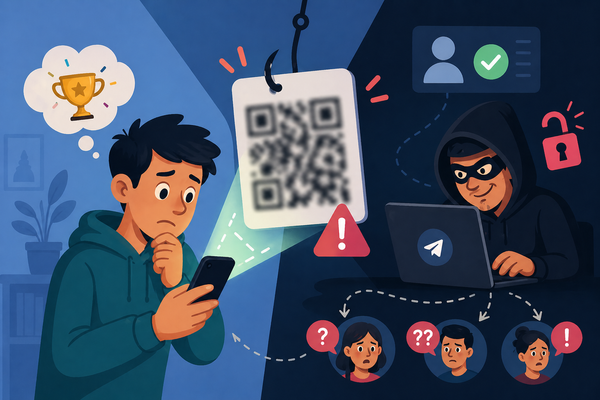
A growing Telegram scam lets attackers take over accounts instantly, without a password or 2FA SMS codes. They trick users into scanning a QR code disguised as a harmless “verification” step, locking the original user out.
Key Takeaways
- Scanning a Telegram QR code can log an attacker into your account instantly.
- “QR proof” or “verification” is a fake concept used in scams.
- The attack spreads through compromised contacts you already trust.
- No password or SMS code is needed for the takeover.
- Two-Step Verification (2FA) can stop attackers from fully securing your account.
What is the Telegram QR code scam?
This scam abuses a real Telegram feature—the QR-based login. Telegram lets users sign in to their accounts on desktop devices by scanning a QR code instead of entering a password. Attackers take this convenient feature and repurpose it as a weapon.
Instead of presenting the QR code as part of a login process, they embed it into a fake scenario, usually a vote, a contest or a supposed verification step. The victim thinks they are confirming their identity, but they are actually authorizing a new active session controlled by the attacker.
The entire attack hinges on one misunderstanding: users think they are proving something when they are actually granting access.
How the attack works
The attack unfolds quietly and quickly. A message arrives from a familiar contact—often someone the victim hasn’t spoken to in a while, which lowers suspicion. The request feels routine, and it’s usually something seemingly innocuous: help with a vote, support for a project or participation in a contest.
After clicking the link, the victim lands on a webpage that looks legitimate enough to pass a quick glance. It introduces a simple step to “verify” participation and prevent bots. The instructions guide the user to open Telegram, access device settings and scan a QR code.
That single action completes the attack. The QR code is not a verification token. It’s an active login session generated by the attacker. Once scanned, the attacker gains immediate access to the account without needing credentials.
From there, the attacker begins sending messages to the victim’s contacts, often escalating to financial requests or repeating the same scam to expand reach.
Why users fall for it
This scam succeeds because it avoids the signals people have learned to distrust. There is no password prompt, no obvious phishing form and no immediate sign of compromise.
The language plays a crucial role. Terms like “verification,” “proof,” or “anti-bot check” suggest a passive action rather than a security-sensitive one. At the same time, using a real contact removes the skepticism normally associated with unsolicited messages.
The result is a perfect alignment of trust, familiarity and low perceived risk.
The ‘Vote’ scenario that keeps spreading
One of the most common entry points involves a simple request: vote for a child’s artwork, support a school competition or help someone win a prize.
In many documented cases, victims only realize something went wrong days later. They notice they have been logged out, encounter login errors and receive messages from friends asking why they requested money. By then, the attacker has already moved on to the next set of targets.
What makes this pattern particularly effective is its scalability. Each compromised account becomes a new distribution point, allowing the scam to spread organically.
How to recognize the threat early
The biggest red flag is the fact that Telegram doesn’t require external websites to verify accounts via QR codes. Any request to scan a Telegram QR code outside the official app or web interface should be treated as suspicious.
Recognizing that QR scanning equals login authorization, not verification, changes how these situations are perceived and makes the scam much easier to detect.
How to protect your Telegram account
The most effective safeguard is enabling Two-Step Verification, which adds a second layer of protection to your account. Even if someone gains access through a QR login, they cannot fully control the account without this additional credential.
QR codes should be treated with the same caution as passwords.
Finally, any unexpected request, even from a known contact, deserves a second look. A quick confirmation through another channel can prevent the entire attack from unfolding.
Bitdefender protection tip
Bitdefender Total Security helps reduce exposure to these threats by blocking phishing pages, detecting malicious links shared through messaging apps, and preventing access to known scam infrastructure.
This added layer of defense can interrupt the attack before the QR code is ever scanned. Further, Bitdefender offers users a free tool named Scamio that can easily verify whether an email, a message and even a QR code is part of a scam.
FAQ
Is “QR proof” a real Telegram feature?
Answer: No. Telegram doesn’t use “QR proof” for voting, contests, or identity checks. Scammers use the term to make a login request sound harmless.
Can a QR code really take over my Telegram account?
Answer: Yes. If the QR code links to a Telegram login session, scanning it can authorize a new device controlled by the attacker.
Why do scammers use fake voting pages?
Answer: Voting pages feel familiar and low-risk. A request from a trusted contact makes the scam even more convincing.
What should I do if I scanned a suspicious Telegram QR code?
Answer: Open Telegram, go to Settings → Devices, and remove any unknown sessions. Then enable Two-Step Verification immediately.
How can I avoid this scam?
Answer: Don’t scan Telegram QR codes from external websites. Treat any QR scan that asks you to link a device as a login request, not a verification step.
tags
Author

Silviu is a seasoned writer who followed the technology world for almost two decades, covering topics ranging from software to hardware and everything in between.
View all postsYou might also like
Bookmarks
