GhostMap: A single app installation can leave your Android phone needing a factory reset

November 05, 2026
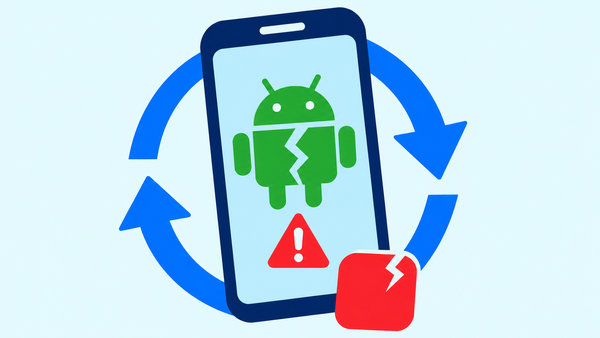
Bitdefender Labs found an Android flaw that lets a specially crafted app repeatedly crash a device (even if you never open the app or grant it any permissions). A restart won't help. In some cases, recovery requires a factory reset that will wipe any local data.
Researchers have dubbed the flaw GhostMap. They reproduced it on Android 10 and above, including a Pixel 10 running Android 17 with the Aug. 5, 2026 security patch.
The team has not seen any attackers exploiting the persistent crash loop against the victims. However, a demo app developed as part of the investigation would immediately crash the device on install.
Key takeaways
- Installing the crafted app can trigger the problem. It doesn’t need to run or request permissions.
- The phone can be stuck on the boot screen and safe mode won't help.
- A factory reset will get you back in, though you may lose some files if you have no backups.
- Bitdefender passed the findings on to Google. No fix was available at the time the research was carried out.
Why an app you never open can crash your phone
Android will read parts of the app automatically. It has to inspect the files as part of the install process, then load the resources (icons etc) at a later stage.
GhostMap exploits a flaw in the way Android deals with information within an app's installation package (i.e. an APK). A specially constructed file can cause the Android process that's reading it to crash.
The impact depends on which process comes into contact with the file. During Bitdefender's analysis, the first malicious sample caused the installer to crash and failed to install.
Researchers then showed a more disruptive version. Their app installed just fine, but when it went to automatically read one of the app's resources, a core Android service would crash.
Android would then restart that service, which would hit the same file and crash again. The phone wouldn't boot, so the users couldn't get to the normal interface.
Why restarting and safe mode don’t help
Restarting leaves the app installed on the phone. Android then starts up, reads that same bad resource again, and crashes once more.
Safe mode didn't fix it in Bitdefender's tests either. The compromised system service found the file before safe mode even had a chance to take effect.
Researchers found a very limited window of opportunity using a computer and some Android debugging tools. The trick was that USB debugging had to be turned on first, and it relied on removing the file during the crash. A full reboot would close that window entirely.
For the regular user, a factory reset may well be the only viable option for recovery. That simply restores the phone by wiping all its local data (including any files that haven't been backed up).
What attackers could do with GhostMap
The vulnerability demonstrated could let an attacker distribute an app that would render a phone useless upon installation. The researchers also described a potential extortion scenario in which an attacker could threaten to disrupt operations or cause data loss.
Other potential uses include causing Settings or the launcher to crash when they display a badly formed app icon, in effect preventing someone from using the screens they'd normally use to uninstall an app.
These are potential attack scenarios, not campaigns that Bitdefender has actually seen. GhostMap itself will cause crashes, but it doesn't give the attacker access to photos, messages or accounts.
Bitdefender reported the issue to Google in August 2026. Google's assessment of the expanded findings was that they fell outside the scope of a security update fix and have been passed on to the relevant team for consideration in a future version.
How to reduce your risk
Be careful about any request to install an APK from a message, an advert or from an unfamiliar website. If someone is sending you an app they claim is an 'essential update' then always check via the official distribution channel of the app.
Keep backups of your photos, your documents and any other files that you just can't afford to lose. Backups won't stop a GhostMap, but they will at least mitigate the impact of a factory reset. Just make sure your important files have actually synced.
Take the security warnings seriously before you install an app.
In Bitdefender's tests, Bitdefender Mobile Security did, in fact, detect files that were flagged as containing the GhostMap malformation.
Android doesn't allow a third-party security app to go in and block an install or remove another app on its own so you still have to take the warning and act on it.
If it generates an alert, delete the file before you go ahead and install it. Don't assume it's safe just because you haven't opened it.
FAQ
Can GhostMap affect my phone just by me receiving or downloading a file?
The demonstrated persistent crash loop required the installation of a bespoke app.
Does refusing app permissions stop GhostMap?
No. The demo app asked for no permissions at all. The crash occurred when Android was simply reading an app resource.
Does every Android crash loop mean GhostMap?
No. A phone just stuck on its boot screen isn't sufficient to establish the root cause. GhostMap requires you to look at the app and the crash.
Will a factory reset retrieve my files?
No. A factory reset will only wipe data stored locally. You can only restore the files and settings that are covered by an available backup.
tags
Author

Silviu is a seasoned writer who followed the technology world for almost two decades, covering topics ranging from software to hardware and everything in between.
View all postsYou might also like
Bookmarks
