If you get a call from Google, it’s very likely a scam

November 17, 2026
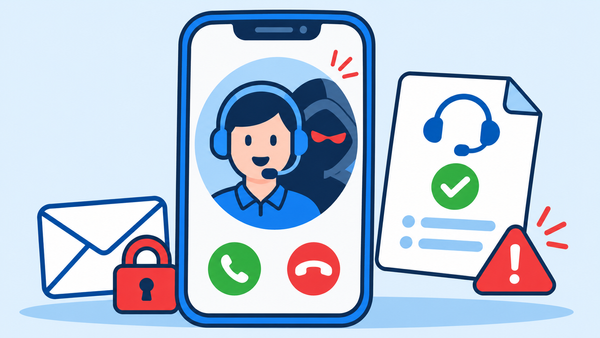
Scammers posing as Google employees sometimes use purported support cases to make their calls seem believable. They might say they are helping you stop an intruder, but their real goal is to get your passwords, verification codes, or login approval.
Google makes it clear that it does not call users about account security.
Key Takeaways
- A real Google support case doesn’t authenticate the person calling you
- Verification codes and login prompts can give an attacker access
- Check security alerts independently and act quickly if you shared access
How the Google employee scam works
The scammer describes an urgent problem, such as someone accessing your Google account or changing its recovery information. They offer to look into it and might say they are from the security or legal investigations team.
This approach makes the caller appear to be the person who can fix the problem they just described. Instead of questioning whether the caller should be involved in your account security, you might focus only on stopping the supposed intruder.
The caller may sound professional and know some of your details, which can make them persuasive. However, this doesn’t prove they work for Google.
Why a real support case can be misleading
Google warns that scammers might open real support cases connected to your account to make their story seem true. It also says that emails, even if they come from real Google addresses, don’t verify the caller’s identity.
A support case showing up on an official page can still be part of a scam. Just seeing it there doesn’t mean someone has accessed your inbox or that the caller is really from Google.
This difference is important when you check what a caller says. You might see that you are on a Google website but still be mistaken about who started the activity. Don’t treat a case number, department name or accompanying email as permission to follow instructions over the phone.
The request that can hand over your account
Google warns that scammers try to get your passwords, verification codes, and fake login approvals during these calls. A code can arrive through the official security system and still form part of an attack. If someone else started the sign-in or recovery attempt, sharing the code may help them complete it. Calling it a cancellation code or an identity check doesn’t change what it authorizes.
Be just as careful with prompts on your phone. Always read what it asks you to approve. Do not accept a sign-in you didn’t start, even if someone says it will protect your account.
Google’s two-step verification guidance says never to share verification codes. It also recommends passkeys and hardware security keys for stronger protection against phishing.
What to do if a supposed Google employee calls
Hang up and check your account using a method you choose. You can open your Google Account settings or go to myaccount.google.com/security in your browser.
Review your recent security activity, signed-in devices, and recovery details. If you see any changes you don’t recognize, follow Google’s steps to secure your account. Don’t let the caller tell you what to check or which warnings to ignore.
If you gave out your password, typed it on a suspicious page, or approved a login you didn’t recognize, act quickly:
- Change your Google Account password from a trusted device and replace it anywhere else you used it
- Review signed-in devices and sign out if you discover any unfamiliar sessions
- Check recovery contact details and remove unauthorized changes
- Check Gmail for forwarding rules, filters or delegated access you didn’t configure
Use Google’s account recovery page if you can’t sign in. Google’s compromised-account guidance explains the checks to complete after regaining access.
If you want extra help checking a suspicious message or link, Bitdefender Scamio can help spot signs of fraud.
FAQ
Does answering the call mean my Gmail account is compromised?
Just answering the call doesn’t mean your account is compromised. What matters is what you shared, approved, or installed during the call. Check your account activity if you’re worried.
Should I ignore all security emails from Google?
No. Always check alerts on your own through your Google Account. Google’s phishing advice says to look at your recent security activity directly if an email seems suspicious.
Will two-step verification stop this scam?
Two-step verification helps protect you, but if you share a code or approve an attacker’s login, it can still be bypassed. Use a passkey or hardware security key if you can, and always reject sign-ins you did not start.
tags
Author

Silviu is a seasoned writer who followed the technology world for almost two decades, covering topics ranging from software to hardware and everything in between.
View all postsYou might also like
Bookmarks
