Android 17 Will Let Users Verify Whether Their OS Is Legit

May 15, 2026
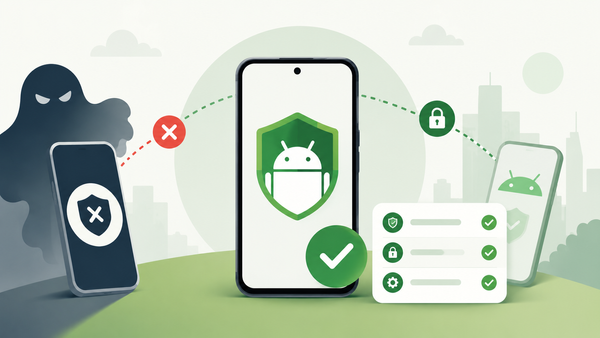
Google is preparing to add a new Android OS verification feature to Android 17 that helps users determine whether the OS they're running is an authentic version of Android.
The company says it's seen attackers distribute fake Android builds containing hidden malware, spyware, or tampered security protections.
Android 17’s verification system checks whether a device is running an official Android build approved by Google.
The company will initially launch the feature on Pixel devices alongside a new public transparency ledger that should help users verify whether core Google Android applications are legitimate releases.
Key takeaways
- Android 17 introduces a new OS verification feature for authenticating Android builds.
- The system helps users identify modified Android operating systems distributed by cybercriminals.
- Android OS verification checks Play Protect status, bootloader integrity, and build legitimacy.
- Google says the feature does not target custom ROMs like GrapheneOS.
- Android 17 also introduces a public cryptographic transparency ledger for verifying official Google apps.
- The feature launches first on Pixel devices.
What is Android OS verification?
First of all, Android OS verification is a new Android 17 security feature developed to confirm whether a smartphone runs an official Android operating system approved by Google.
The feature will help users identify potentially dangerous Android builds that attackers may have modified. According to Google, threat actors distribute fake Android operating systems that seem authentic while secretly compromising security protections.
Those unofficial Android builds can hide malware, disable security features, intercept communications, monitor user activity, manipulate app permissions or harbor spyware at the system level.
Google says Android OS verification will help users confirm not only that their system is legitimate, but that the device bootloader has remained secure and that the installed Google apps are the official ones.
How Android OS verification works
According to specs released by Google, the system verifies the Play Protect approval status, the build number, the state of the bootloader and the device verification status.
The interface also includes an option allowing users to verify the device with another Android device. The verification system initially launches on Pixel devices running Android 17.
Does Android OS verification affect custom ROMs?
The announcement initially caused concern among the Android community because users were worried that this feature could restrict the use of custom ROMs or Android forks.
In a statement to AndroidAuthority, Google clarified that Android OS verification does not target custom ROM communities.
“This feature provides transparency for users on Google Mobile service licensed devices and does not apply to custom ROMs or forks. Separately, developers use either Play Integrity API or Key Attestation for device transparency and making device trust decisions. Our goal is to empower users on licensed devices with OS clarity without restricting the broader Android developer community.
Google’s new transparency ledger explained
Alongside OS verification, Google announced a new public append-only ledger that acts as a transparency mechanism, allowing anyone to verify whether:
- Google Android apps are legitimate
- Core Google APIs are authentic
- Applications were officially released by Google
Google describes the system as a public “Source of Truth.”
“If a Google-signed app isn't on this ledger, we didn't intend to release it. For Pixel users, this works with our existing Pixel System Image Transparency to prove that both the system itself and the apps running on it are official production software.”
FAQ
What is Android OS verification?
Answer: Android OS verification is a new Android 17 feature that helps users confirm whether their smartphone is running an official Android operating system approved by Google.
Why is Google introducing Android OS verification?
Answer: Google says cybercriminals increasingly distribute modified Android builds that imitate legitimate software while secretly compromising device security.
Does Android OS verification block custom ROMs?
Answer: No. Google says the feature does not apply to custom ROMs or Android forks.
What does Android OS verification check?
Answer: The feature checks Play Protect status, build legitimacy, bootloader integrity and device verification status.
Will Android OS verification be available on all devices?
Answer: Google says the feature will launch first on Pixel devices before expanding more broadly to the Android ecosystem.
tags
Author

Silviu is a seasoned writer who followed the technology world for almost two decades, covering topics ranging from software to hardware and everything in between.
View all postsYou might also like
Bookmarks
