This guide explains how to add an antivirus exception in Bitdefender App for macOS to prevent it from scanning specific files, folders, or entire volumes. Creating an exception can be useful when trusted items are incorrectly flagged or when scanning certain locations causes errors.
When to Add an Antivirus Exception
You may want to exclude an item from antivirus scanning in situations such as:
- False positives – A trusted app or installer is mistakenly detected as infected.
- Development, virtualization, or heavy I/O workloads – Real-time scanning slows tools that create or access many files (e.g., build systems, VMs, or containers like Docker Desktop, Parallels Desktop, or VMware Fusion).
- Large trusted data folders – Repeated scanning of large, rarely changing files such as backups, media libraries, or datasets causes unnecessary performance overhead.
Only exclude files or locations that you trust. Excluding items from scanning can reduce your system’s protection level.
Add an Antivirus Exception on macOS
Follow the steps below to exclude a file, folder, or volume from antivirus scans on macOS.
- Click the B icon in the menu bar at the top right of your screen to open the Bitdefender App.

- Click Services in the left-hand sidebar.
- Next, go to Protection in the Security menu.
- In the Antivirus panel, click Open.

- Open the Scans tab, then click Manage exceptions in the bottom-right corner of the window.

- In the new window, click + Add exception.

- Browse to the file, folder, or volume you want to exclude.
- Select the item and click Open.

- The selected item and its path will appear in the exceptions list. Close the Manage exceptions window to return to the main Bitdefender interface.
Bitdefender will no longer scan the excluded location.
Remove an Antivirus Exception
If you no longer want to exclude an item from scanning:
- Open the Manage exceptions window by following the steps above.
- Click the trash bin icon next to the item you want to remove.
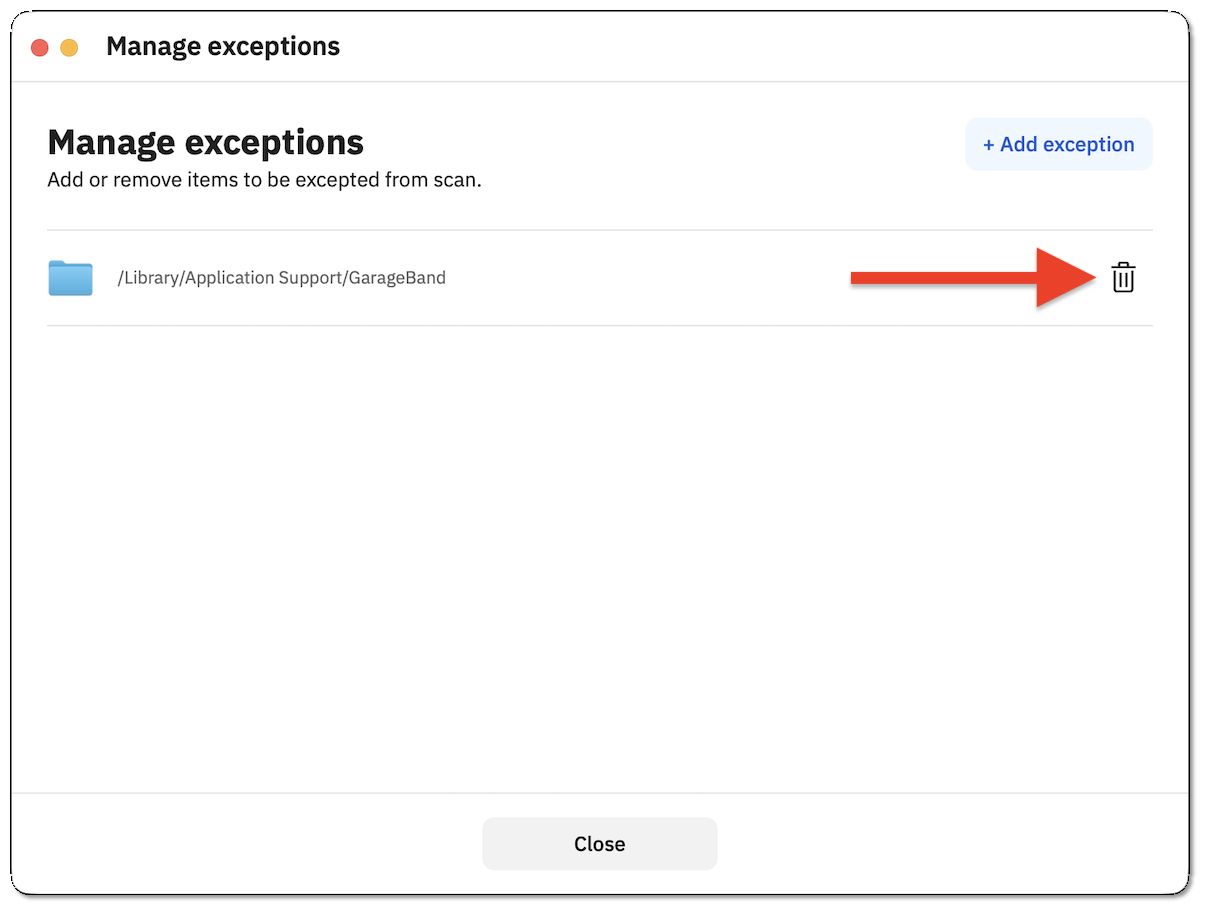
The item will be removed from the exceptions list and will again be included in antivirus scans.