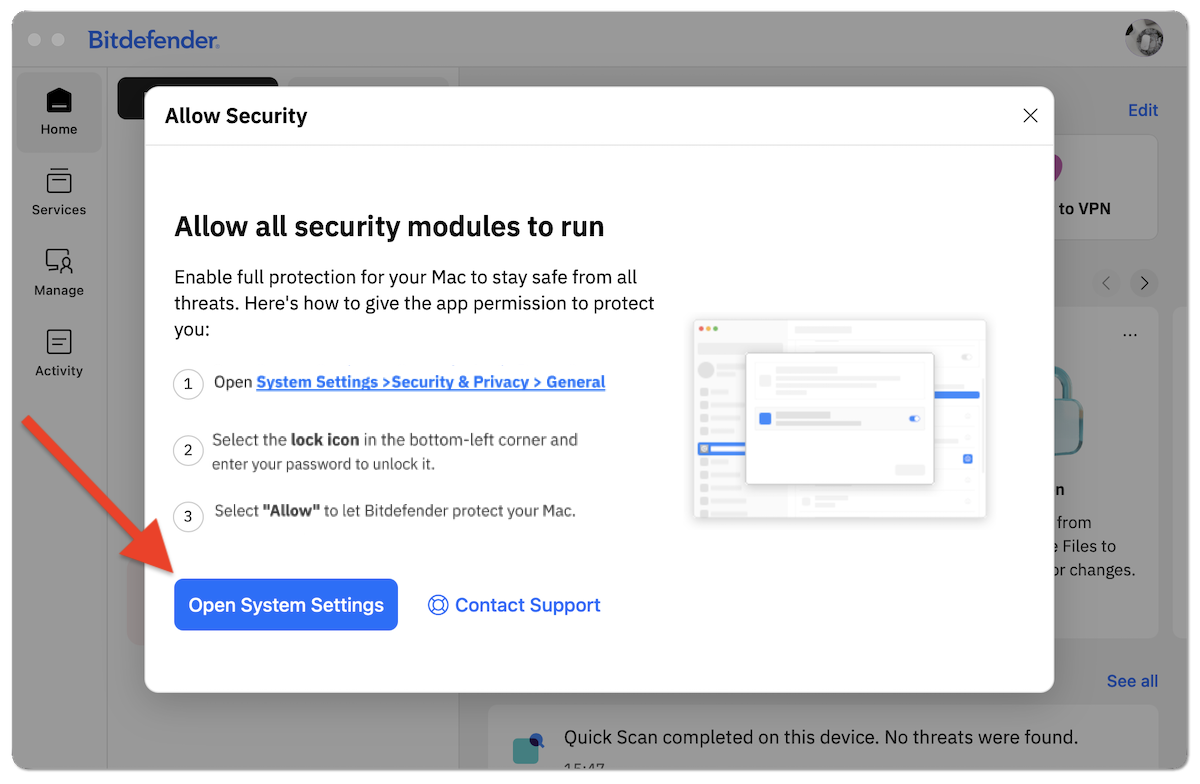
This guide explains how to allow all security modules to run so Bitdefender App can fully protect your Mac against all cyberthreats. After installing Bitdefender on your Mac, you may see the following security alert:
Critical permission missing
Your device’s protection is limited due to missing permissions. Allow them now to restore full protection.
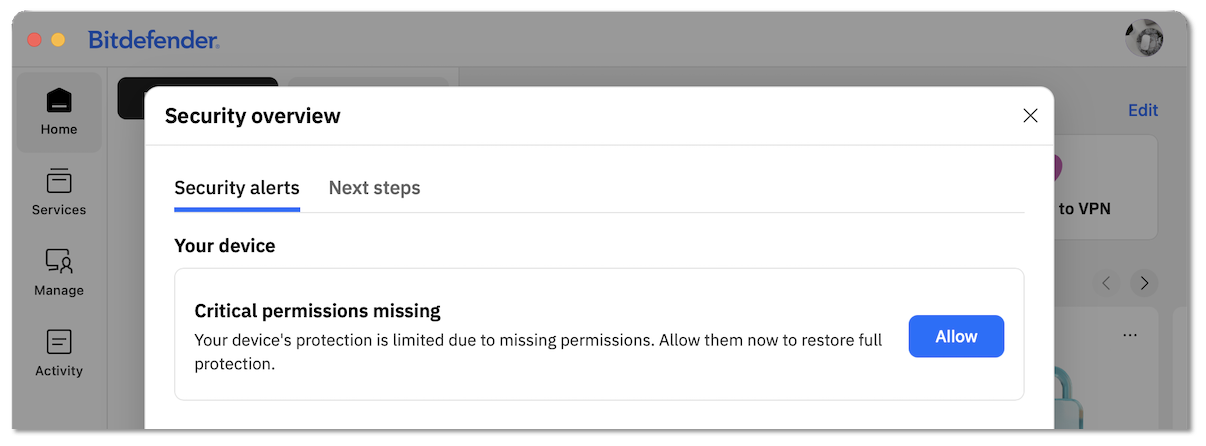
When you click the Allow button, Bitdefender may prompt you to Allow all security modules to run.
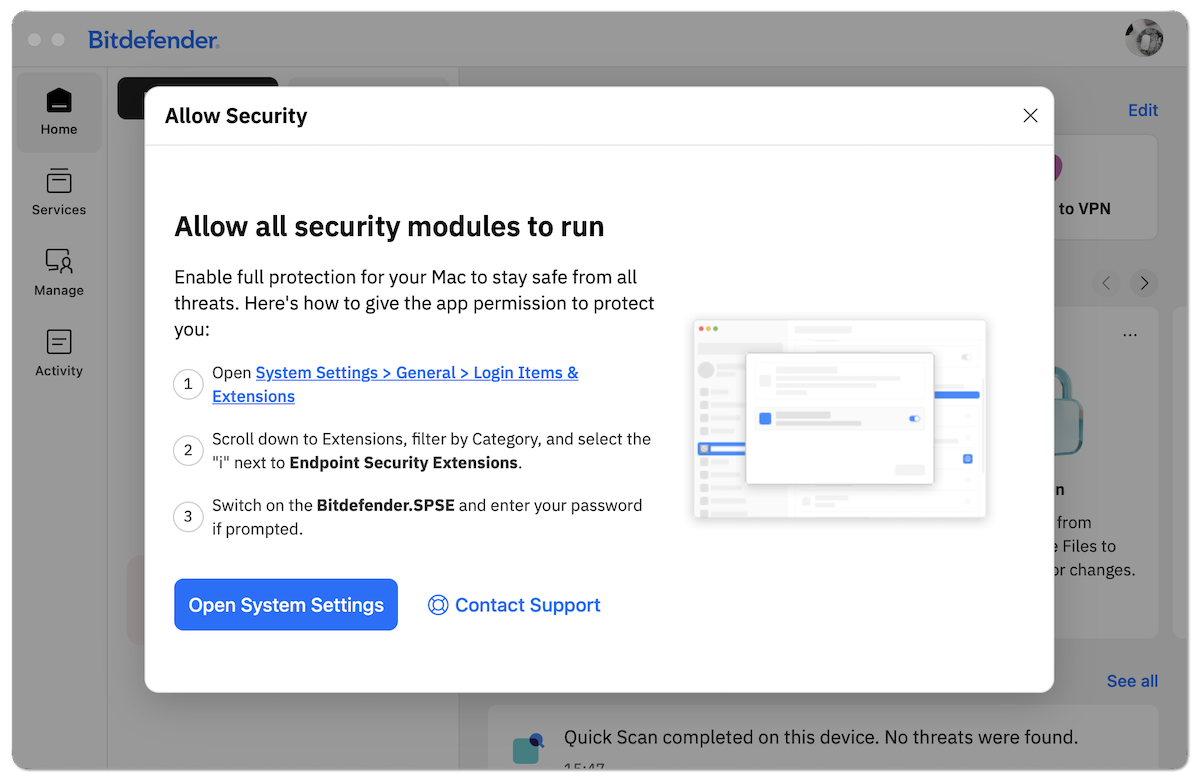
To help detect malicious activity, the Bitdefender security extension tracks system events on your Mac while operating in the background. Follow the steps below for your version of macOS to allow all security modules to run. Which macOS is installed?
macOS Tahoe (26)
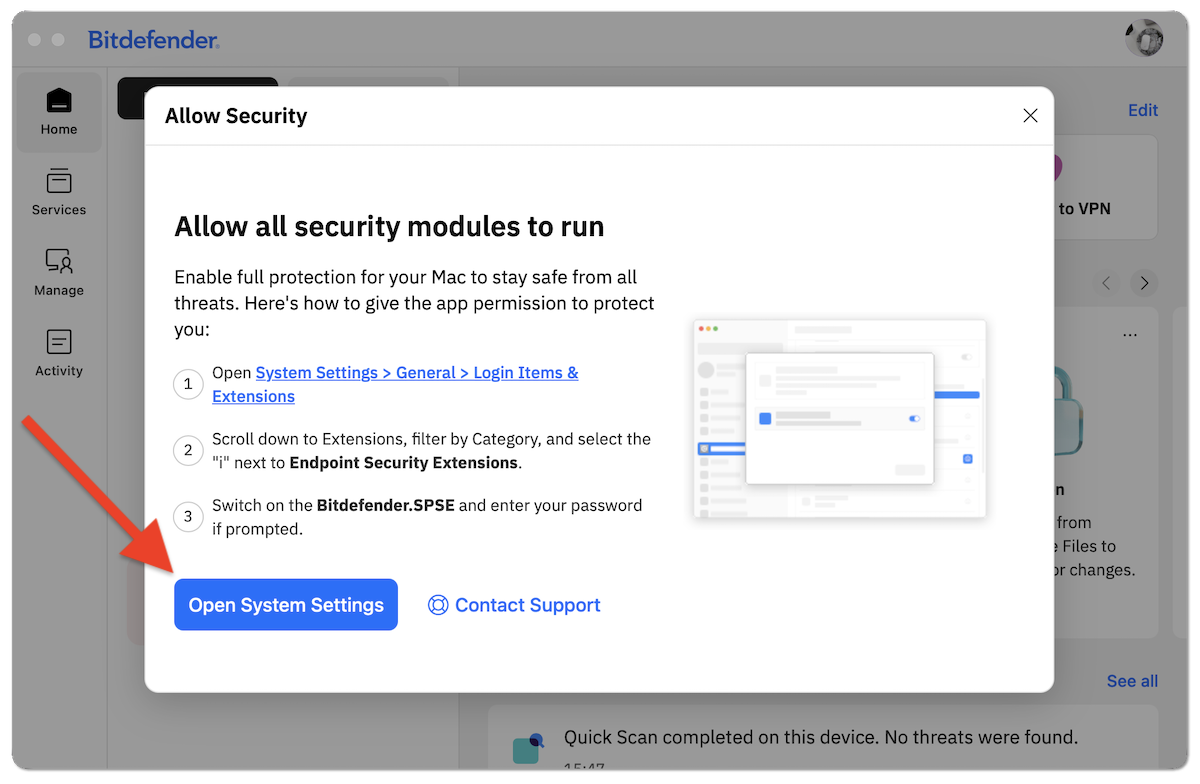
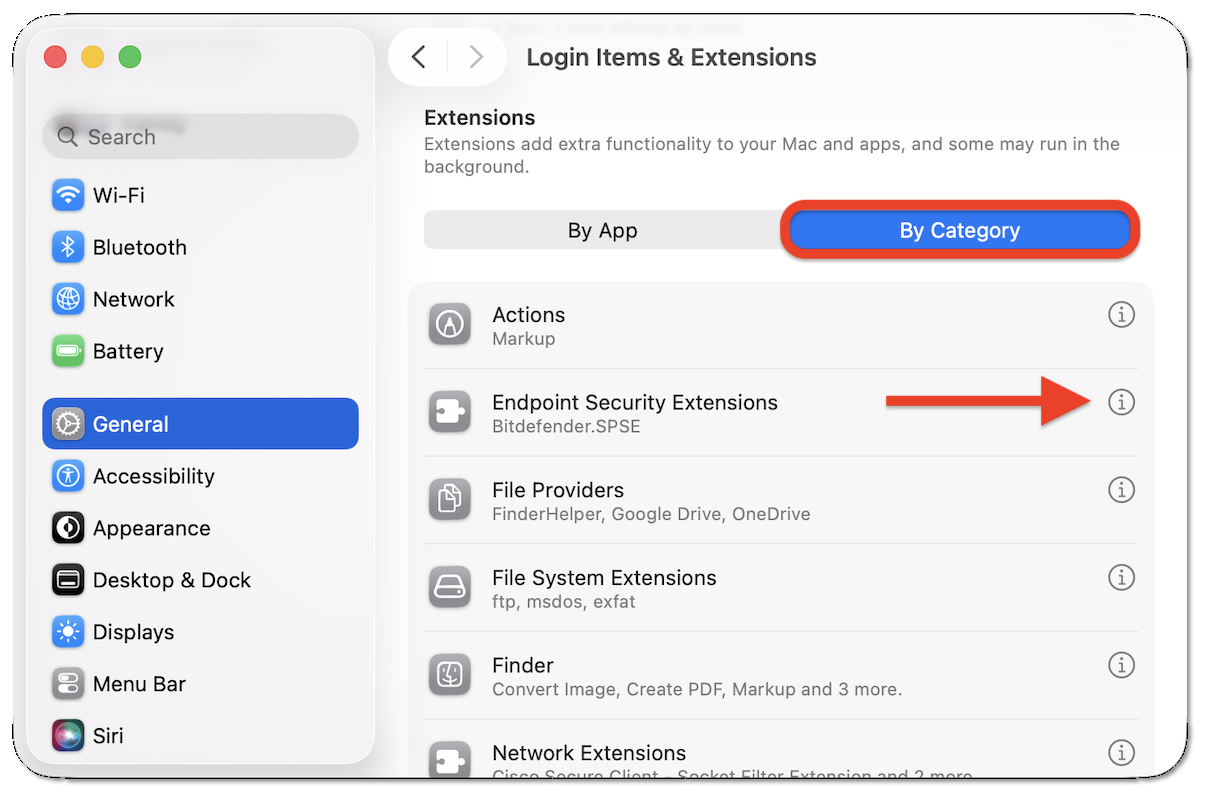
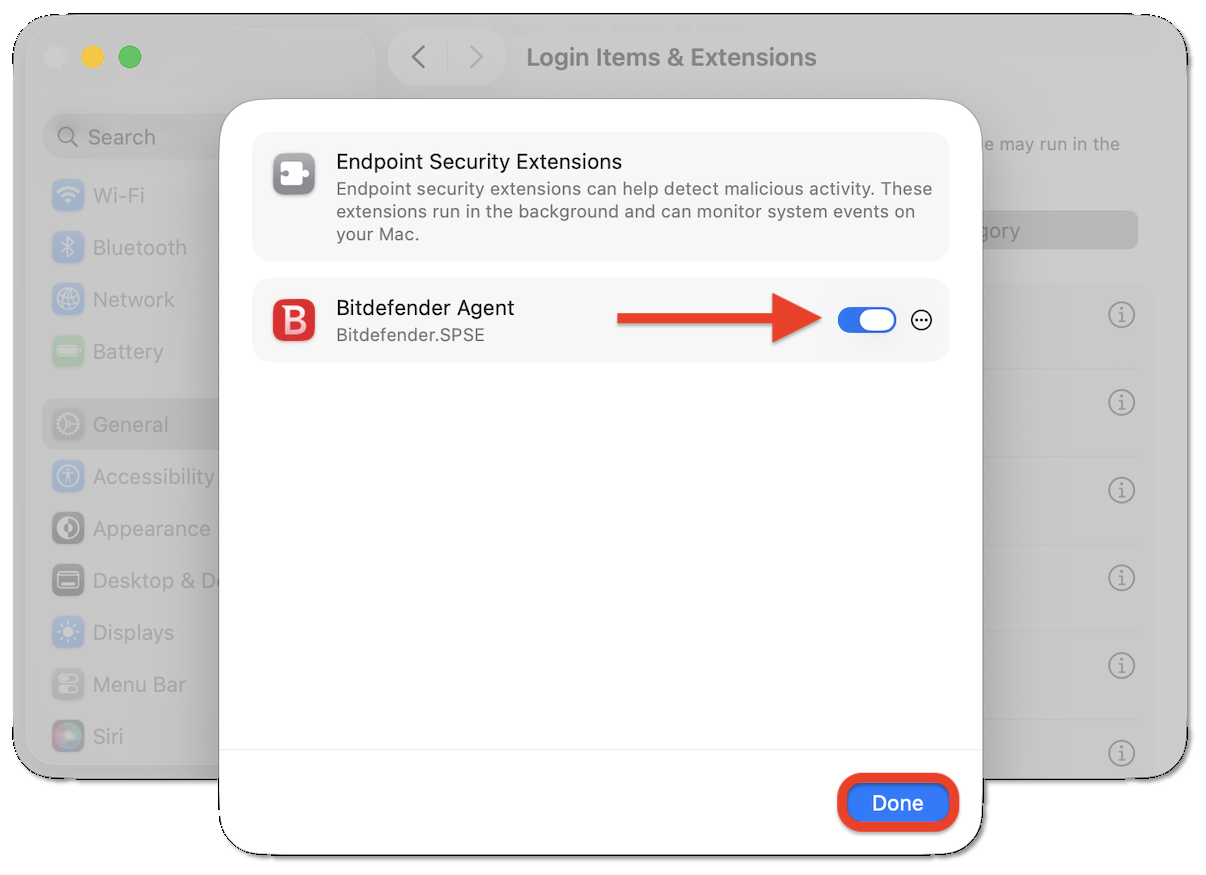
macOS Sequoia (15)

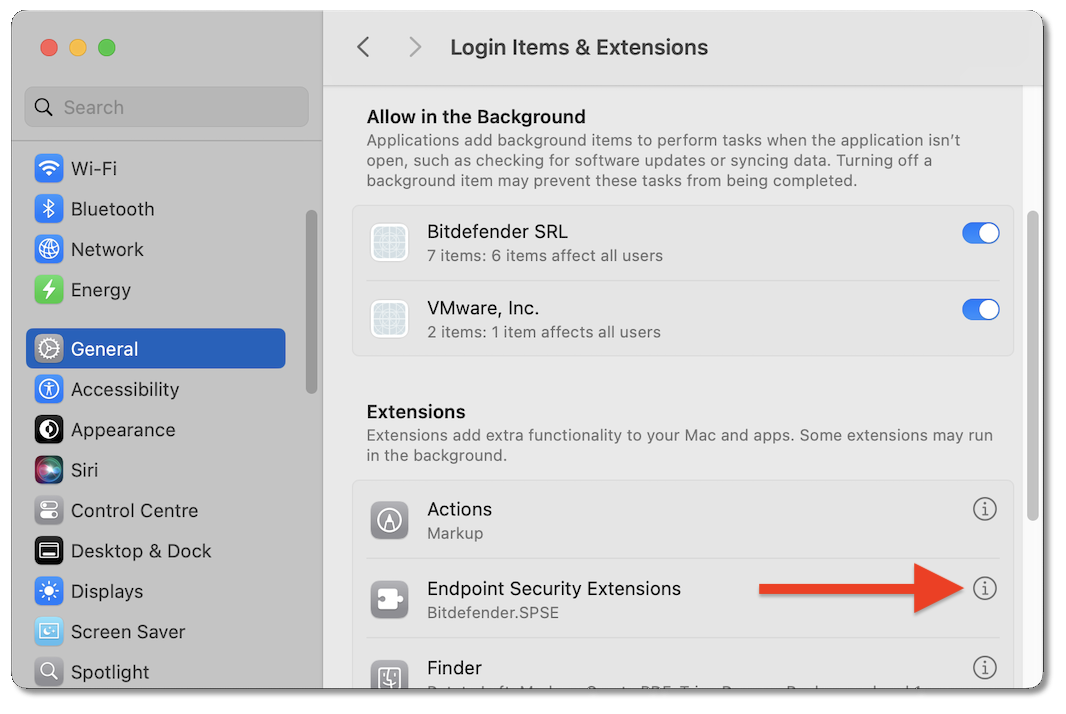
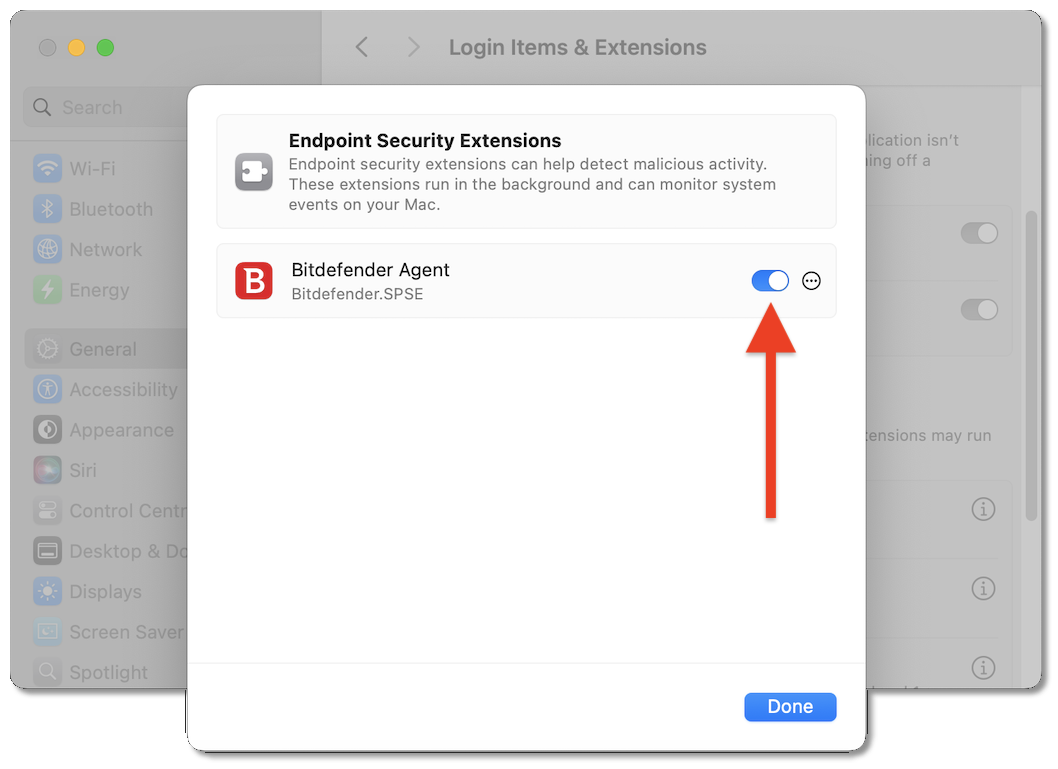
macOS Sonoma (14) - Ventura (13)