This article explains how to create a debug log on your Windows PC using the Bitdefender Support Tool. Bitdefender Support Tool is a diagnostic utility used by the Bitdefender Support team to investigate installation failures, product errors, or other Bitdefender App-related issues on Windows computers. The tool collects system logs and product usage information required for in-depth troubleshooting.
When contacting Bitdefender Support, you may be asked to provide the following information:
- A detailed description of the issue you are experiencing
- A screenshot of any error messages displayed on your screen – How to take a screenshot on Windows
- A Support Tool log – Depending on whether the Bitdefender App is already installed on your Windows computer, follow one of the methods below to generate the log
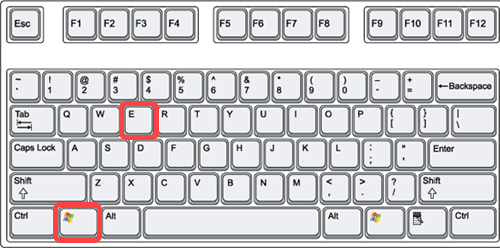
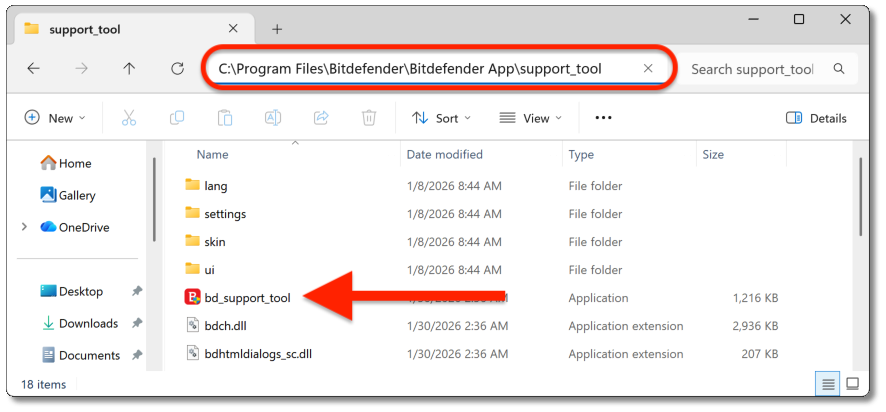
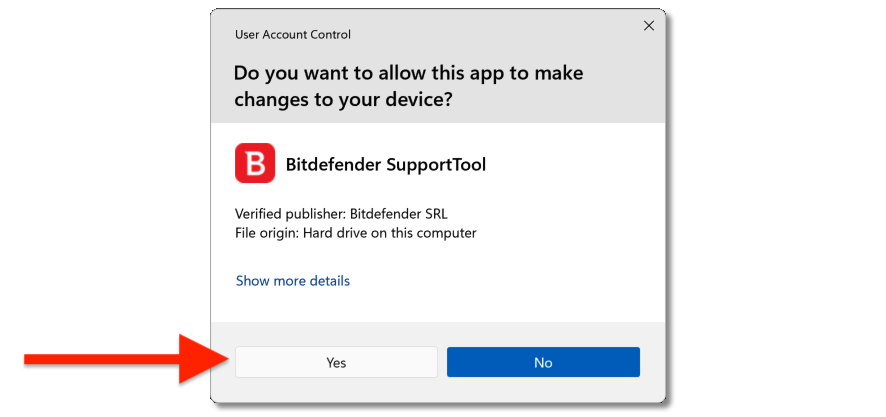
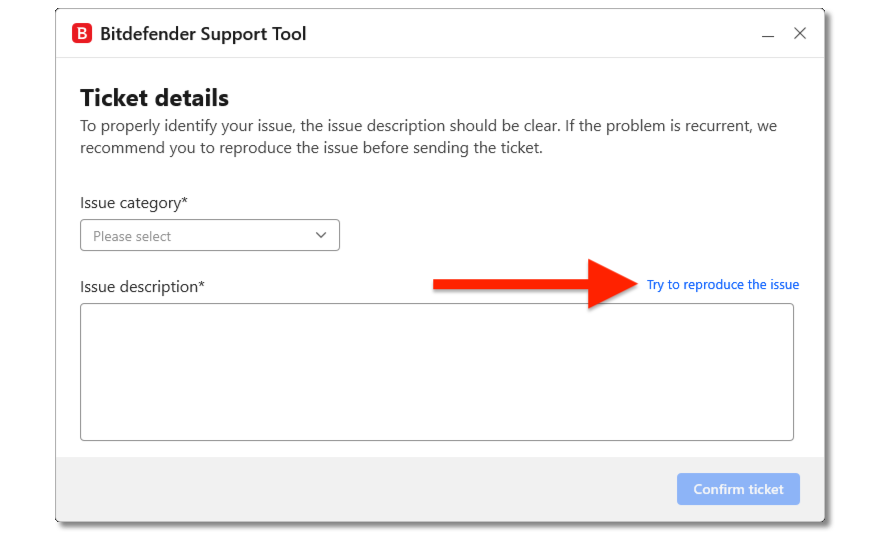
Generate a support tool log when Bitdefender App is installed
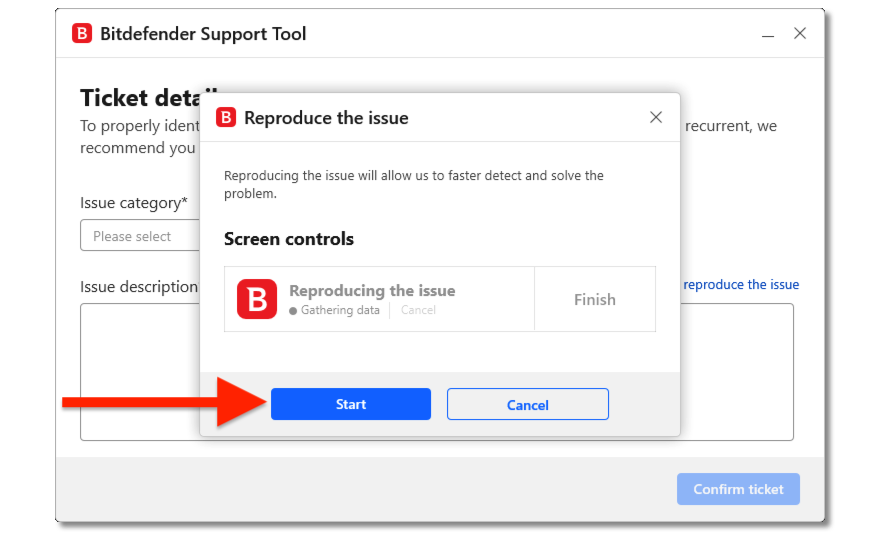

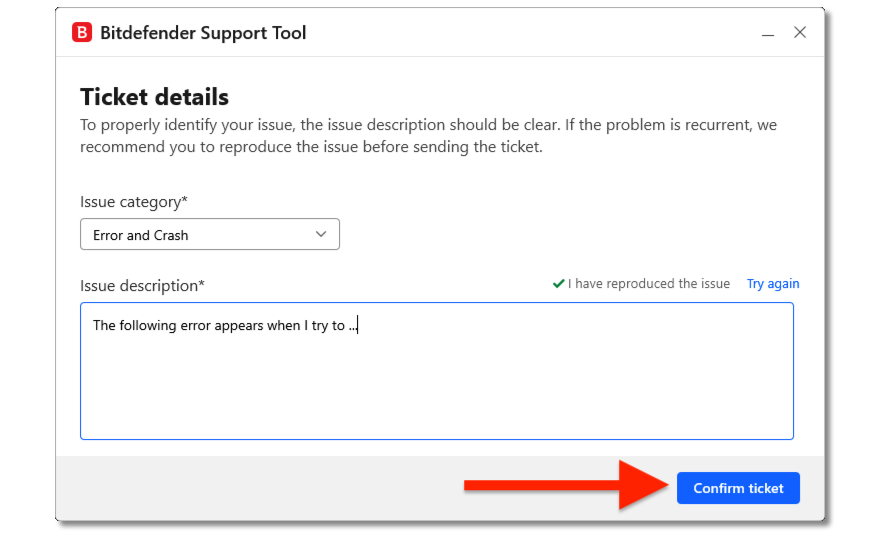
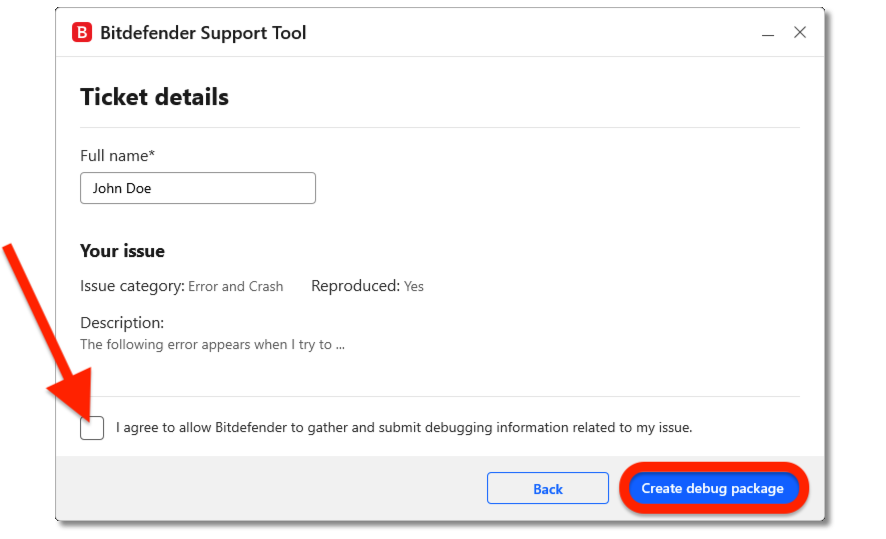
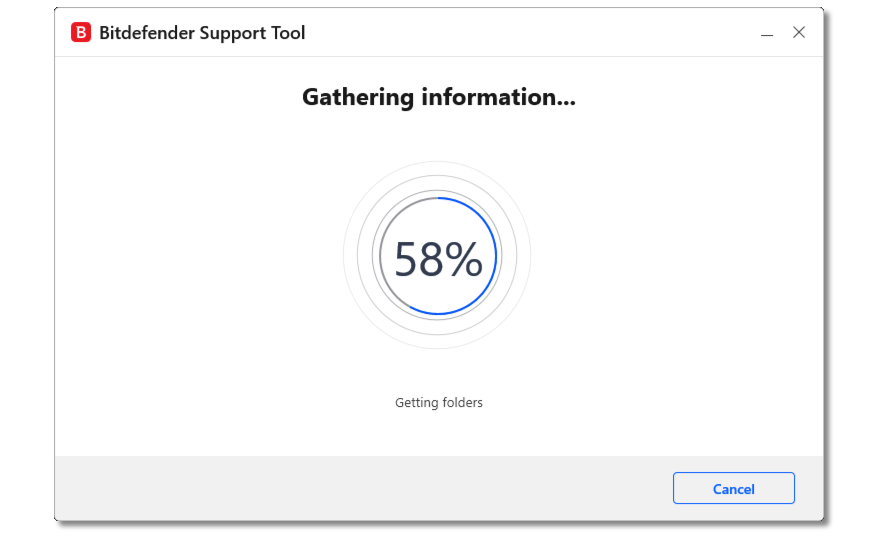
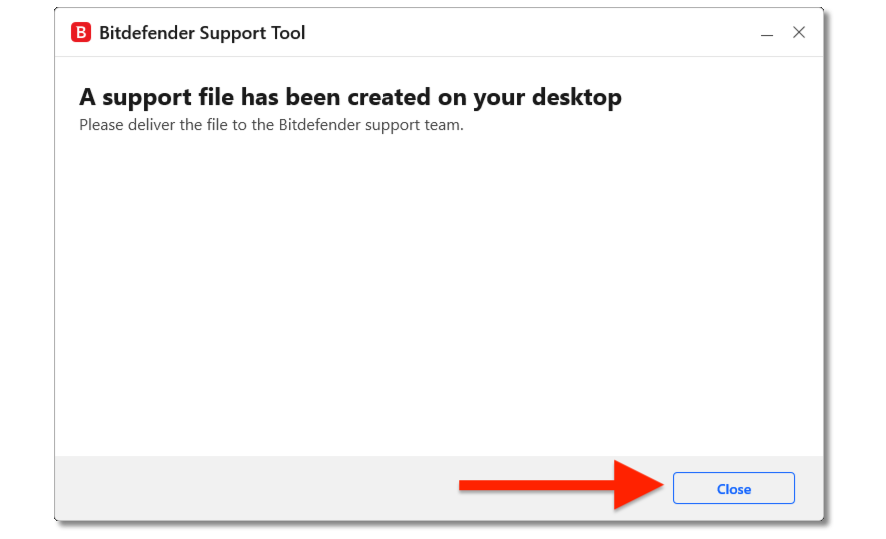

Generate a support tool log when Bitdefender App is not installed
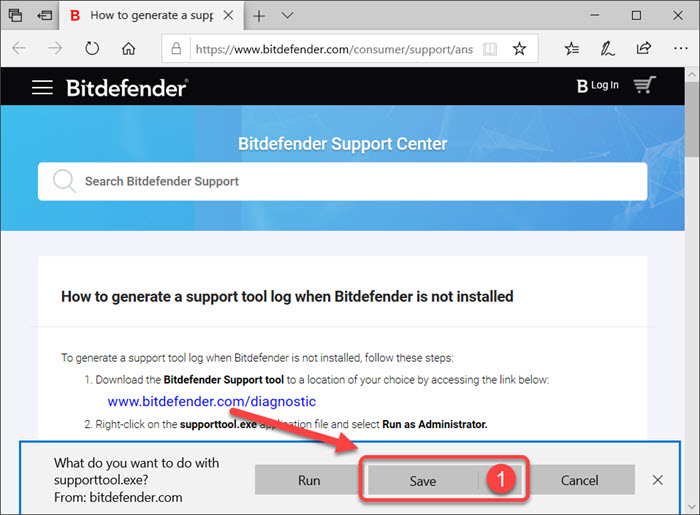
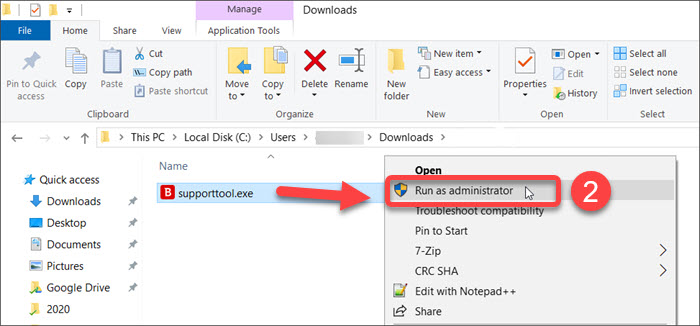
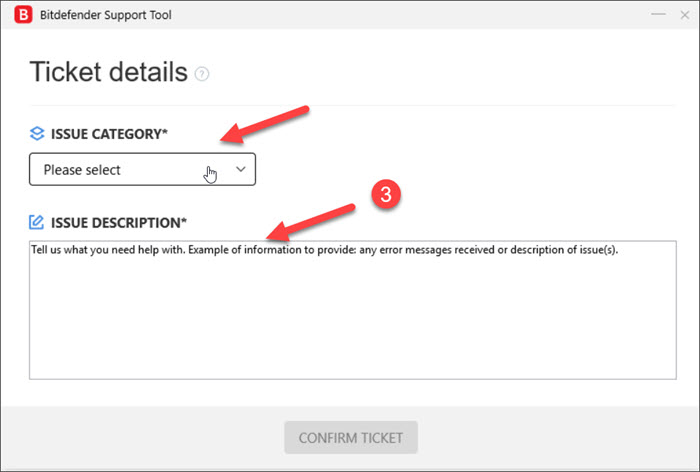
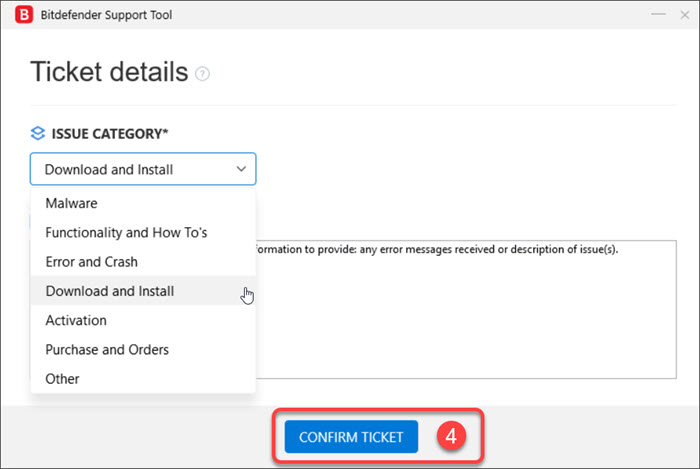
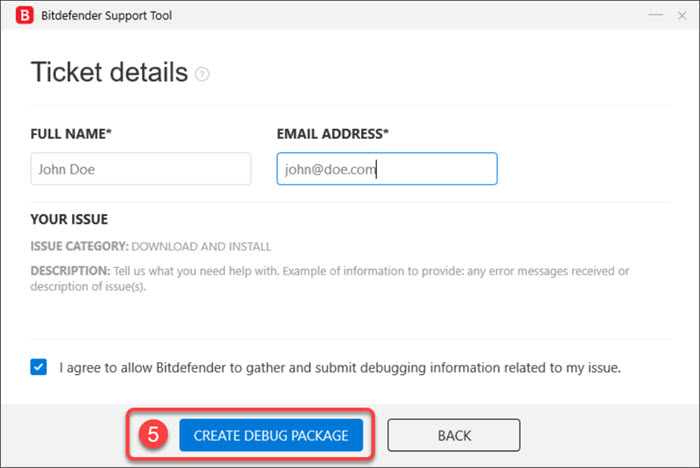
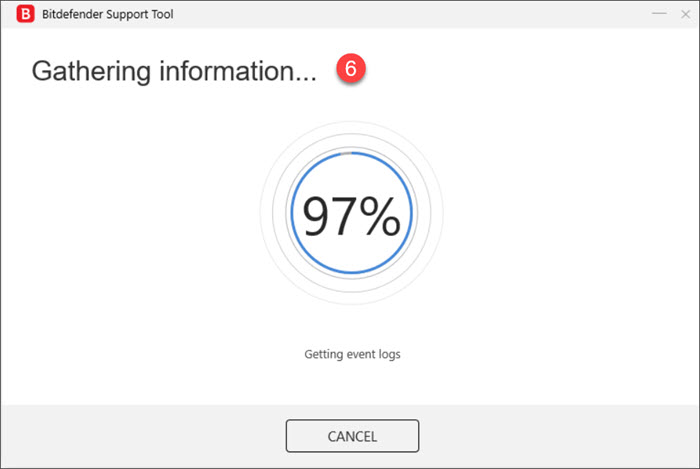
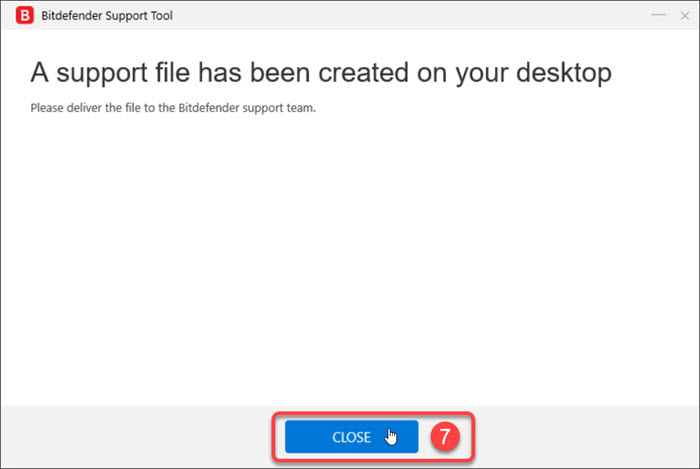
Attach the generated compressed file to your support ticket for further troubleshooting. The Bitdefender Support team will use this information to investigate and provide a solution as quickly as possible.