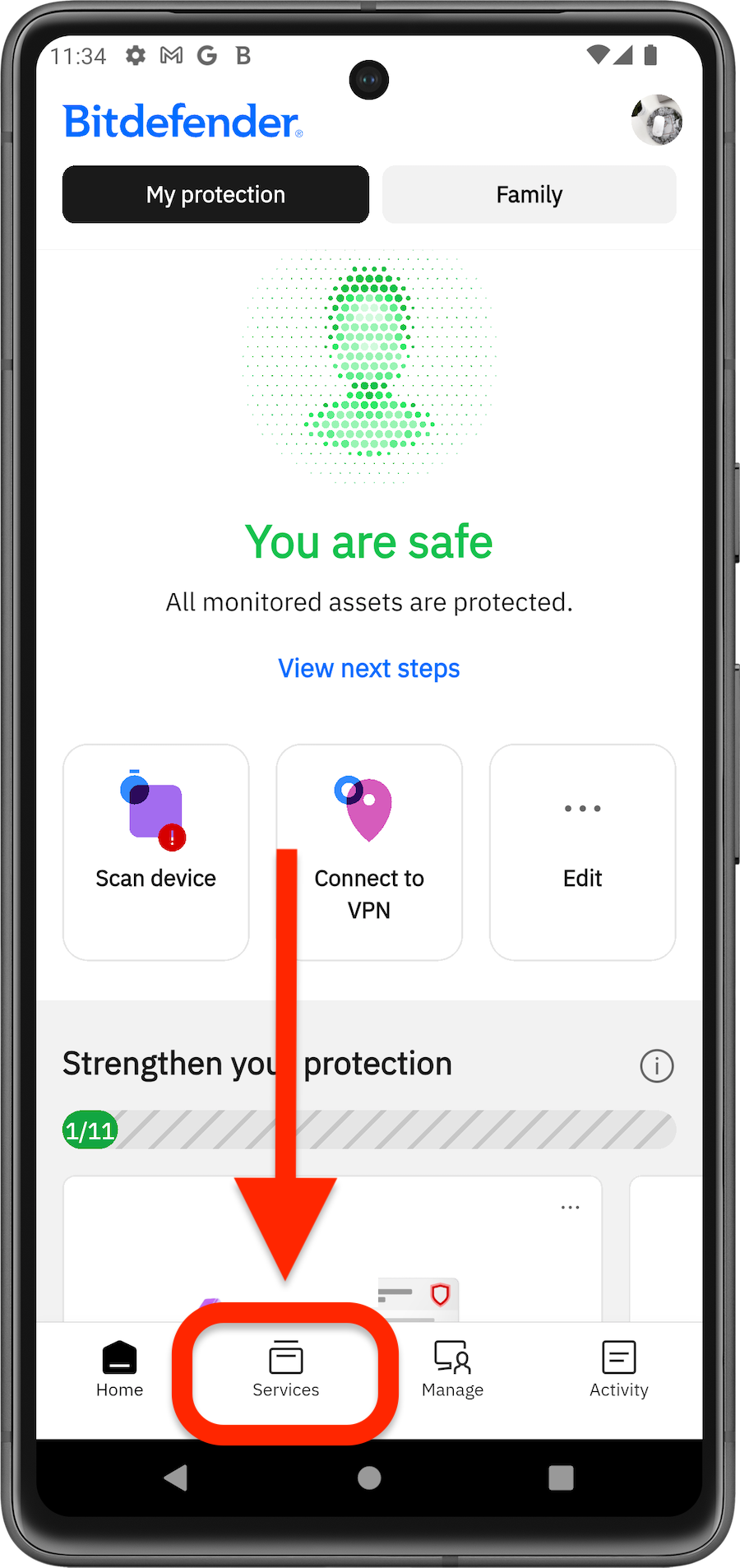
The SecurePass service available in Bitdefender App provides a secure way to share sensitive information. This guide explains how to securely share passwords, credit card numbers, and other private information using the desktop browser extension, the web version, or the Bitdefender Hub app for iOS and Android.
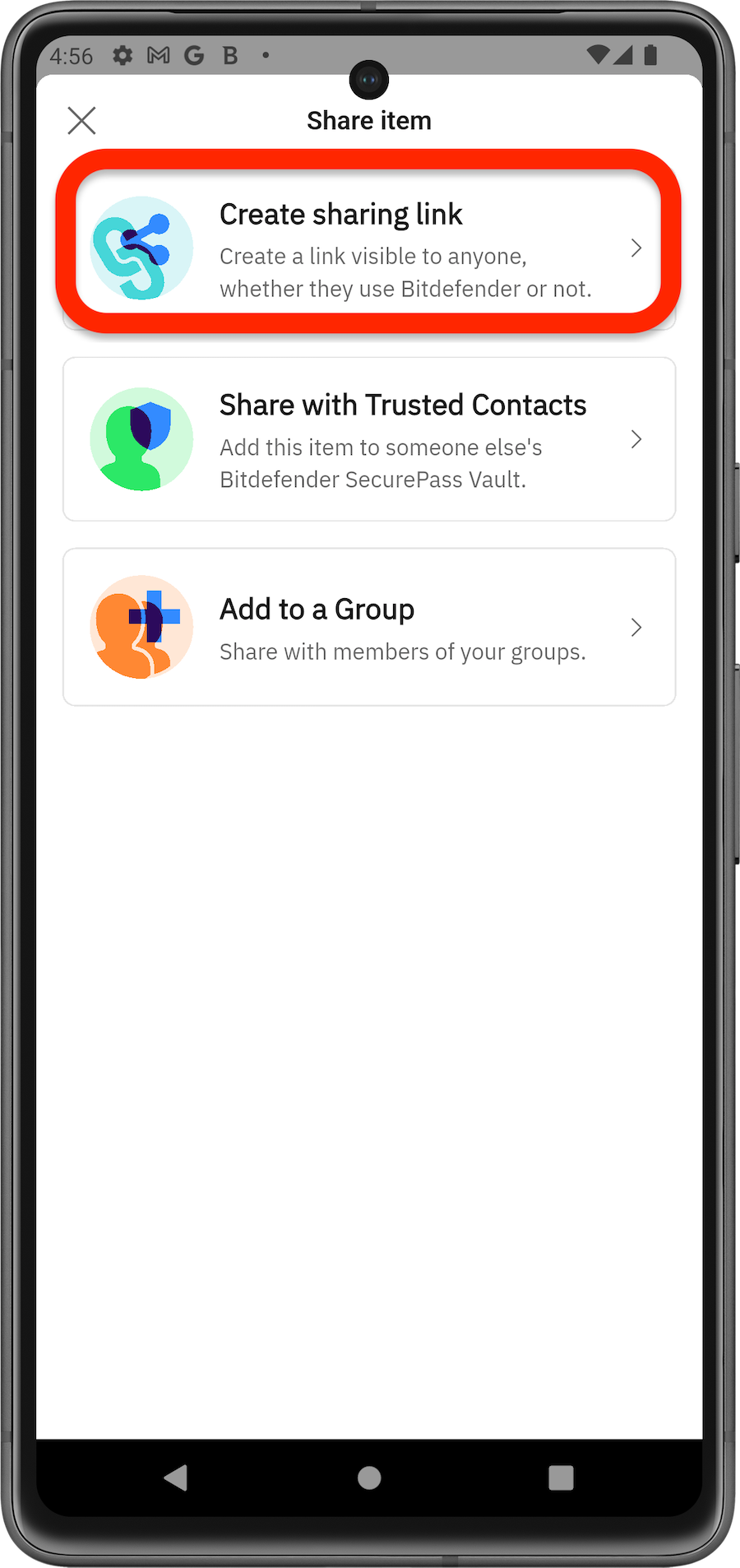
Share Passwords with a Link
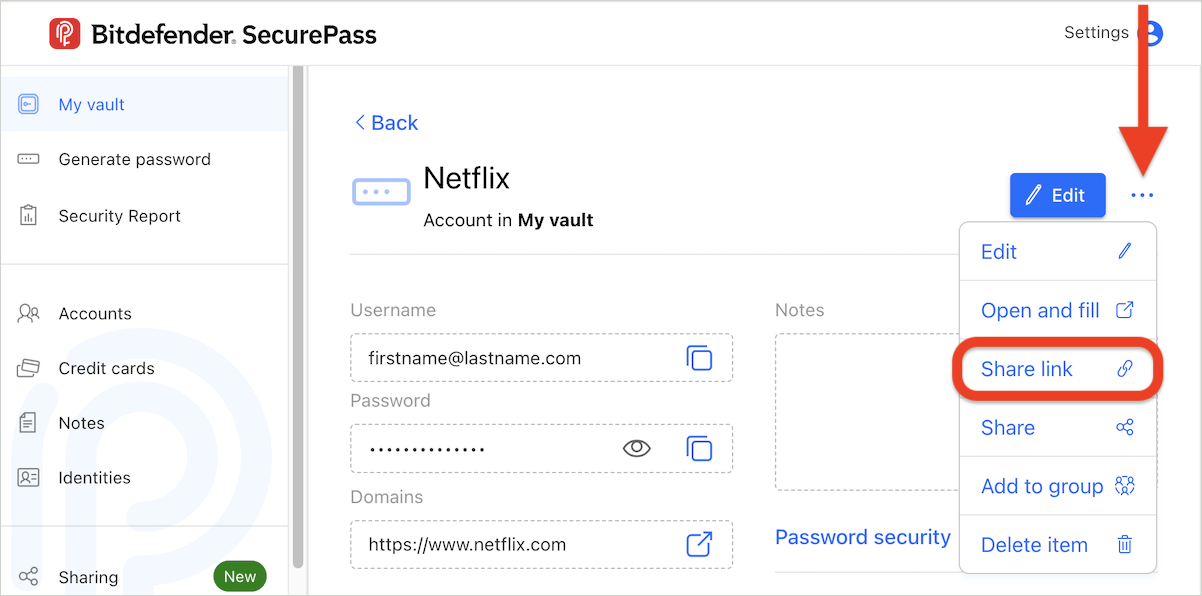
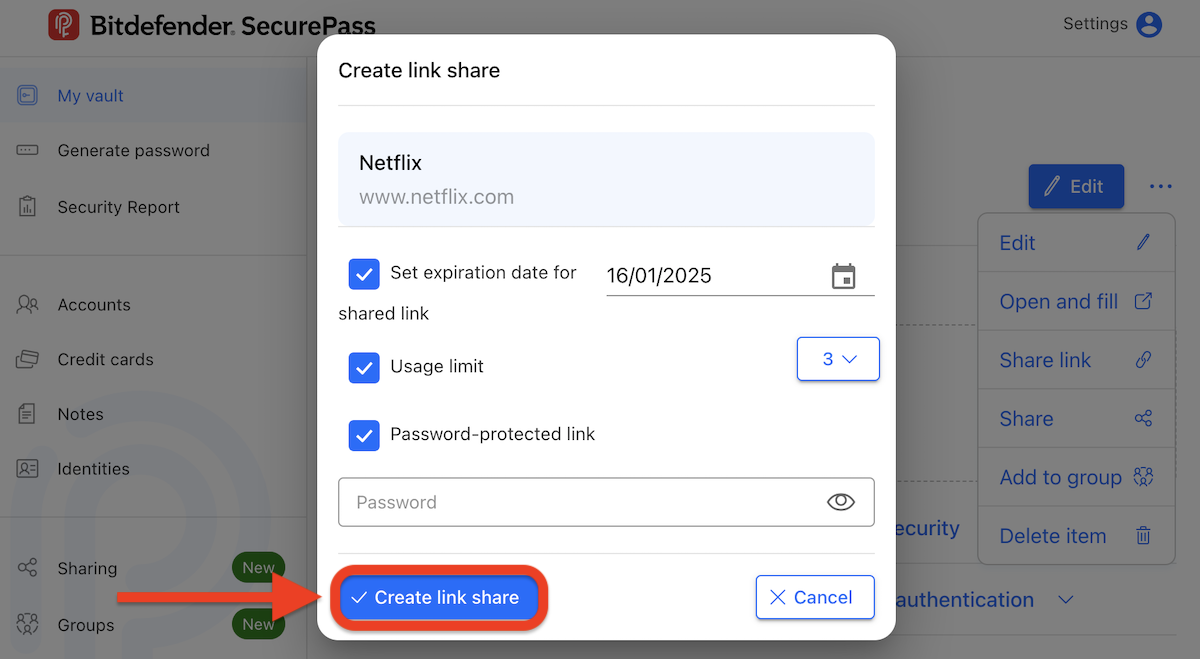
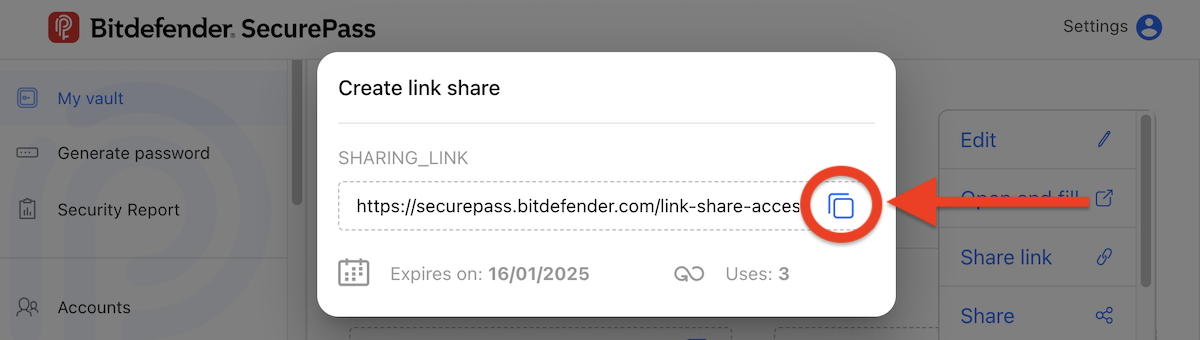
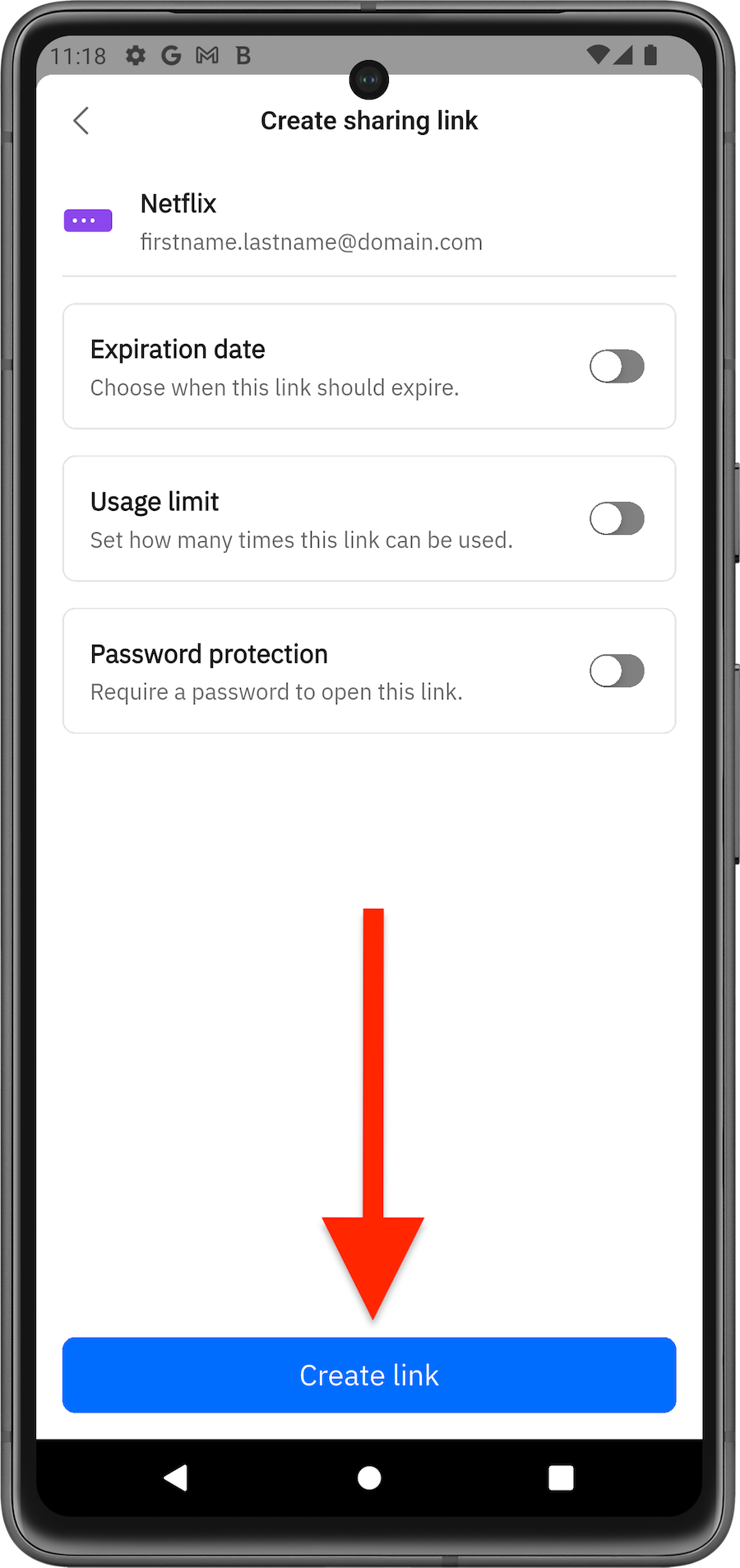
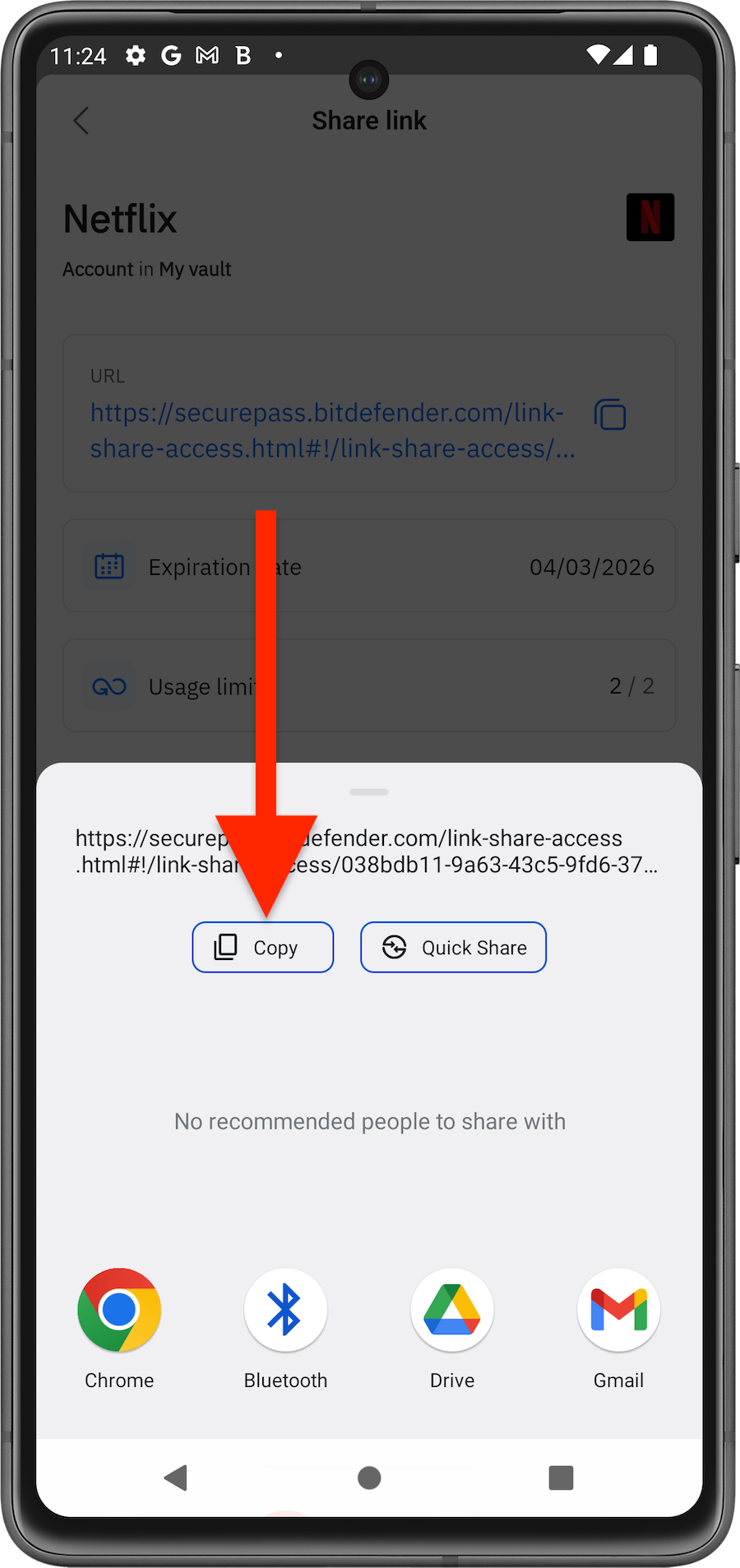
This tool allows you to securely share any item saved in your vault with others, even if they don’t use SecurePass. The data is shared in an encrypted environment, so you don’t need to worry about it being compromised.
via Browser

via Mobile App
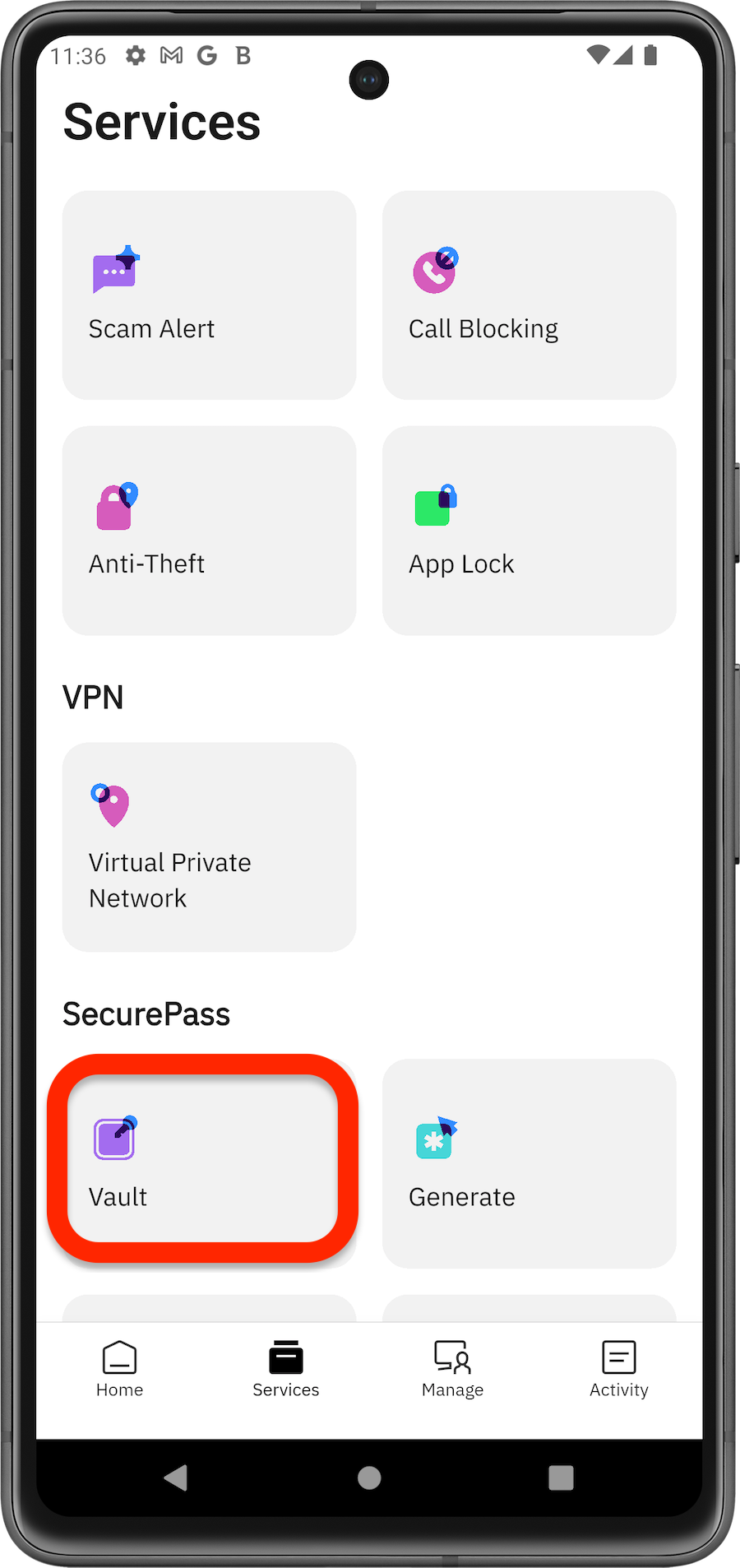
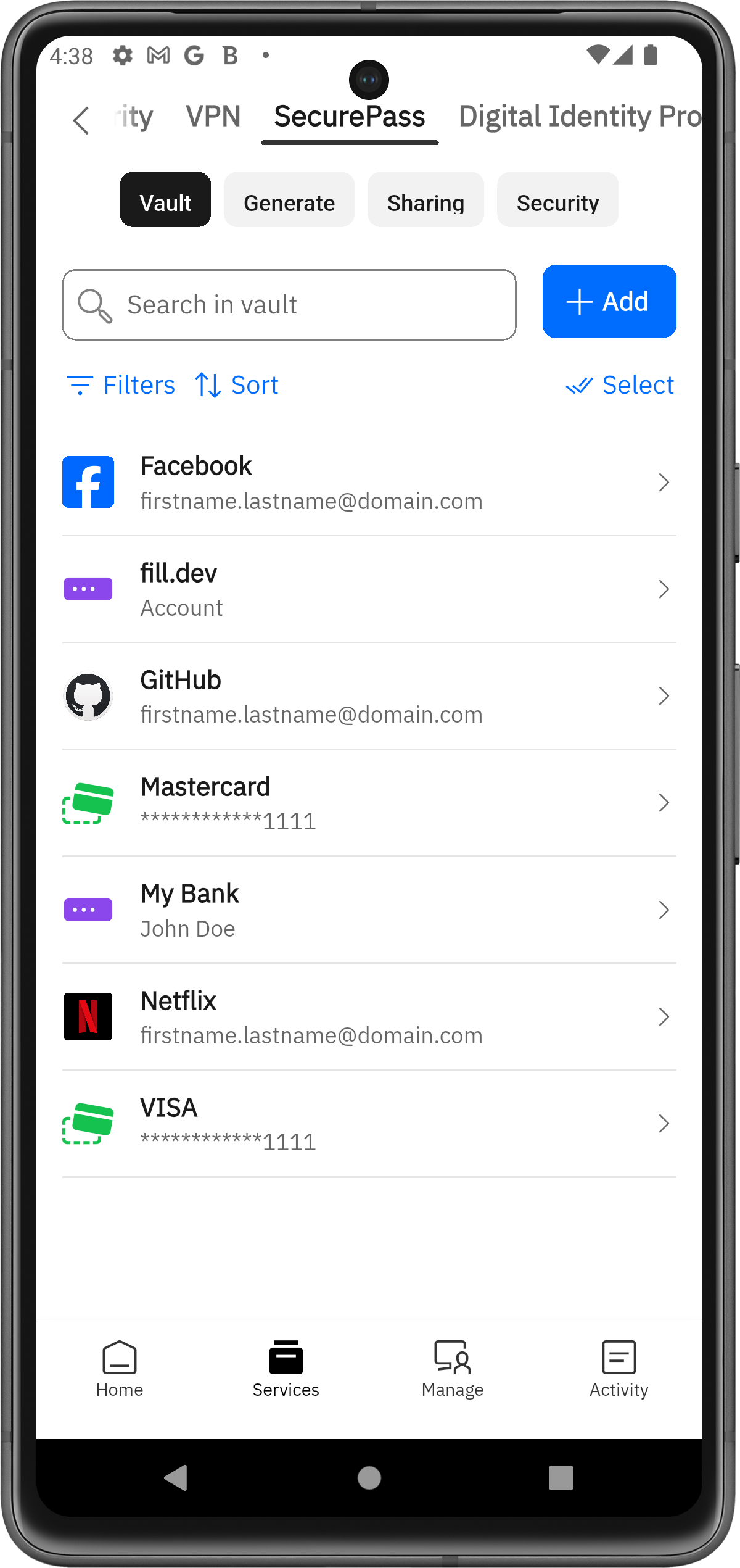
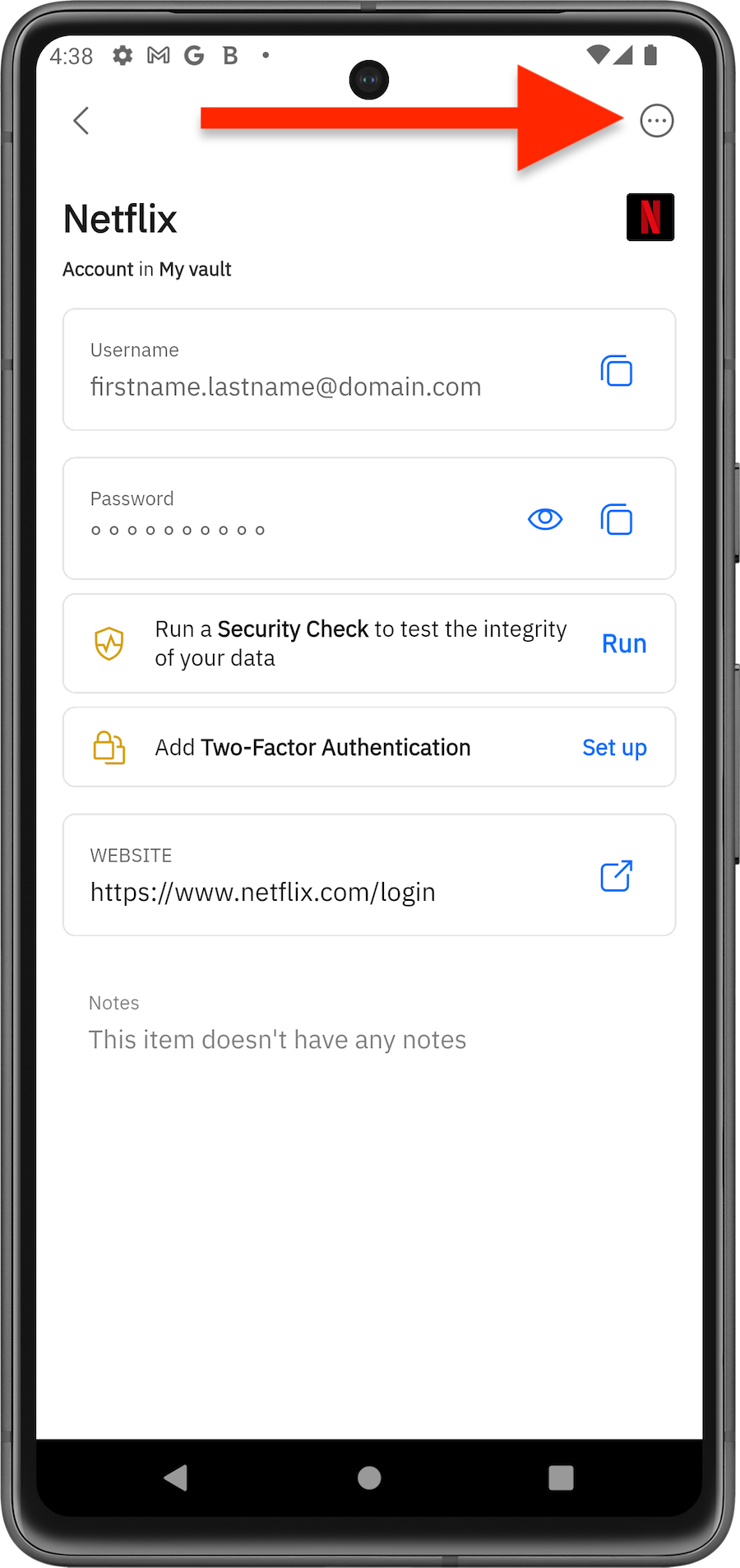
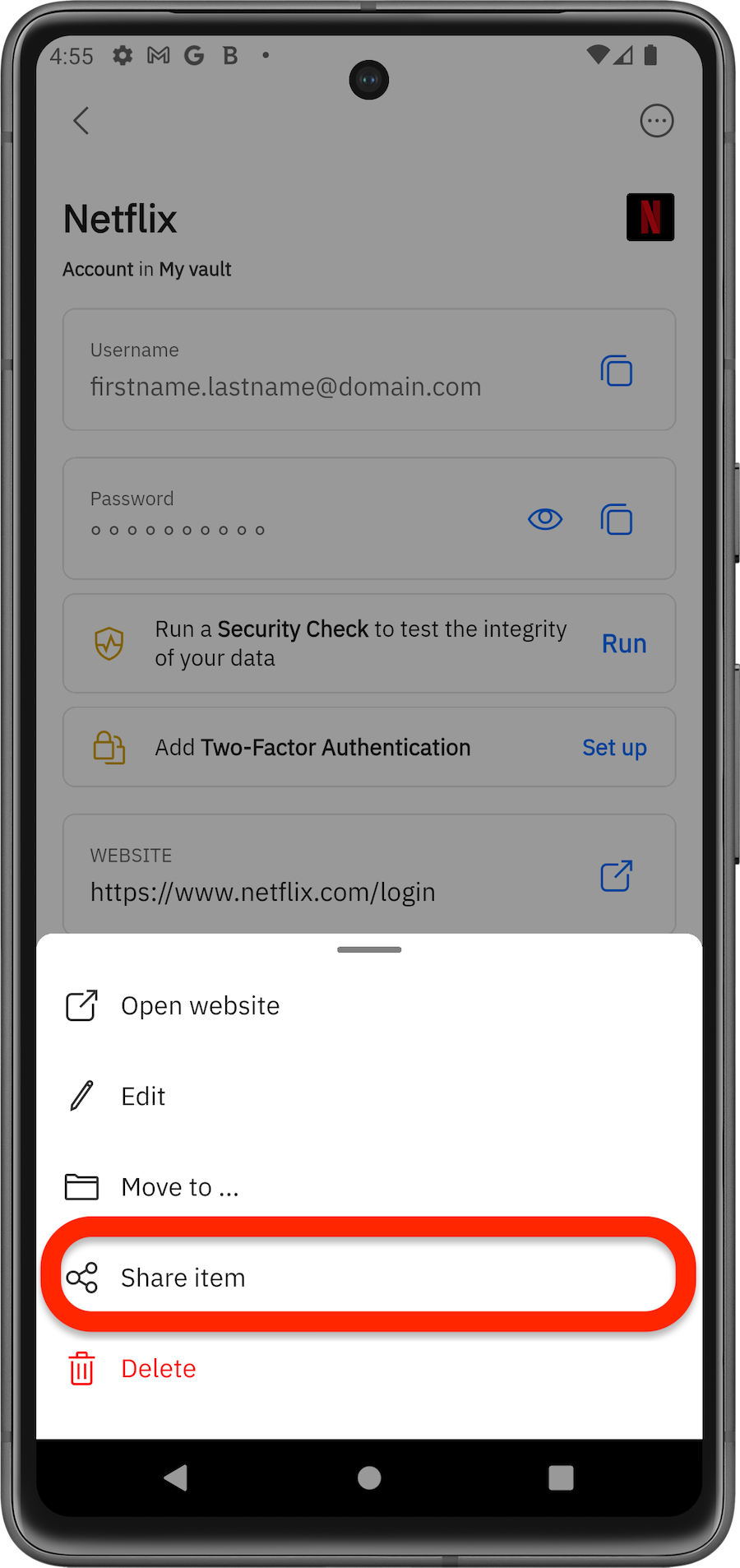
Share Passwords with Groups
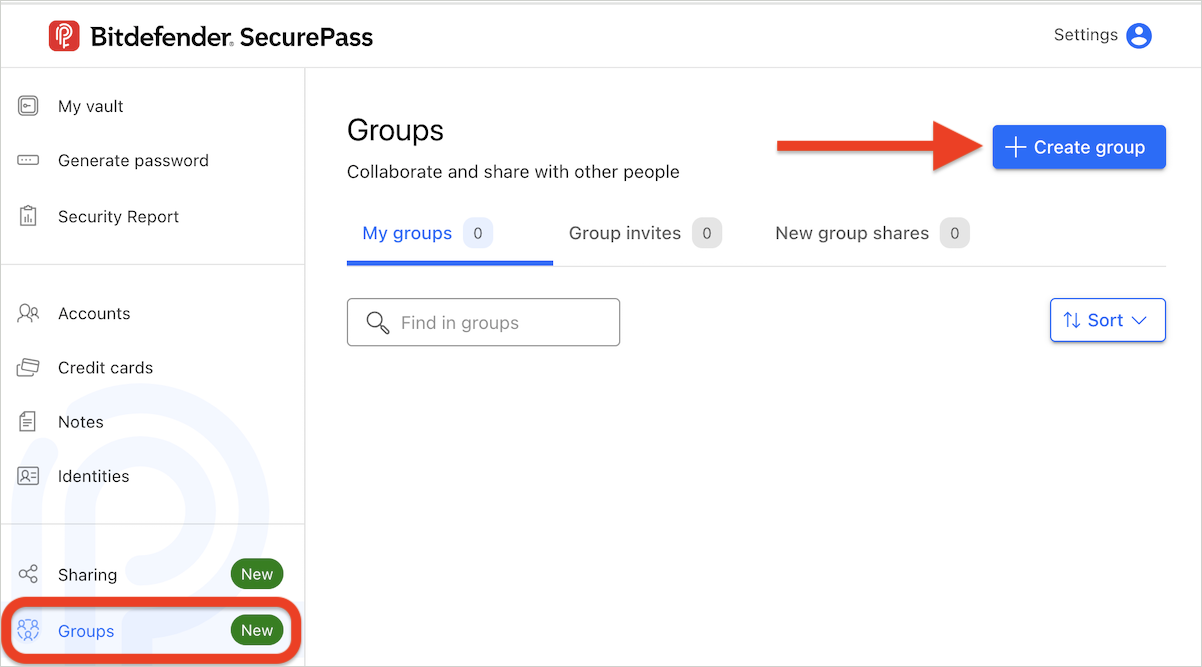
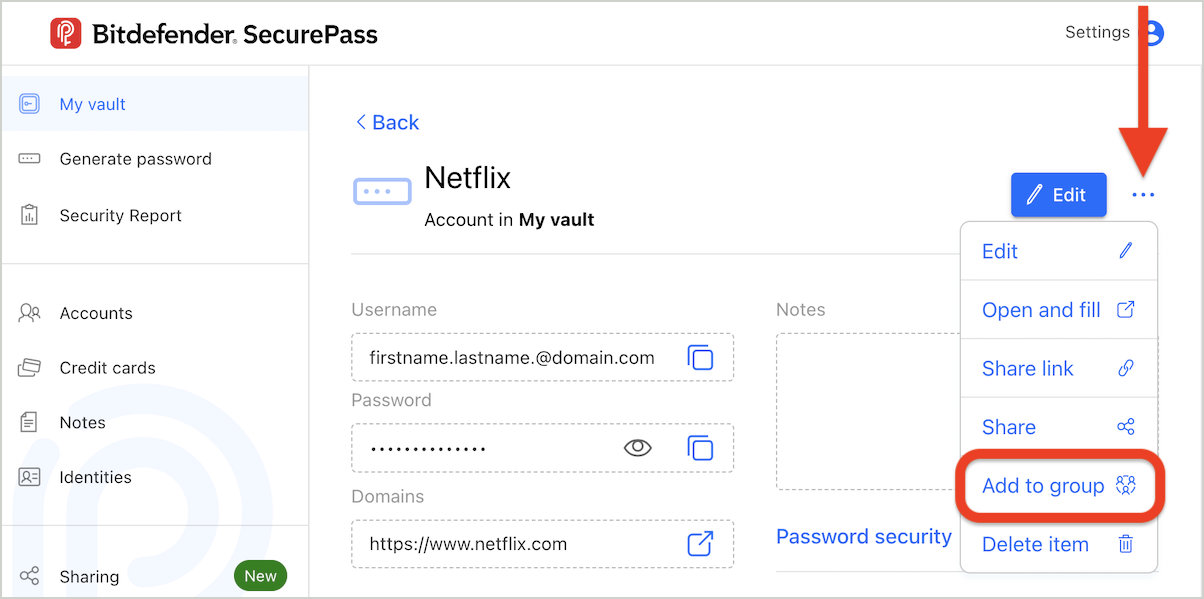
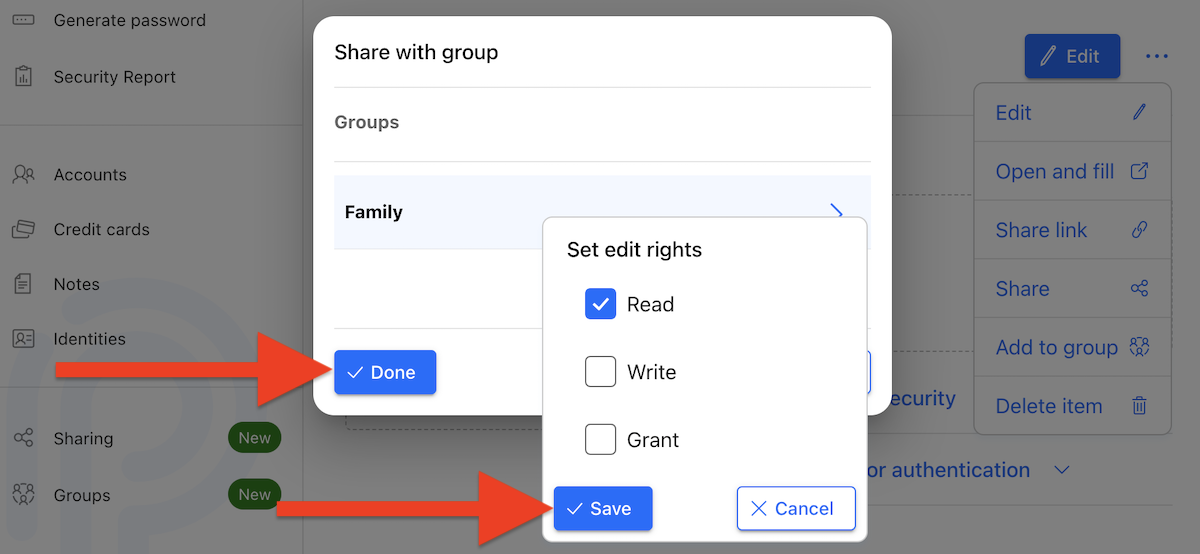
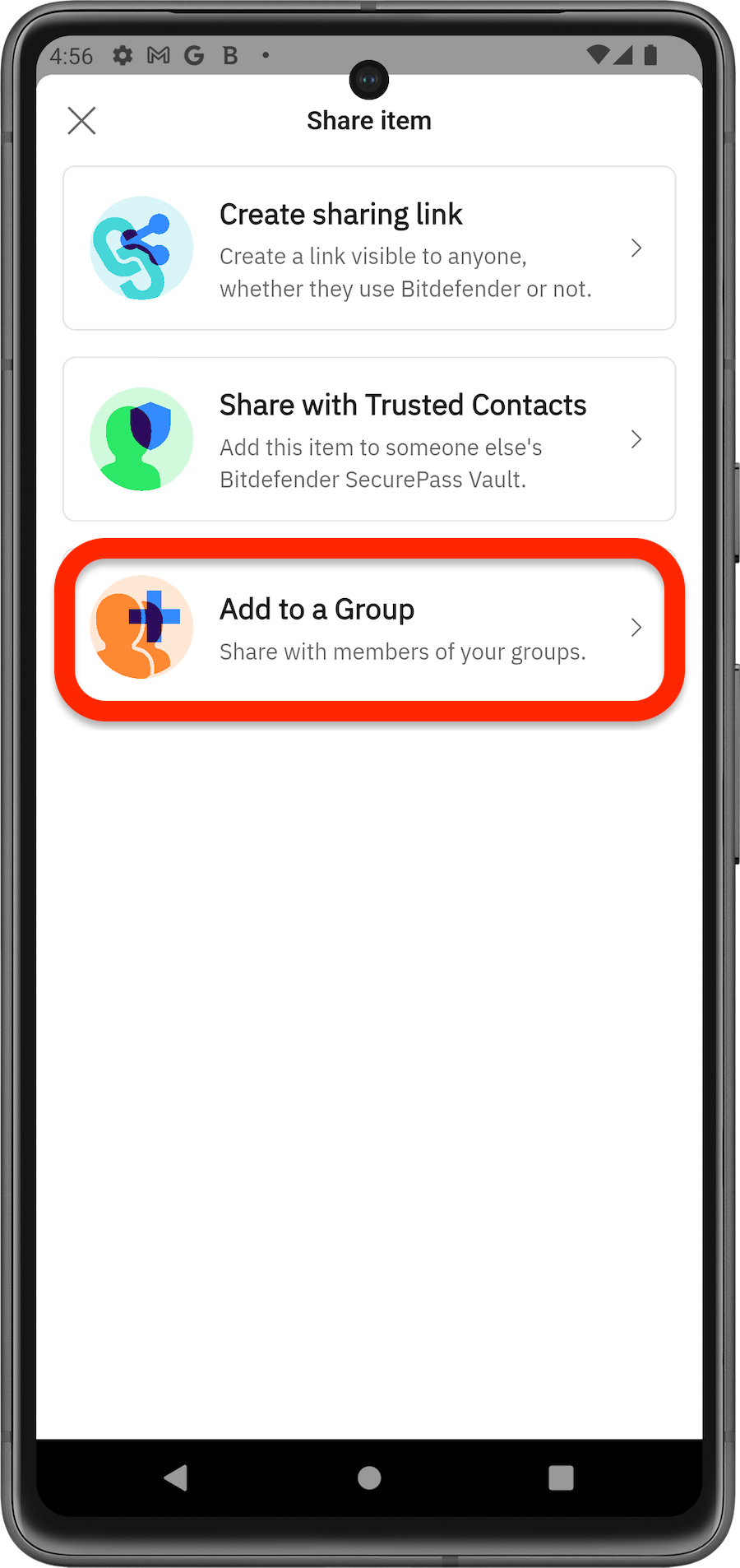
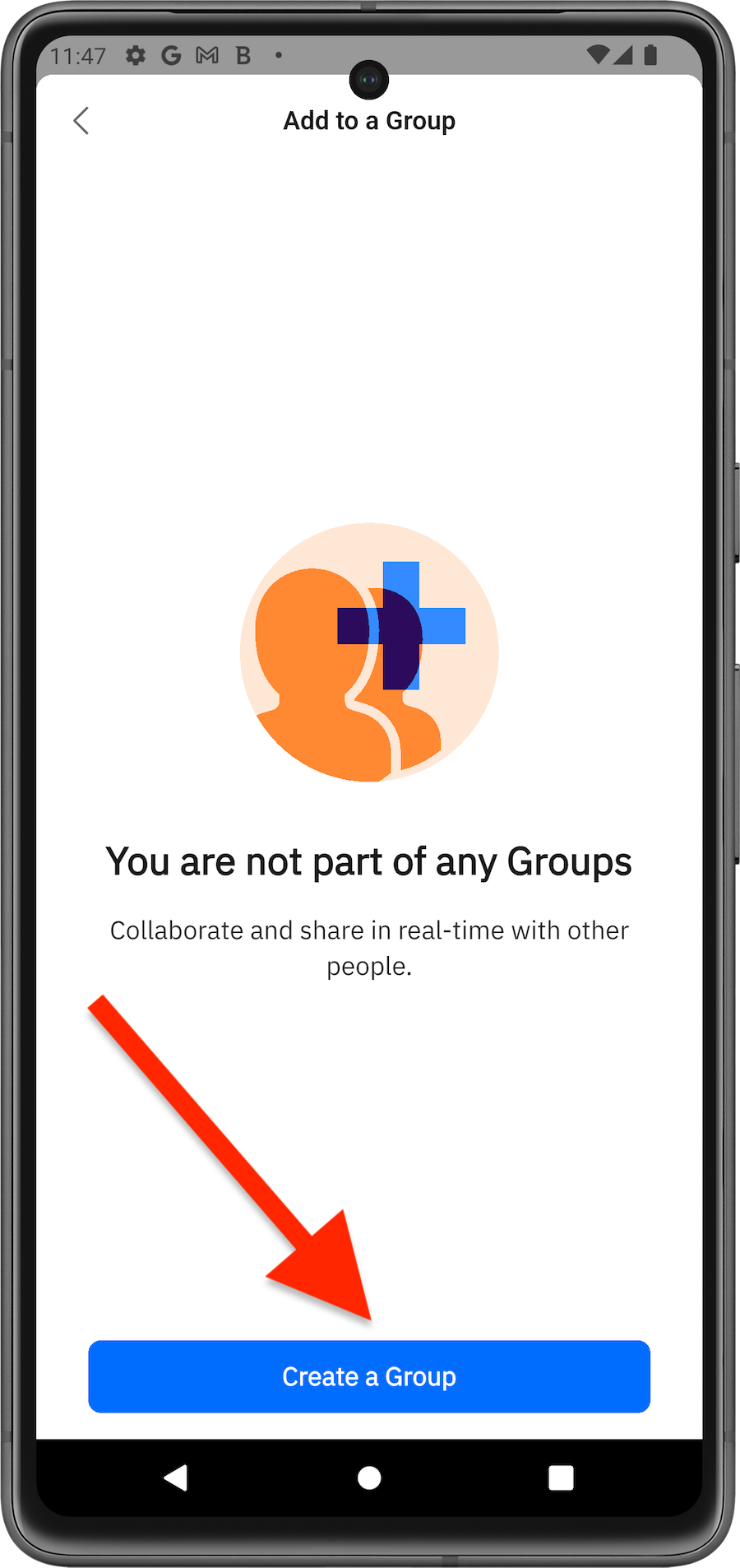
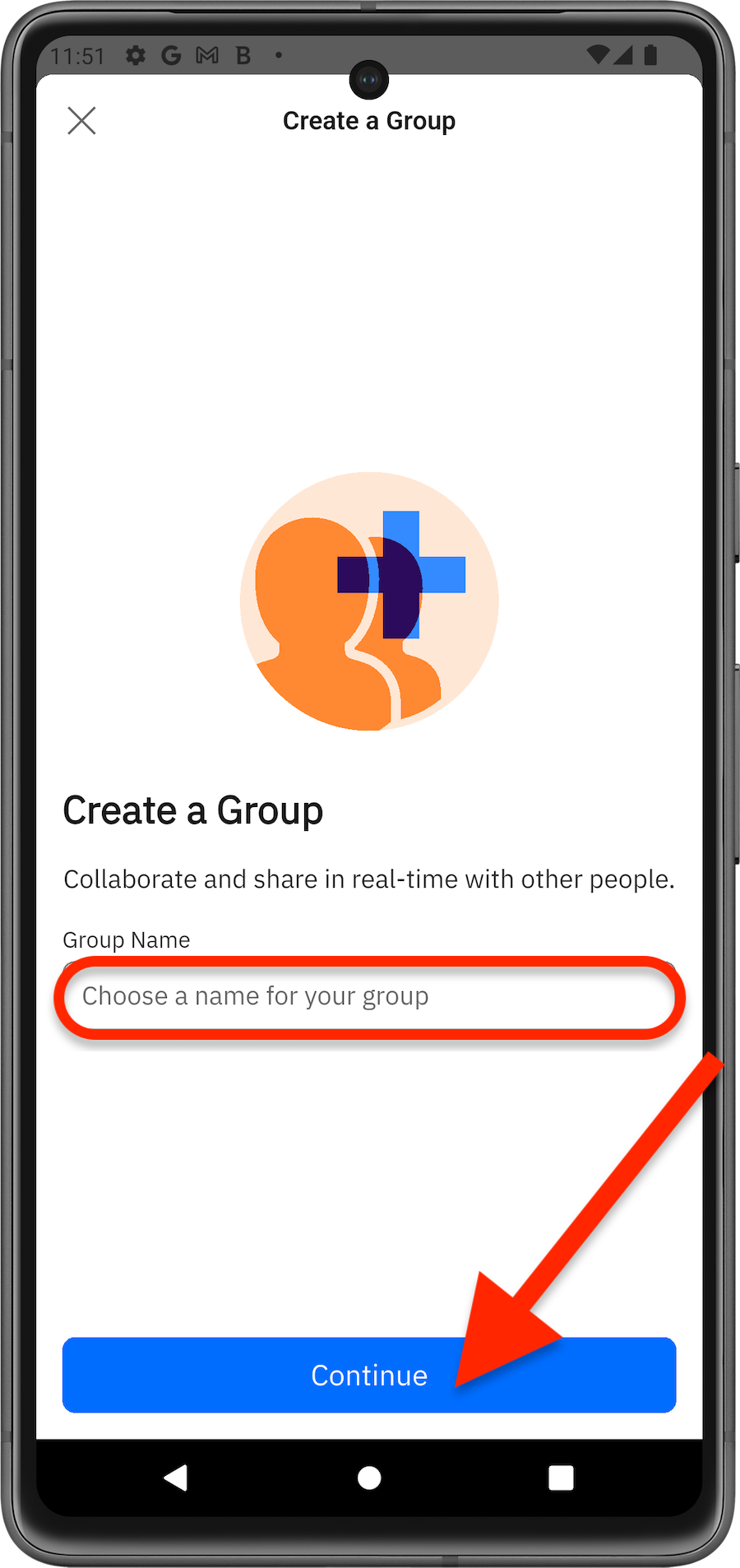
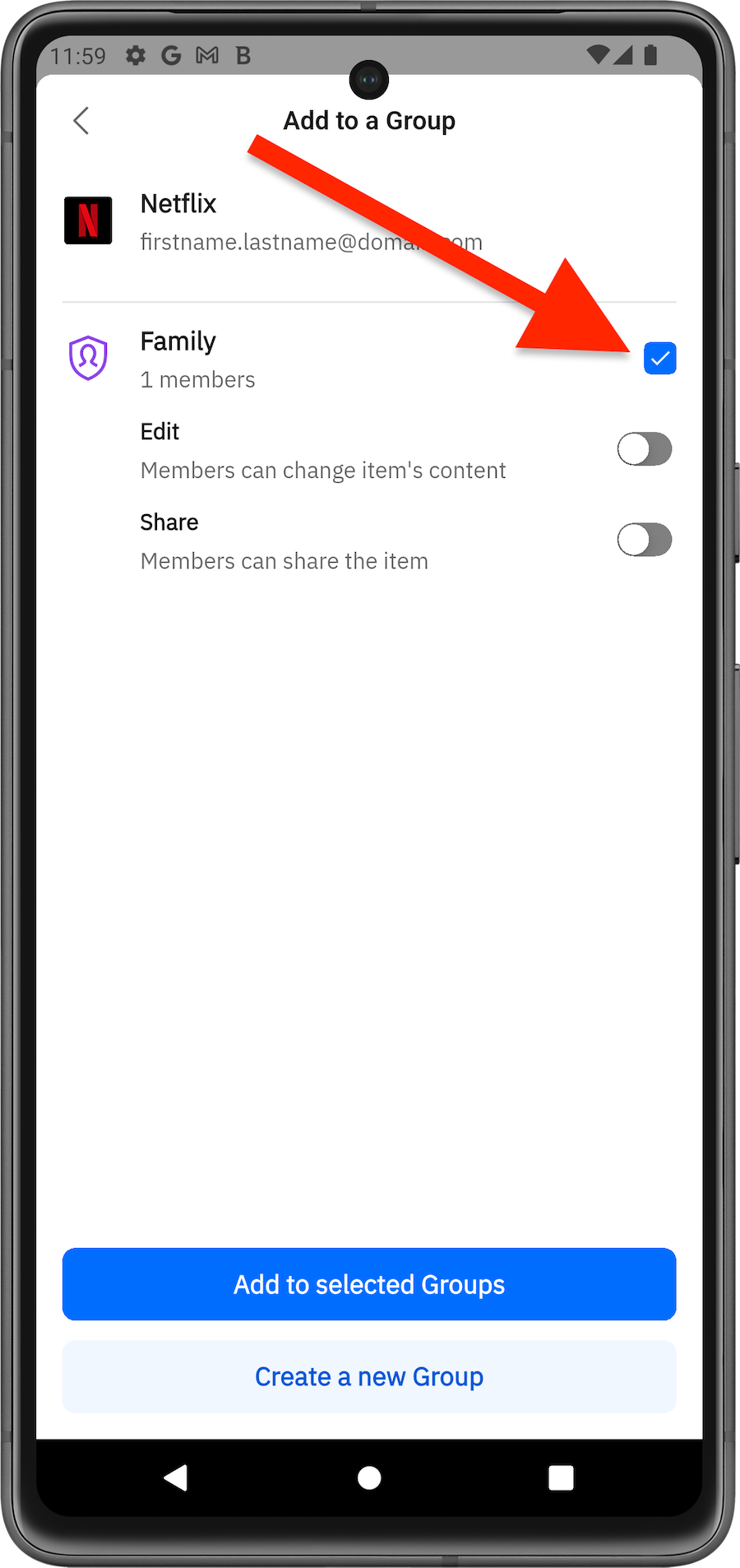
Groups make password sharing even easier. You can create different groups with other Bitdefender SecurePass users (family, friends, coworkers) to securely share sensitive data in an encrypted environment.
via Browser
via Mobile App
Manage Groups
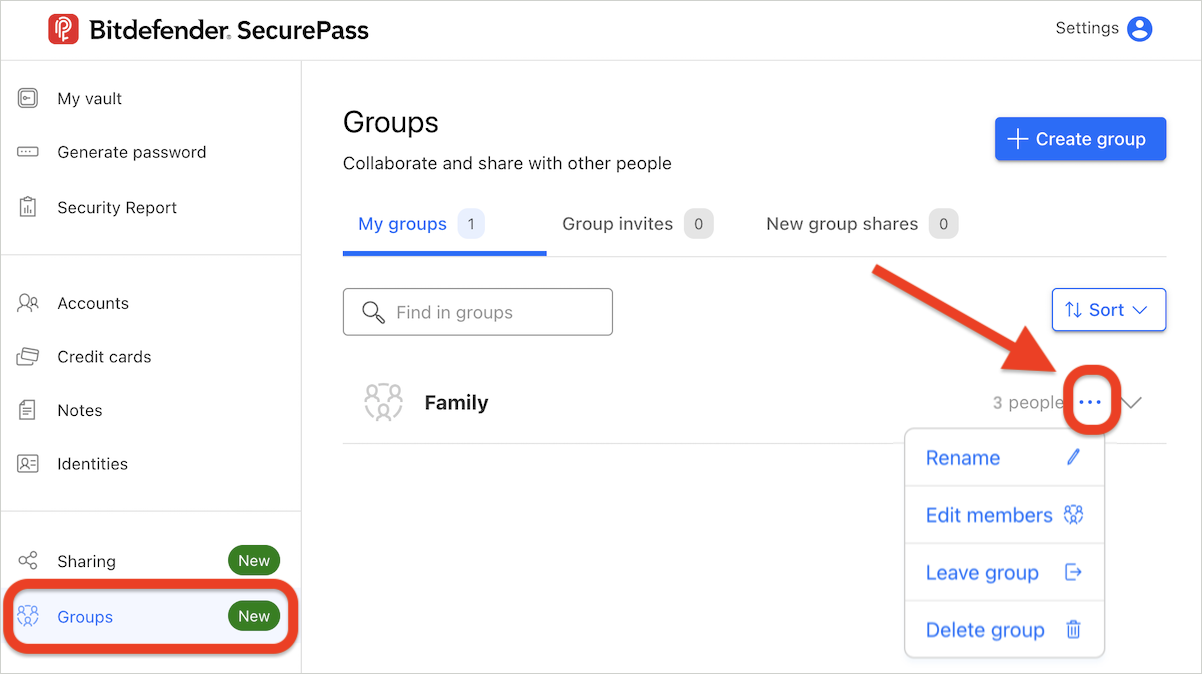
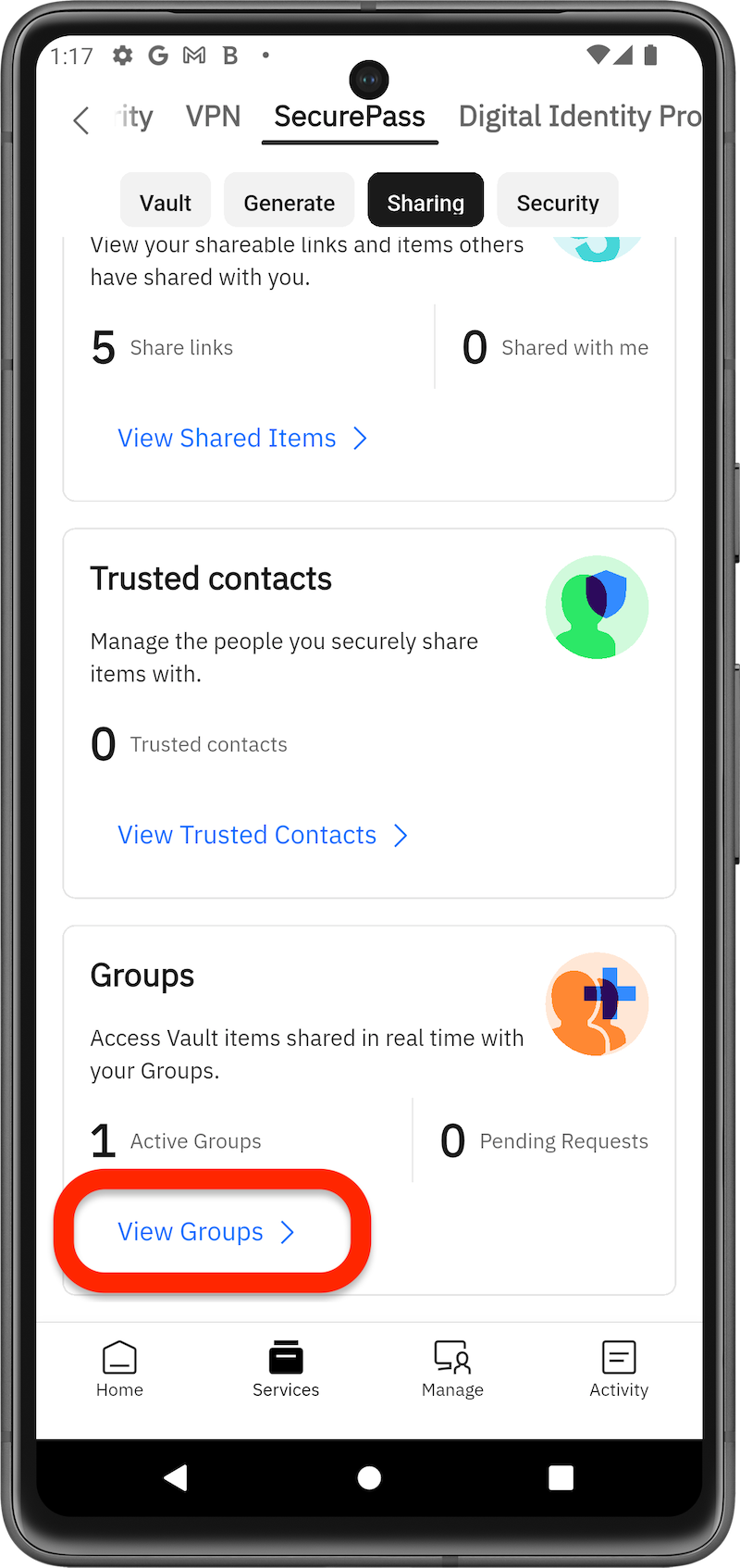
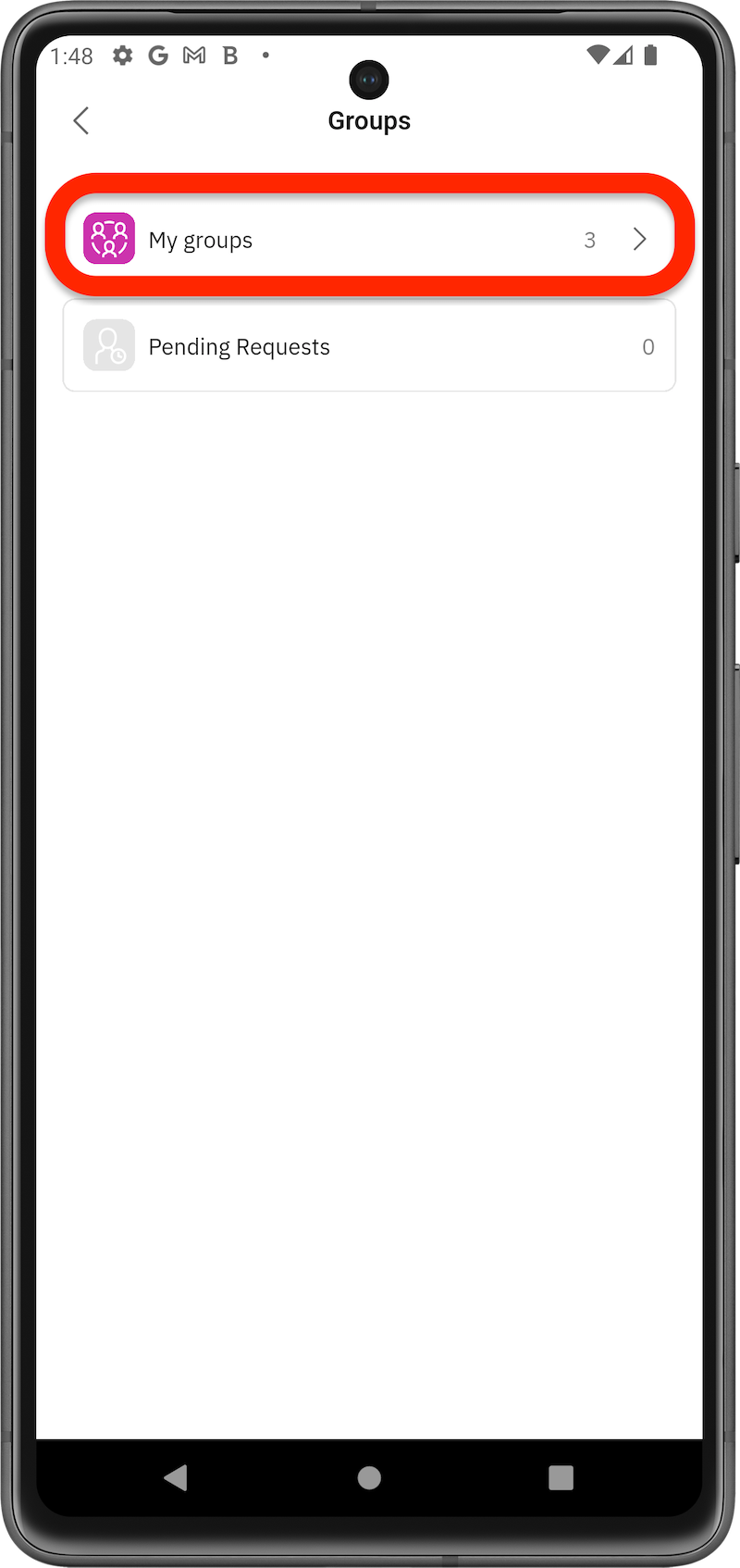
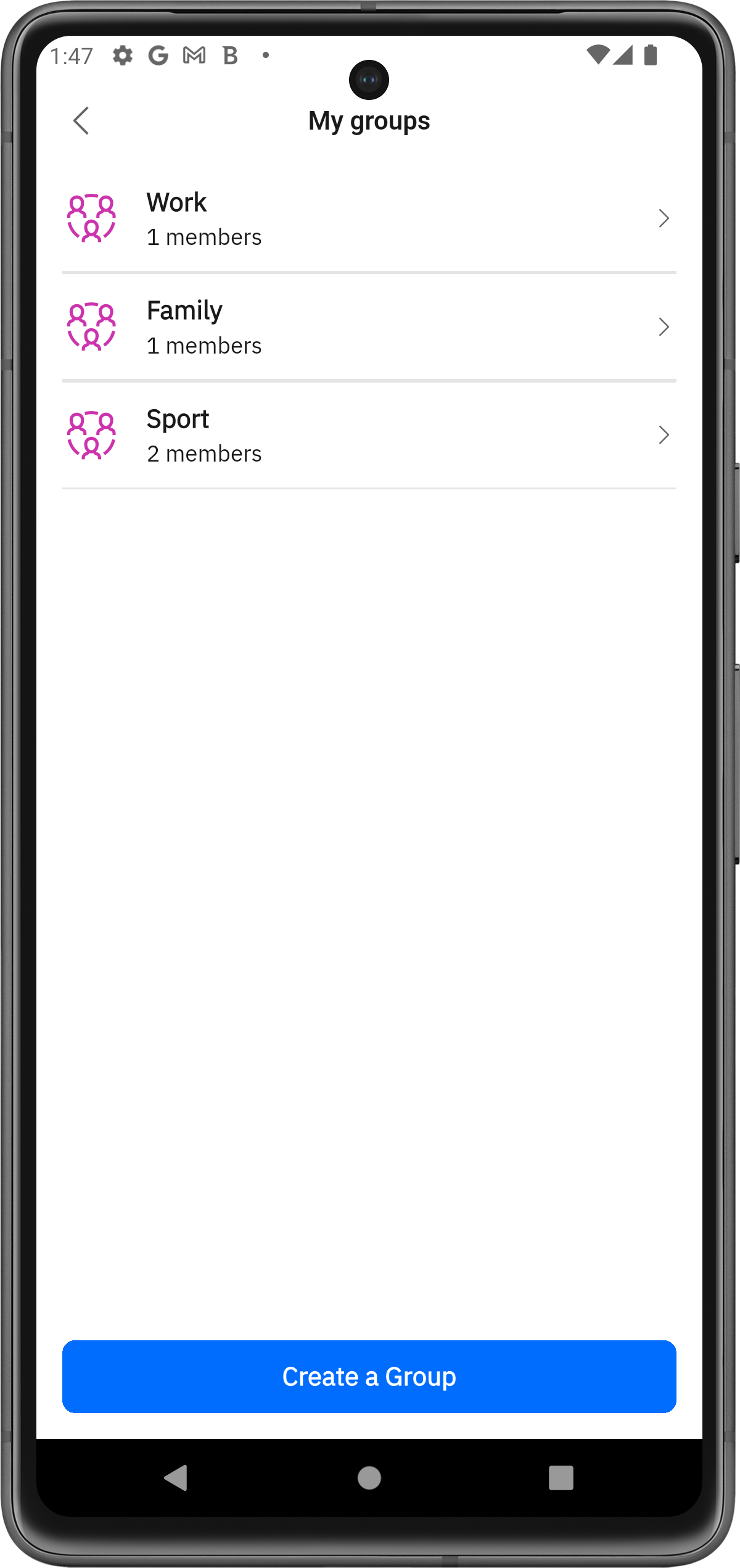
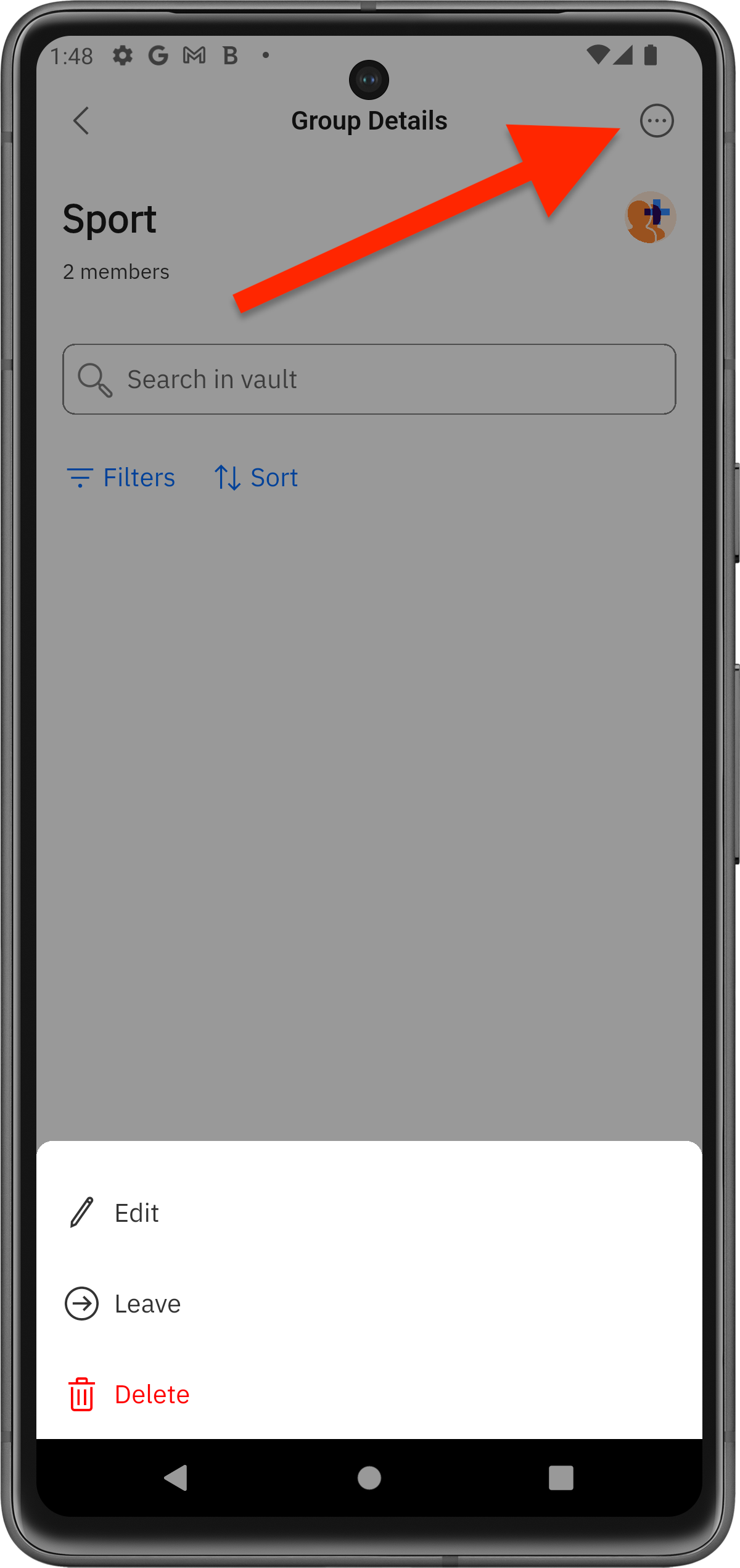
All created groups and the number of members in each appear in the Groups section of SecurePass. Follow the steps below to manage SecurePass groups.
via Browser
via Mobile App
Manage Shared Items
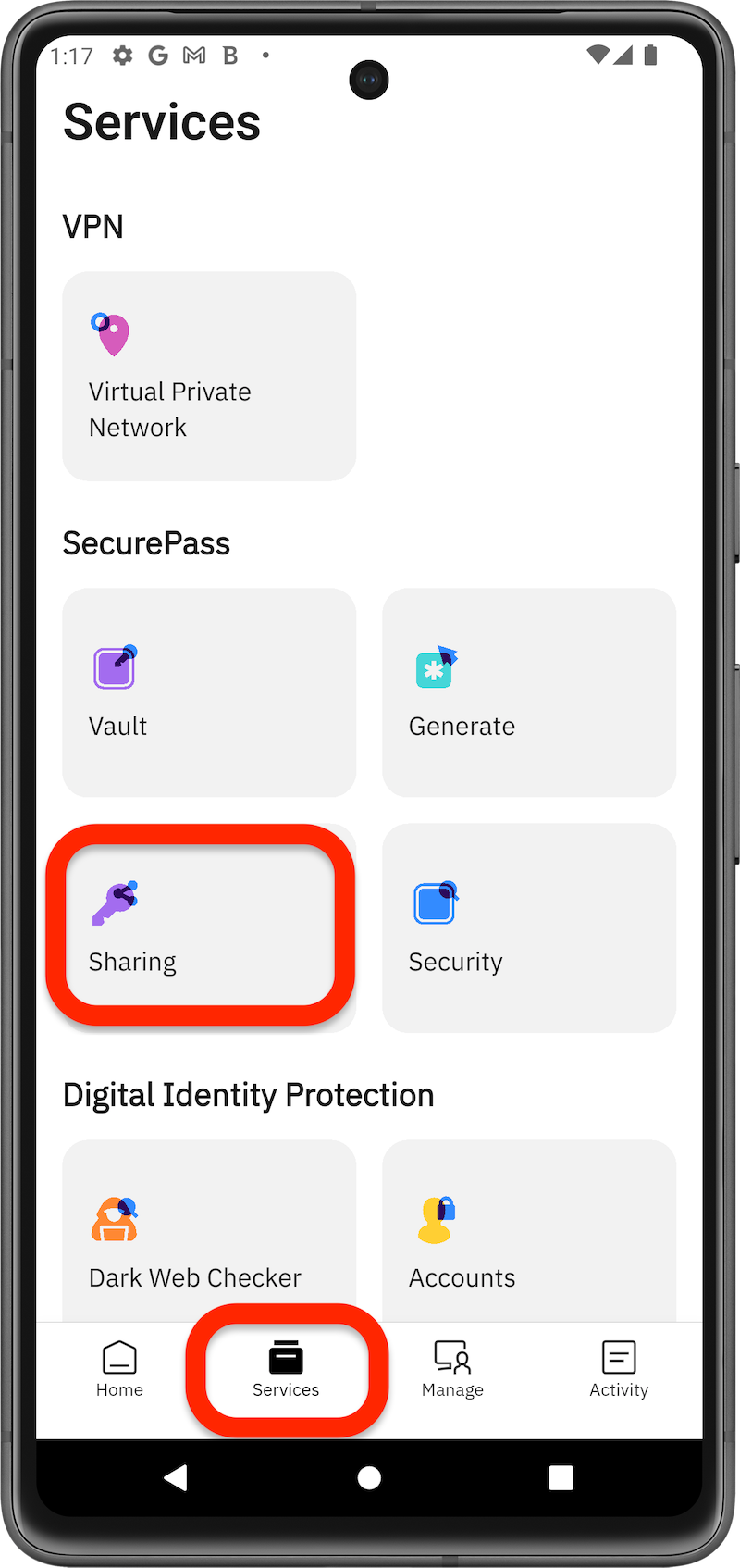
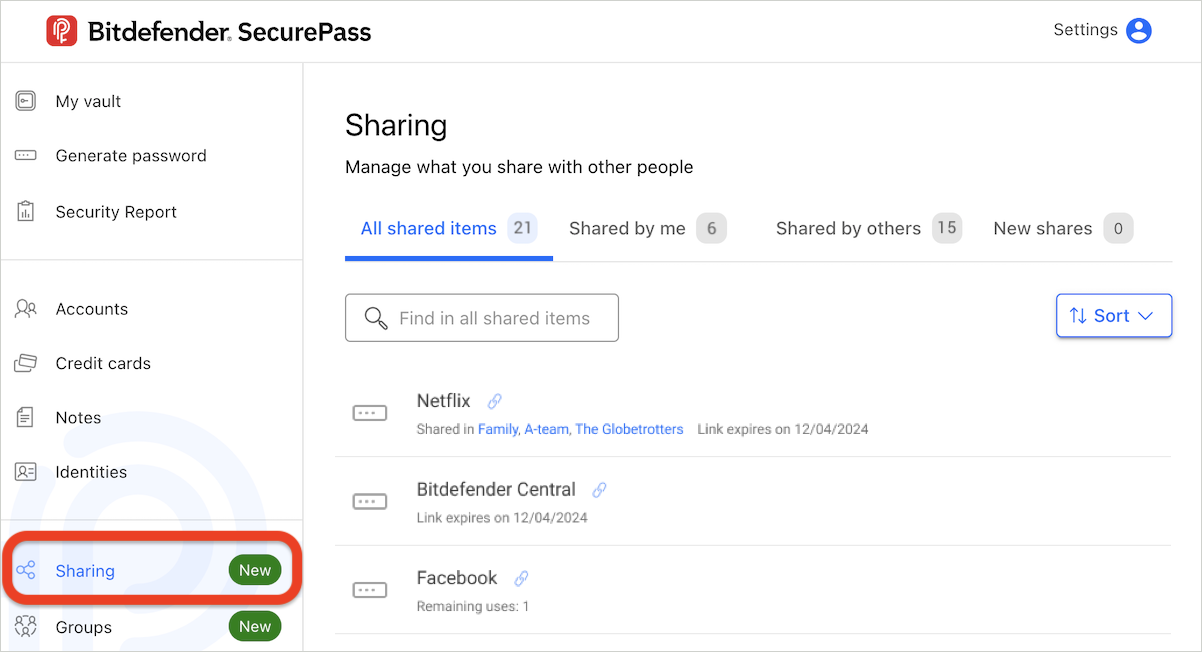
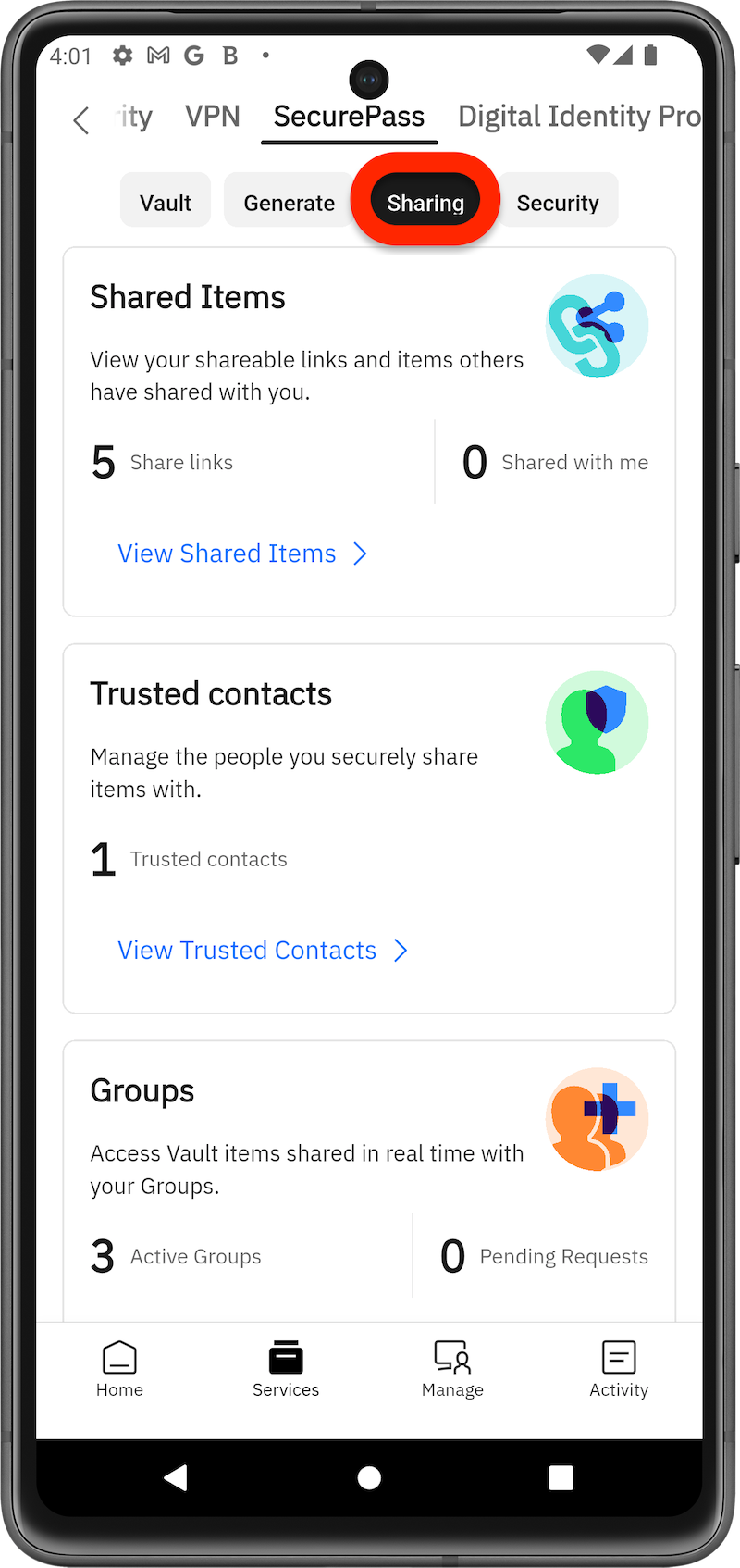
SecurePass users can track all shared items in the Sharing section.
via Browser
via Mobile App
These features provide a flexible and secure way to manage shared access to sensitive information across individuals or groups, while maintaining control over permissions and security.