If you need to turn off the Bitdefender Scam Protection feature on a macOS computer, follow these easy steps.
Step 1. Open Scam Protection
- Open Bitdefender Antivirus for Mac.
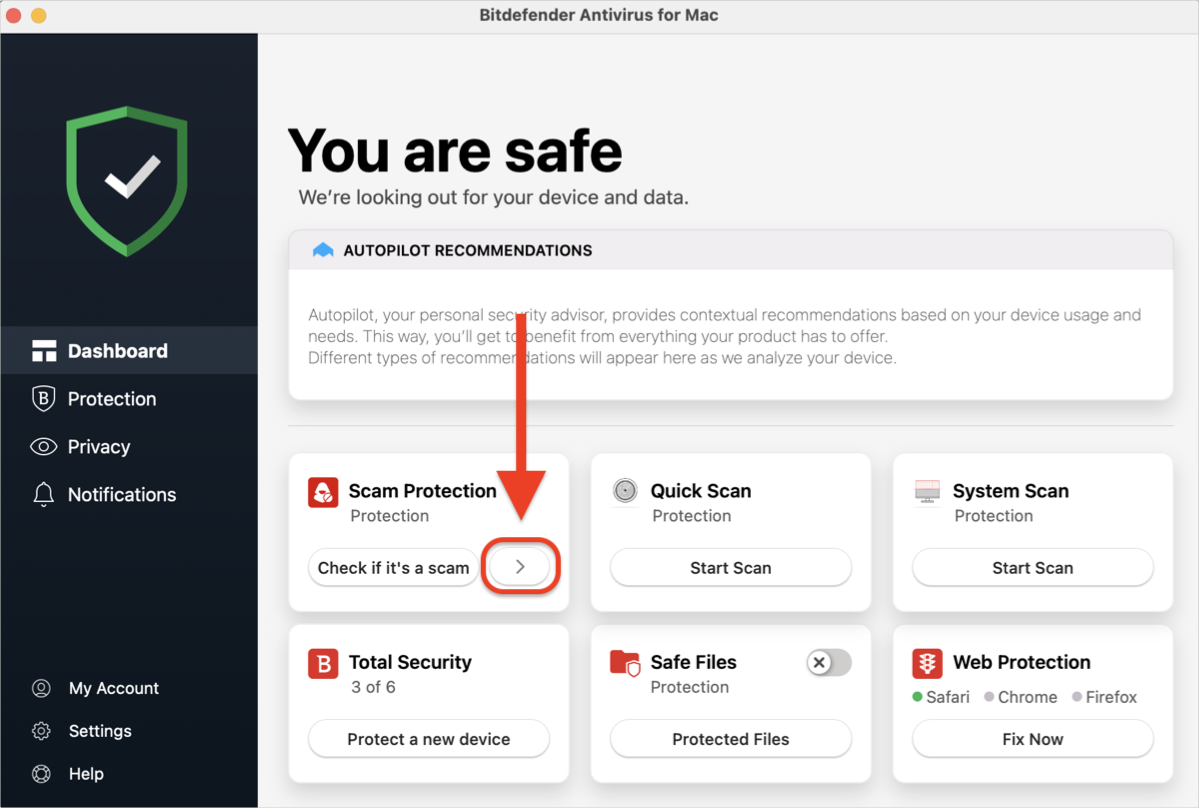
- On the main dashboard, either:
- Click the small arrow ( > ) on the Scam Protection panel, or
-
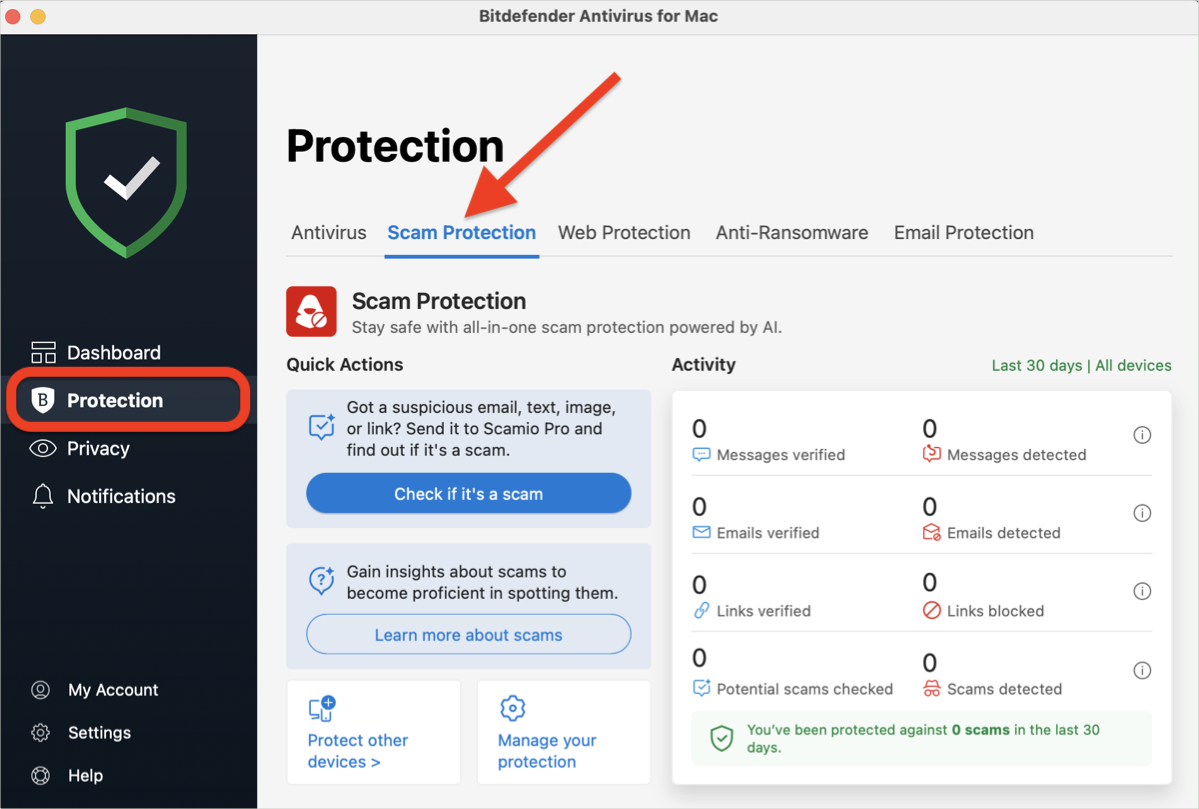
- Click on Protection on the left side menu, then access the Scam Protection tab.
Step 2. Go to Scam Protection Settings
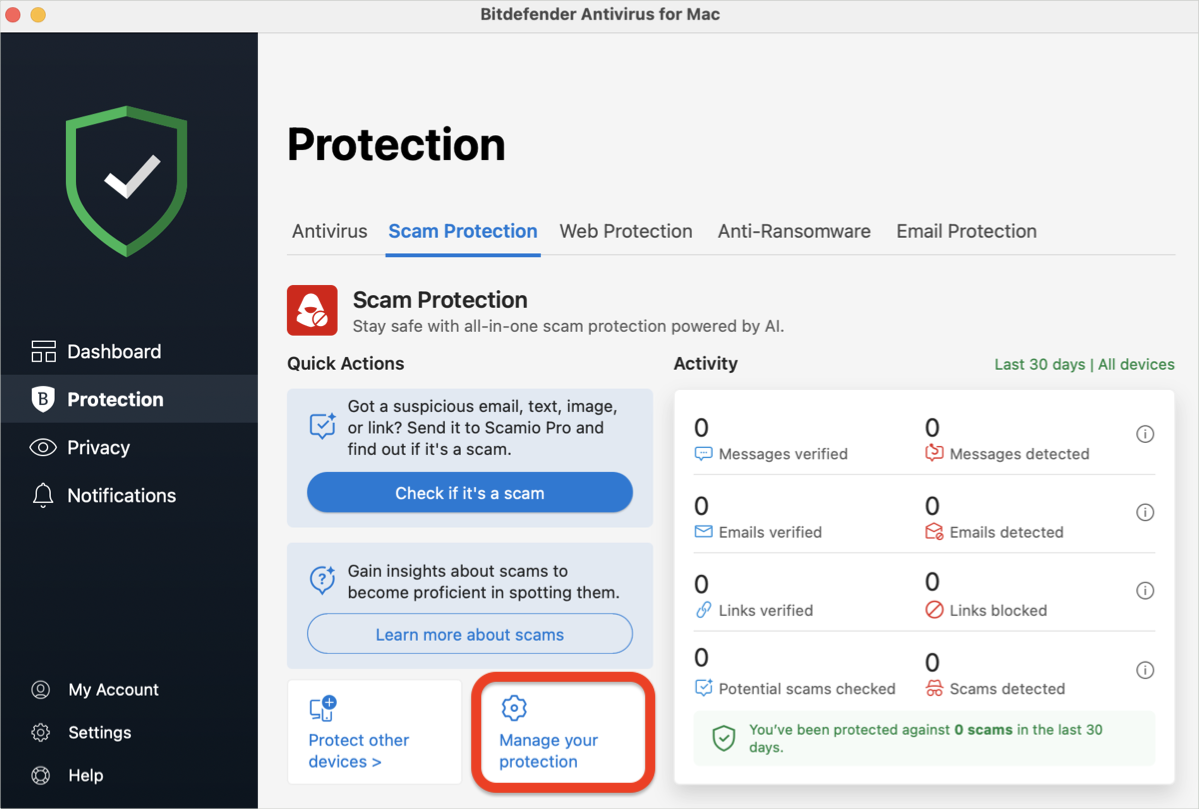
- In the Scam Protection module, click on the Manage your protection option.
- The Scam Protection Settings window will pop up.
Step 3. Disable Scam Wave Alert
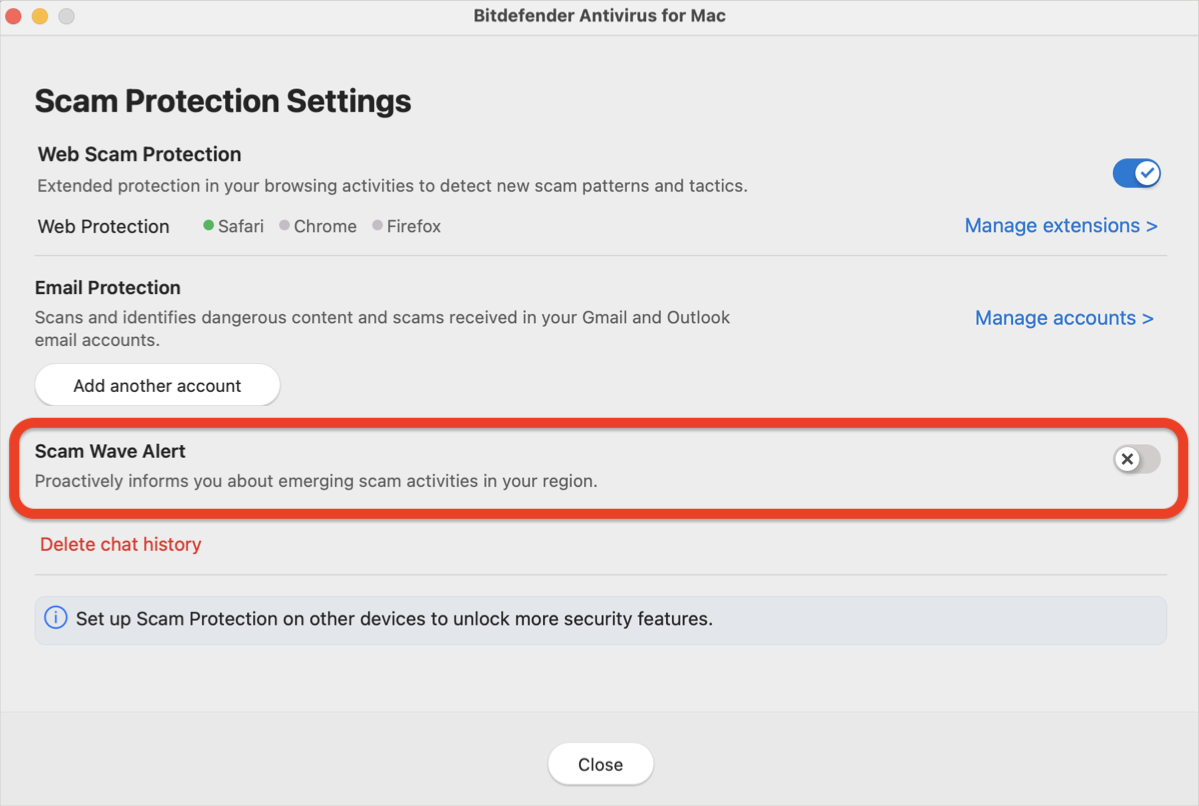
- In Scam Protection settings, turn off the Scam Wave Alert option.
- The switch will change color from blue (active) to gray (disabled).
Step 4. Quit Scam Protection
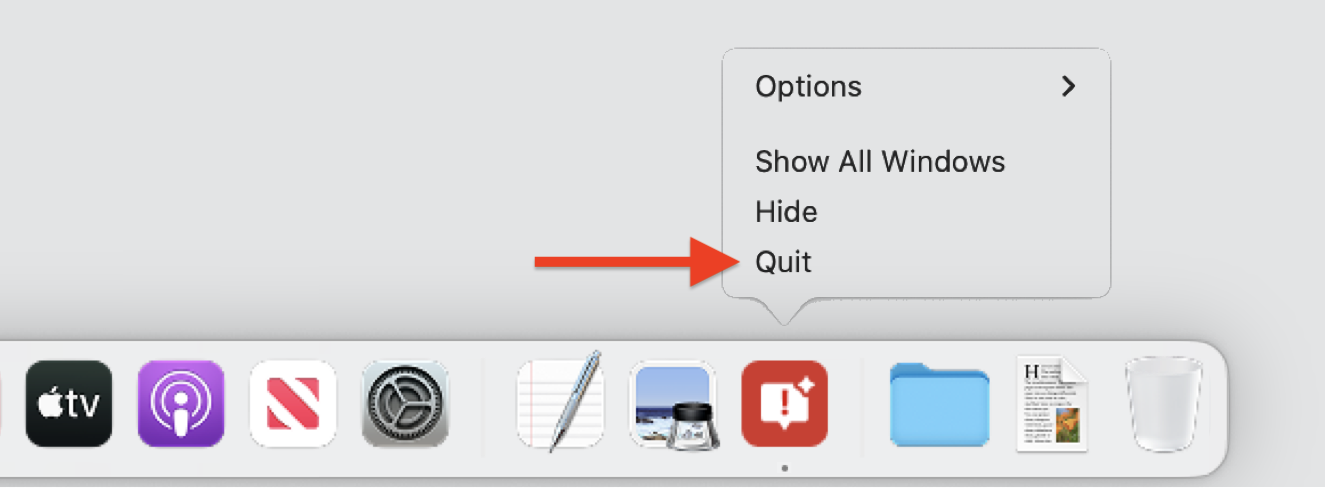
- After disabling the Scam Wave Alert, right-click the Scam Protection icon in the dock and select Quit.
- Once closed, Scam Protection will no longer restart automatically.
That’s it! Scam Protection is now turned off on your macOS computer. If you ever need to re-enable it, simply open Bitdefender Antivirus for Mac and reactivate the Scam Wave Alert option.