Follow the steps below to set up Scam Protection on Android smartphones and tablets and stay safe with all-in-one scam protection powered by AI.
Step 1: Open Scam Protection
- Open Bitdefender Mobile Security.
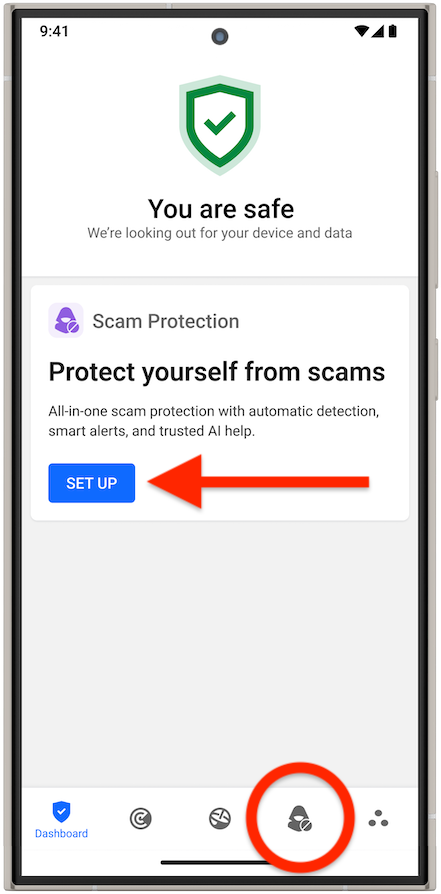
- On the main dashboard, either:
- Tap the Set up button in the Scam Protection pane, or
-
- Tap the Scam Protection icon at the bottom of the screen.
Step 2: Get Started
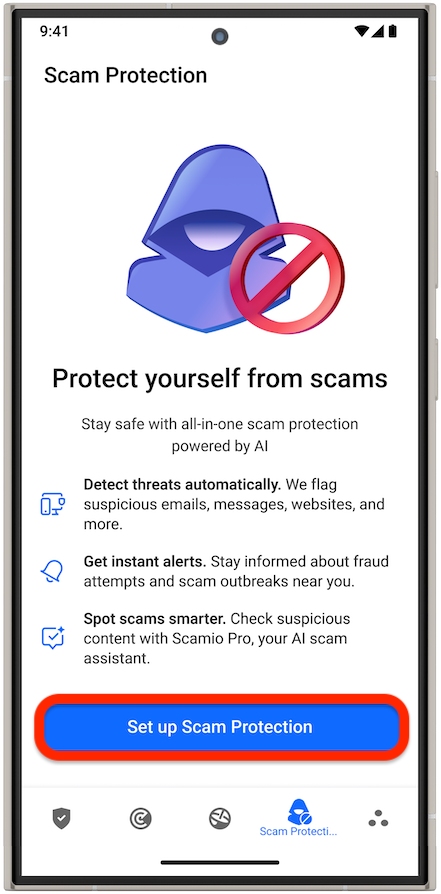
- Tap the Set up Scam Protection button on the Scam Protection overview screen.
Step 3: Set up Scam Protection
You will see which Scam Protection features are already enabled and be guided to configure those that need extra steps. Follow the on-screen instructions to grant the required permissions.
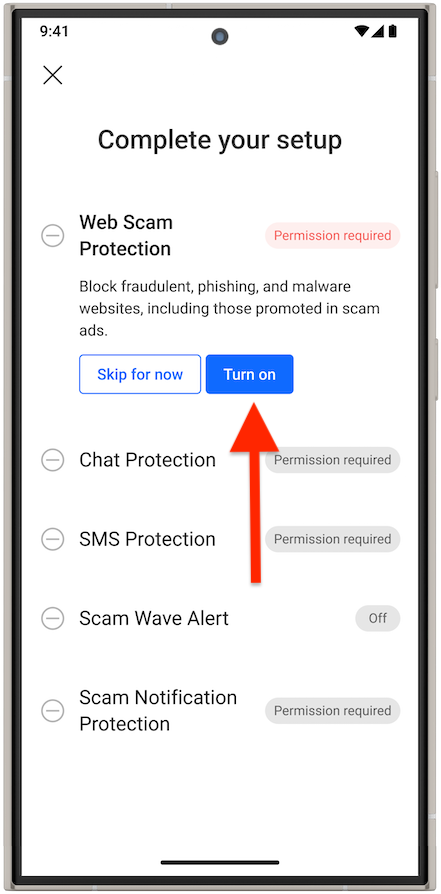
Web Scam Protection
- Tap the Turn on button.
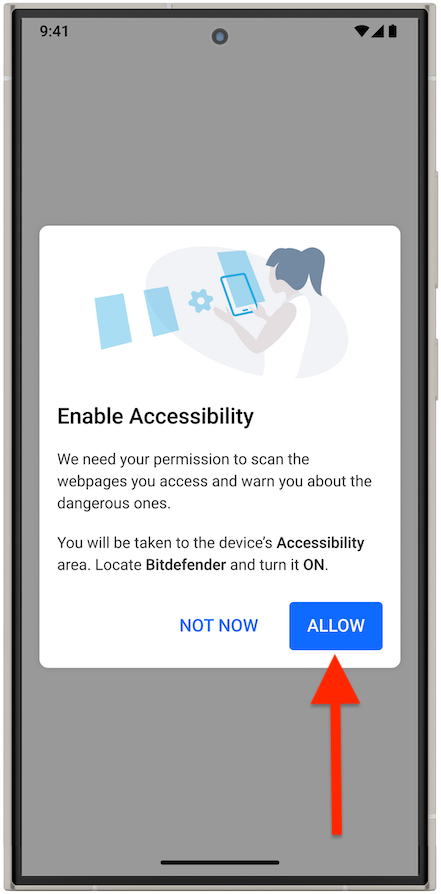
- If Web Protection is off due to missing Accessibility permission, you will be prompted to tap Allow to proceed.
- You will be taken to the device’s Accessibility settings.
- Find Bitdefender Mobile Security and turn it on.
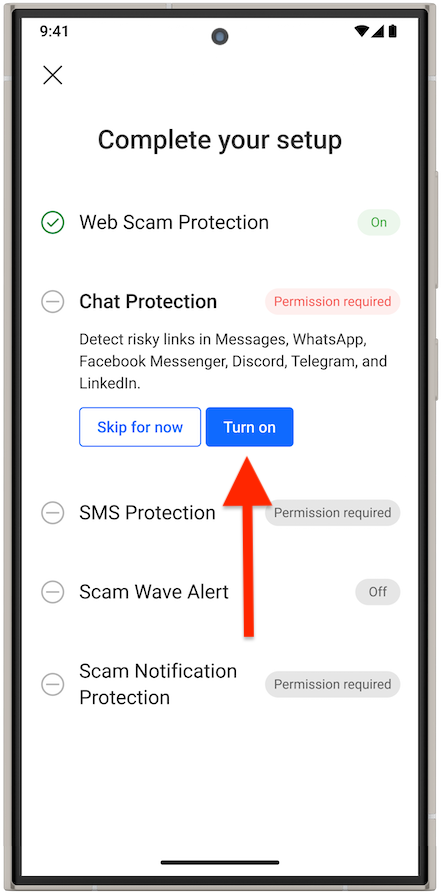
Chat Protection
- Tap the Turn on button.
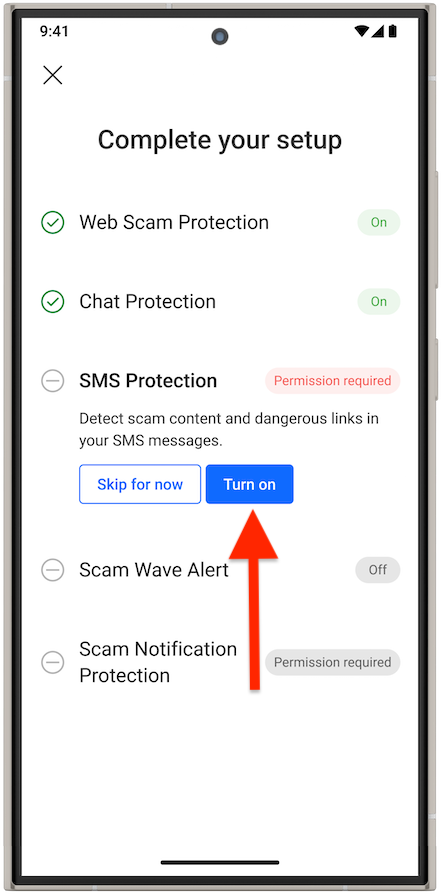
SMS Protection
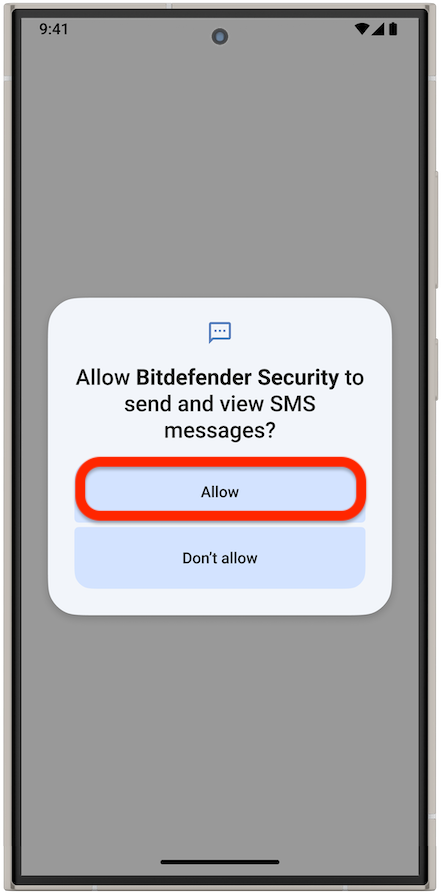
- Tap the Turn on button.
- Allow Bitdefender to scan dangerous links in SMS messages.
- In the Notification Access list, enable notifications for Bitdefender Security.
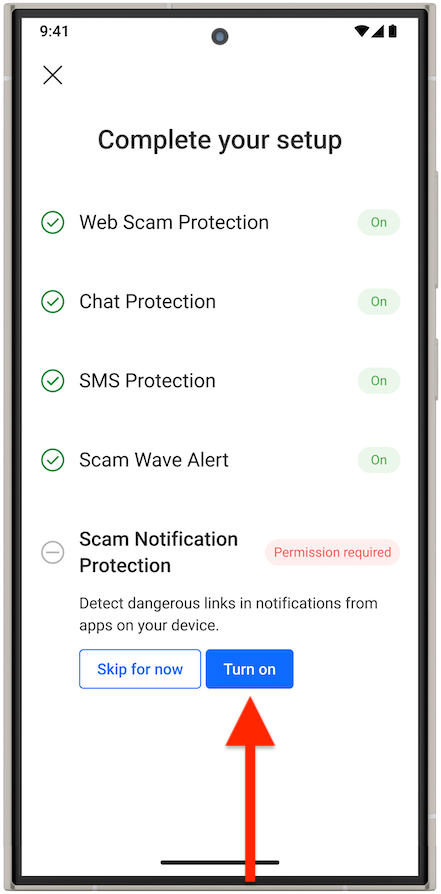
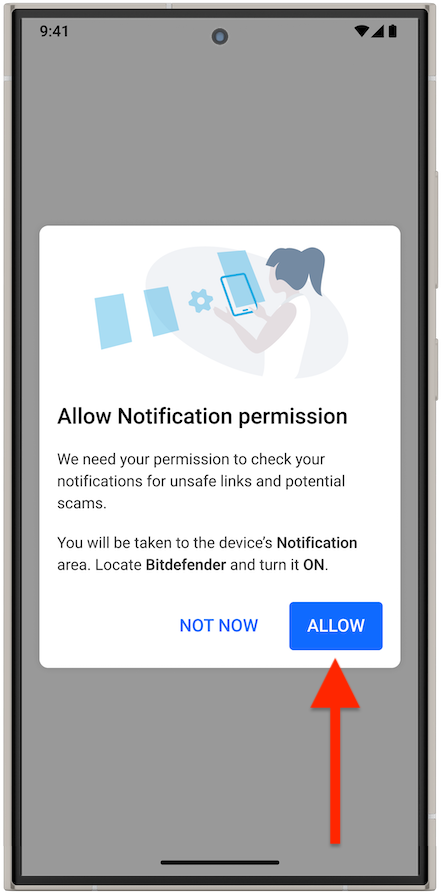
Scam Notification Protection
- Tap the Turn on button.
- Allow Bitdefender to scan dangerous links that appear in notifications from apps on your device.
Step 4: Finish Setup
- Once all Scam Protection components are enabled, you can close the setup window.
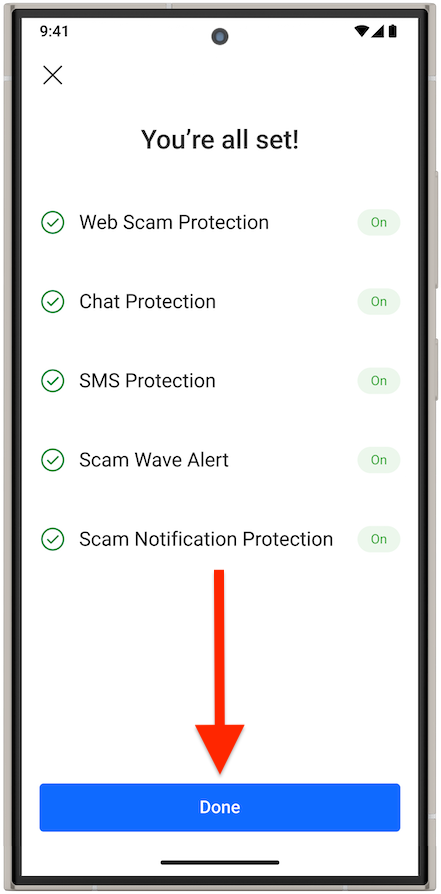
You are all set! You have successfully set up Scam Protection on your Android device. Bitdefender is now ready to help you with:
- Automatic scam detection. Identifies and blocks scams in your email, browser, messages and other apps.
- New scams recognition. Keeps you safe by detecting even the newest scam patterns as they evolve.
- Scamio Pro. An advanced AI scam assistant that detects scams and helps you stay safe.