Thank you for choosing Bitdefender!
Upgrade now and get {{=it.option.discount.percentage}} OFF our best protection!
Bitdefender Antivirus FreeBasic protection, Windows only |
| Free download |
|
Bitdefender Antivirus PlusFull protection for 1 device |
| For the first year. Plus applicable sales tax. |
| Buy Now |
| 30days money back guarantee |
|
Getting started is easy!
Your download should begin shortly. If it doesn’t, click here to download the file manually.
Need help installing? Here are the 5 steps needed to run Bitdefender Antivirus Free on your computer:

Step 1.
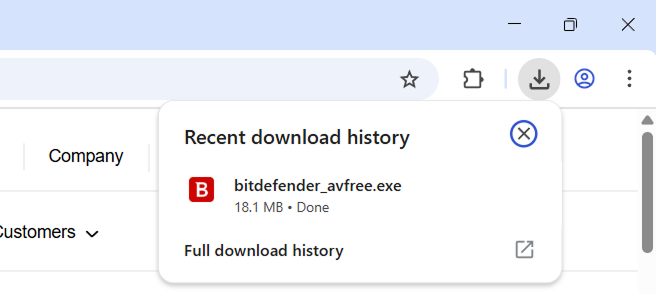
Open bitdefender_avfree.exe file from the downloads list at the top right corner of this window.
Step 2.
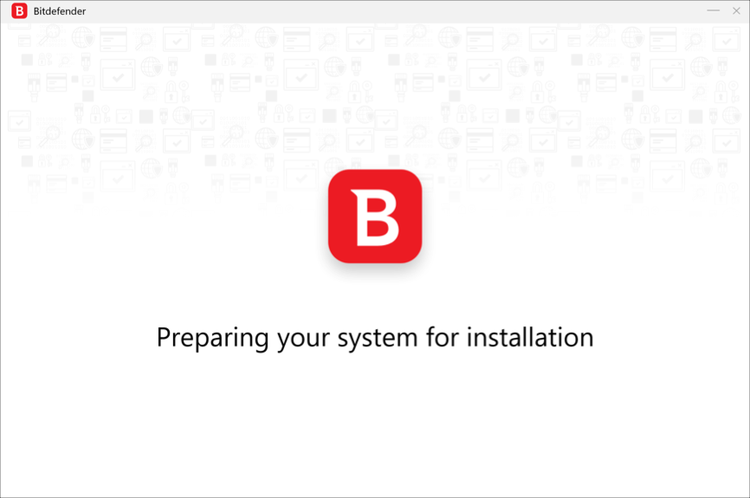
Follow the on-screen instructions and wait until the installation process completes.
Step 3.
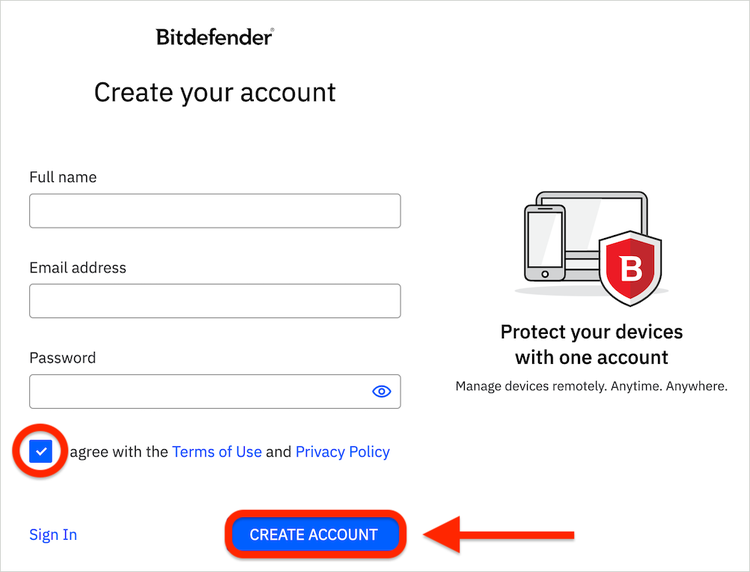
Create a Bitdefender account or log in with your existing one to activate the product.
That’s it! Bitdefender Antivirus Free is now up and running on your computer.
Bitdefender Antivirus FreeBasic protection, Windows only |
| Free download |
|
Bitdefender Antivirus PlusFull protection for 1 device |
| For the first year. Plus applicable sales tax. |
| Buy Now |
| 30days money back guarantee |
|
Install Bitdefender Antivirus Free on your Mac & Android devices, too:

Terms of use
Auto renewal terms
- Your subscription automatically begins at the purchase date;
- By subscribing, you are purchasing a recurring subscription which will automatically renew;
- The Bitdefender Auto Renewal Plan is designed to save you time, effort, and minimize your vulnerability risk by extending your subscription automatically before you run out of protection.
Here is what the Bitdefender Auto Renewal Plan means for you
- Continuous protection so that you never have to worry about your subscription running out before you renew manually;
- Free upgrades whenever a new version of Bitdefender comes out;
- Peace of mind that your devices are always protected;
- Save time while we are taking care of the automatic renewal process;
- Opt out at any time so that you are always in control of your renewal options;
- 24/7 security all-subscription long without interruption;
- The price offered is valid for the first year of subscription. After that, your subscription will be billed at the applicable renewal price;
- If a discount is presented, it describes the difference between the first term and renewal term subscription prices (e.g., first year price vs. each year thereafter). The prices are subject to change, but Bitdefender will send a prior notification by email, before the automatic renewal takes place. You will receive an email notification before you will be billed, along with information regarding pricing and the extension of your subscription duration.
Affirmative consent
- Your subscription automatically begins at the purchase date;
- By subscribing, you are purchasing a recurring subscription which will automatically renew.
How to cancel + email address cancelation support
- You can cancel your automatically subscription from Bitdefender Central or by contacting Customer Support at: cancel@bitdefender.com
- You can refund by contacting refunds@bitdefender.com within 30 days of your initial purchase or of the automatic renewal date.
Your subscription may include product, service and/or protection updates and features that may be added, modified or removed subject to Bitdefender Subscription Agreement and Terms and Conditions for Home Users and Privacy Notice.