You can change the email address associated with your Bitdefender Central account yourself at any time. You might need to change the email address of your Bitdefender Central account if you’re switching to a new email provider, if you have a new email address, to separate work and personal email accounts, etc. Additionally, updating your email ensures you receive important communications and security updates from Bitdefender.
Before you change your email address, please keep in mind the following:
- Unused email: The new email address must not be associated with another Bitdefender Central account to avoid conflicts. Otherwise, an error message will appear: “An account with this email already exists!”
- Real email: You cannot change your email address to a fictitious email. The process requires you to confirm the new email address via a link sent to it.
- Subscription transfer: Changing your Bitdefender Central account email address will transfer all existing subscriptions and services to the new account. All your active subscriptions will be linked to the new email address once the change is completed.
Step 1: Sign in to Bitdefender Central
- Go to the Bitdefender Central website https://central.bitdefender.com/
- Enter your current email address and password to sign in to your Bitdefender account.
Step 2: Access Bitdefender Account
- Once logged in, click on your username or profile icon located in the upper right corner of the page.
- Click “Bitdefender Account” in the menu. The Bitdefender Account page will open in a new tab
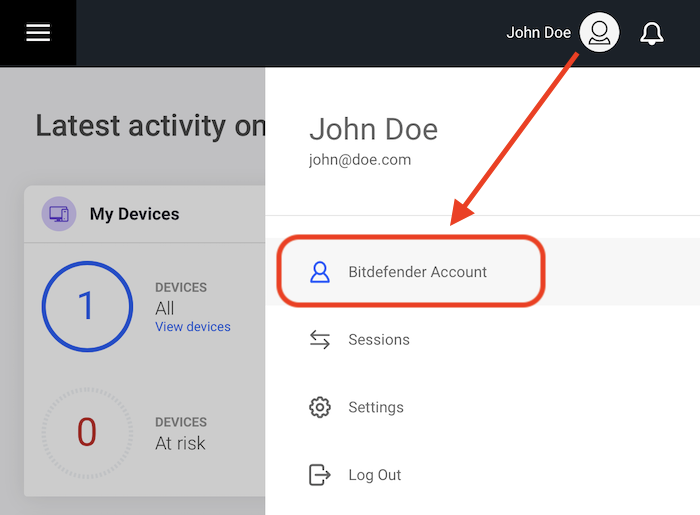
ⓘ If the “Bitdefender Account” option doesn’t open or keeps sending you back to the sign-in page in a loop, access it directly at https://account.bitdefender.com/ and log in with your Bitdefender account there instead.
Step 3: Access Personal information
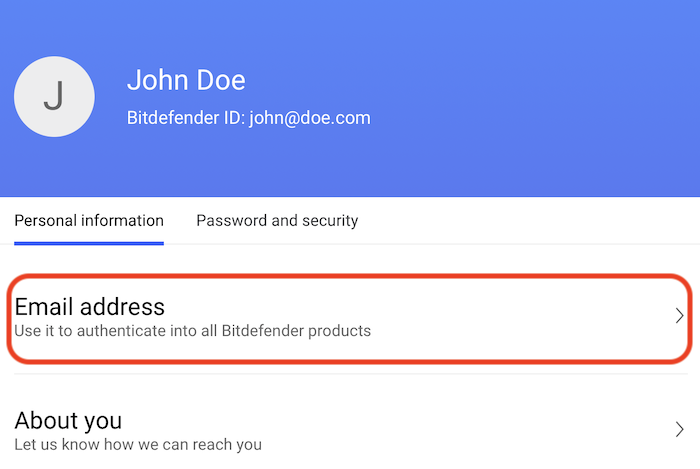
- In the “Personal information” tab, click on the “Email address” section.
Step 4: Change Email Address
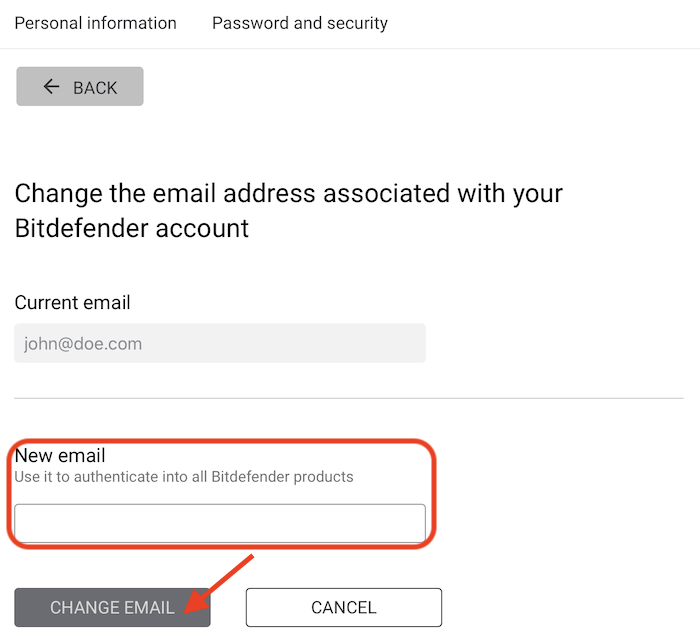
- Input your new email address in the “New email” field.
- Click on the CHANGE EMAIL button.
Step 5: Confirm New Email Address
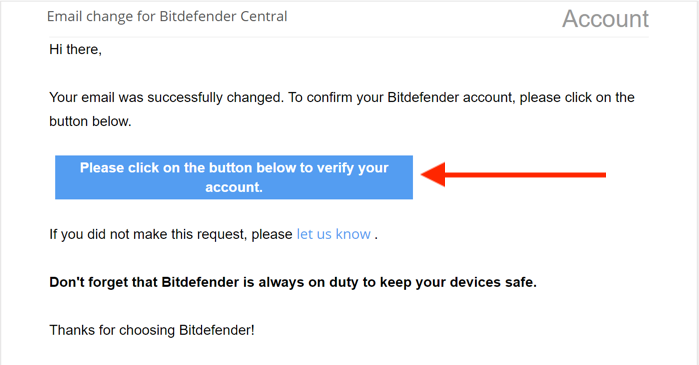
- Bitdefender will send a confirmation link to the new email address you entered.
- Open the email from Bitdefender and click on the confirmation button to verify your new email address.
It’s that simple to change your Bitdefender Central email address!